







Introduction
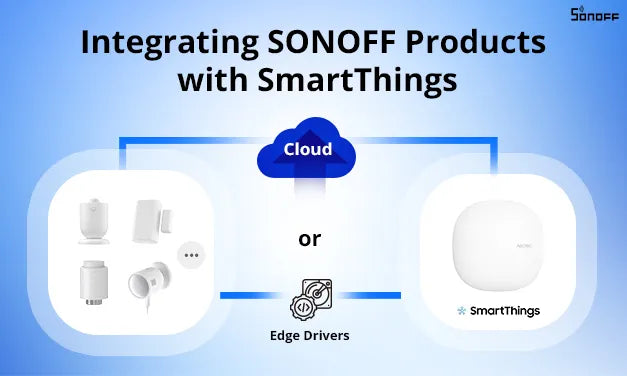
In response to user feedback and to enhance the accessibility of our products, we’re thrilled to introduce two methods for seamlessly integrating SONOFF products into the SmartThings ecosystem. These methods empower users to effortlessly integrate our products into their SmartThings ecosystems for control.
Method 1: Cloud Integration
For users who primarily use the eWeLink App, we recommend considering this method first. If you’re using Zigbee products, please note that you’ll require a SONOFF Zigbee gateway (such as ZBBridge-P or NSPanel Pro). Detailed steps for cloud integration can be found here: https://ewelink.cc/ewelink-works-with-smartthings/
Method 2: Zigbee Direct Connection
If the SmartThings App is your primary platform and you already have a compatible SmartThings hub, you can connect supported SONOFF Zigbee devices directly. Some models are recognized by SmartThings’ official drivers and require no additional driver installation, while others need a SONOFF Edge Driver. See the notes and driver links below.
Installation steps:
1. Access the Driver URL link.


Drivers URL link
Most SONOFF Zigbee products support integration with the Samsung SmartThings platform.
👉 For the Driver URL Link, please visit the SONOFF Help Center and locate it under the "Introduction" section of the specific product page.

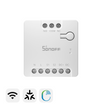
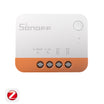
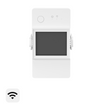
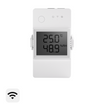
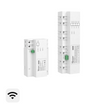
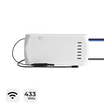
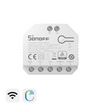
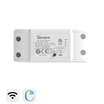
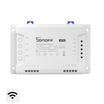
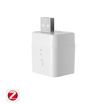
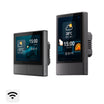
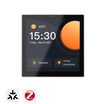
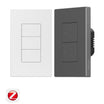
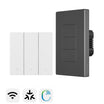
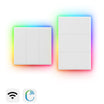
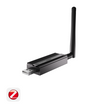
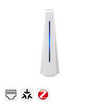
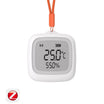
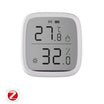
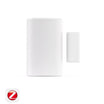
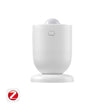
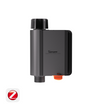
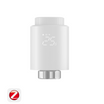
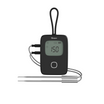
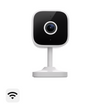
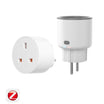
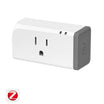
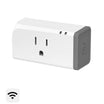
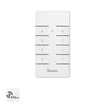
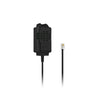
The Driver URL Link and supported capabilities for certain popular products are listed in the table below:
|
Product |
Driver URL |
Features |
|
https://bestow-regional.api.smartthings.com/invite/kVlnwR6yLoj4 |
● ON/OFF |
|
|
|
https://bestow-regional.api.smartthings.com/invite/d429GN7o5Djo |
● Remote Temp Control ● 3 Operating Modes Available (Schedule + Manual + Anti-freeze) ● Battery Level Indication |
|
|
https://bestow-regional.api.smartthings.com/invite/gpjGAnZJoX24 |
● Device Mode |
|
https://bestow-regional.api.smartthings.com/invite/akMX7ZVDQBjb |
● Single/Double/Triple-Click, Long Press |
|
|
https://bestow-regional.api.smartthings.com/invite/5z2RpqyNwzj1 |
● Temperature Detection |
|
|
https://bestow-regional.api.smartthings.com/invite/5z2RpqyNwzj1 |
● Temp. &Hum. Detection |
|
|
|
https://bestow-regional.api.smartthings.com/invite/qWjBdD7nAw2y |
●Motion Detection |
|
|
https://bestow-regional.api.smartthings.com/invite/WY2Wb3edYmMr |
● Motion Detection ● Illumination Offset |
|
https://bestow-regional.api.smartthings.com/invite/r3MymG3kBbMp |
● Open & Close Detection |
|
| https://bestow-regional.api.smartthings.com/invite/Pw2DLAr7w823 |
● Leak Detection |
|
|
|
https://bestow-regional.api.smartthings.com/invite/qWjBdD7nAw2y |
● Motion Detection |
|
|
https://bestow-regional.api.smartthings.com/invite/Kaja1adYP7j3 |
● Manual Watering |
|
|
https://bestow-regional.api.smartthings.com/invite/Kaja1adYP7j3 |
● Manual Watering |
*SNZB-02 Series: Direct SmartThings Support
- The SNZB-02P, SNZB-02D, SNZB-02DR2, SNZB-02B, SNZB-02M, and SNZB-02UL can be paired directly with a compatible SmartThings hub. SmartThings’ official drivers recognize these models automatically, so no additional custom or SONOFF Edge Driver is required.
- If a sensor is not recognized correctly or does not work as expected, open its device details page in the SmartThings App and try switching to a more suitable built-in driver, such as Zigbee Humidity Sensor.
Note: The SNZB-02WD and SNZB-02LD are exceptions and require the SONOFF driver listed in the table above.

38 comments
Joanna Z
Reply to Christoph: Hi Christoph, thank you for your detailed feedback. The official SmartThings Edge Driver for Hydro ONE (SWV-ZFE) is now available. Please install it using the link below, then remove the valve from SmartThings and pair it again:
— https://bestow-regional.api.smartthings.com/invite/Kaja1adYP7j3
If it still closes automatically after 10 minutes, please let us know your device firmware version so we can investigate further.
Joanna Z
Reply to James Bell: Hi James, thank you for reporting this issue. The official SmartThings Edge Driver for the SWV-ZNU is now available. Please install it using the link below, then remove and pair the valve with SmartThings again:
— https://bestow-regional.api.smartthings.com/invite/Kaja1adYP7j3
If the valve still closes automatically after 10 minutes with this driver, please let us know your firmware version so we can investigate further.
Joanna Z
Reply to Emilio: Hi Emilio, the SNZB-02DR2 is already supported by the official SmartThings Edge driver. You can pair it directly with your SmartThings Hub without installing a separate SONOFF driver.
If the device is not recognized correctly or some readings are unavailable, open its details page in the SmartThings app and manually switch to a more suitable driver, such as the Zigbee Humidity Sensor.
Joanna Z
Reply to Carlos Gomez: Hi, the SNZB-03PR2 requires its dedicated SmartThings Edge Driver. Please install the official driver first using this link:
https://bestow-regional.api.smartthings.com/invite/WY2Wb3edYmMr
Sign in with your Samsung account, select Enroll > Available Drivers > Install, then open the SmartThings app and scan for nearby devices. Press and hold the pairing button on the SNZB-03PR2 for 5 seconds to enter pairing mode. If it was previously added as an unsupported or unknown device, remove it and pair it again after installing the driver.
If it is still not recognized, please contact us via https://sonoff.tech/pages/contact and provide your SmartThings Hub model, firmware version, and a screenshot of the device information or error.
Joanna Z
Reply to Maxime: Hi, a SmartThings Edge Driver for SNZB-03PR2 is now available. Please install it using the following link:
https://bestow-regional.api.smartthings.com/invite/WY2Wb3edYmMr
The driver link has also been added to this guide.
Leave a comment
All comments are moderated before being published.
This site is protected by hCaptcha and the hCaptcha Privacy Policy and Terms of Service apply.