














































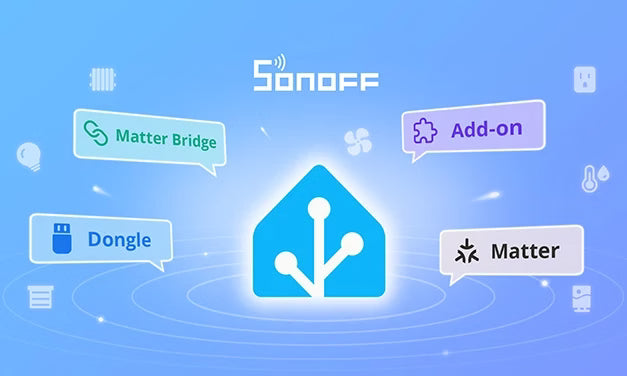
Introduction
Home Assistant is a popular open-source smart home platform. It runs on Raspberry Pi, computers, NAS devices, etc., unifying devices from different brands and protocols into a single platform.
Two core reasons to choose Home Assistant:
-
Local operation, data sovereignty: All data stays on your own server — no cloud dependency. Devices keep working even when the internet is down, and your usage patterns and scene data remain private.
- Open ecosystem, rich protocol support: Home Assistant supports Zigbee, Wi-Fi, Matter, MQTT, Z-Wave, and virtually every major smart home protocol — integrating devices from different brands into one interface to create automations together.
SONOFF offers a wide range of devices: DIY retrofit modules, wall switches, thermostats, water valves, various sensors, and more. To make SONOFF devices accessible to Home Assistant users, SONOFF provides multi-integration paths for every protocol and device type.
This blog walks you through each integration method and helps you choose the right one for your needs.
1. Zigbee Devices
Zigbee is a low-power mesh networking protocol. SONOFF's Zigbee devices include various sensors ( PIR motion, Human Presence, temperature/humidity, etc.), smart switches/outlets, wall switches, thermostats, and water valves.
There are three ways to connect Zigbee devices to Home Assistant, covering everything from "pure local control" to "dual-platform sync."
1.1 Dongle Direct Connection
How it works: Most Home Assistant hosts don't have built-in Zigbee radio capability — a Zigbee Dongle (adapter) is needed to send and receive Zigbee signals. The SONOFF Dongle series is a star product in this space.
Compatible devices: Nearly all SONOFF Zigbee devices can be connected via a Dongle.
Integration method:
After configuring the Dongle in Home Assistant via the ZHA (Zigbee Home Automation) integration or Zigbee2MQTT (Z2M), SONOFF Zigbee devices are automatically discovered and added as entities in Home Assistant, ready for automations and scenes.
- ZHA: Built into Home Assistant Core; simple configuration, suitable for most users
- Zigbee2MQTT: Richer features, larger community ecosystem, supports more device types and customization options
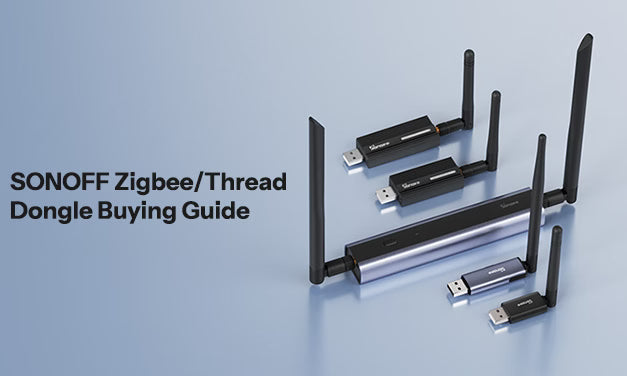
*If you're not sure which Dongle to choose, check out the SONOFF Dongle Selection Guide:
https://sonoff.tech/blogs/news/sonoff-zigbee-thread-dongle-choosing-guide
*For detailed setup steps or troubleshooting, visit the Dongle dedicated website:
⚠️ Important: Zigbee devices added via Dongle only appear in Home Assistant — they cannot be controlled from the eWeLink App. If you need to manage devices from both Home Assistant and eWeLink, see the Matter Bridge option below.
1.2 Matter Bridge Sync
How it works: SONOFF's ZBBridge-U (Zigbee Bridge Ultra) and NSPanel Pro are devices with built-in dual functionality: Zigbee gateway + Matter Bridge. You can first add SONOFF Zigbee devices to the eWeLink App, then sync them to Home Assistant as "local Matter devices" via the Matter Bridge protocol.
Why choose Matter Bridge?
- Dual-platform control: Devices are manageable in both the eWeLink App (remote control, scene automation) and Home Assistant
- Local communication: After syncing to Home Assistant, devices run as standard Matter devices — communication is entirely LAN-based, no cloud dependency
-
Broad device support: Not only Zigbee sub-devices — also syncs Wi-Fi devices on the LAN and eWeLink-Remote scene remotes
|
Device |
Type |
Highlights |
|
ZBBridge-U |
- Zigbee Gateway |
High-performance Zigbee gateway, supports Ethernet connection |
|
NSPanel Pro |
- Zigbee Gateway |
Home control panel, supports downloading the Home Assistant App via F-Droid |
Best for:
- Users who want to control devices from both Home Assistant and eWeLink
- Users already familiar with the eWeLink ecosystem who don't want to give up App-based remote control
1.3 MQTT Sync
Best for: Users familiar with Home Assistant's MQTT integration who need to preserve device capabilities and settings beyond what the Matter standard defines.
The Matter protocol defines a standardized set of device capabilities (e.g., on/off), but some SONOFF devices have manufacturer-specific extended features. These features can be preserved in MQTT direct connection mode, while they may be simplified in Matter Bridge sync mode.
Note: MQTT integration requires some configuration knowledge and NSPanel Pro or ZBBridge-U.
*For detailed setup steps, see:
https://sonoff.tech/blogs/news/how-to-sync-zigbee-sub-devices-to-home-assistant-via-mqtt
2. Wi-Fi Devices
SONOFF Wi-Fi devices include various retrofit modules, wall switches, outlets, and more — distributed throughout the home, controlling lights in different rooms. Depending on whether a device supports the Matter protocol, there are different ways to add them to Home Assistant.
2.1 Matter-Certified Devices — Direct Addition
Best for: Devices with a Matter certification badge (check the product page or packaging for the Matter badge).
Matter is the next-generation smart home interoperability protocol driven by the CSA (Connectivity Standards Alliance). Matter-certified devices have a "standardization" advantage: device capabilities are defined by the protocol itself, so adding them to any Matter-compatible platform (Home Assistant, Apple Home, Google Home, etc.) requires no additional drivers or plugins.
Setup steps:
1. Make sure the Matter integration is installed in Home Assistant (add it via "Settings → Devices & Services")
2. Open the eWeLink App with your bound device and confirm the device is online
3. In Home Assistant, search for and add a Matter device, then scan the QR code with the eWeLink App as prompted to complete pairing
Once added, the device appears in Home Assistant as a standard Matter device — all standard capabilities (switch state, brightness control, etc.) work out of the box.
*Home Assistant official Matter documentation:
https://www.home-assistant.io/integrations/matter
2.2 Non-Matter Devices — Matter Bridge or eWeLink Add-on Sync
Best for: Older models without Matter firmware support, where you still want to see and control devices from Home Assistant.
These devices can be synced to Home Assistant via Matter Bridge or the eWeLink Smart Home Add-on. Matter Bridge functionality is described above. The eWeLink Smart Home Add-on works by downloading the Add-on in Home Assistant and logging into your eWeLink account — synced devices appear as entity cards in Home Assistant, supporting basic operations like toggling switches.
For Add-on details, see:
https://github.com/iHost-Open-Source-Project/hassio-ihost-addon
3. eWeLink-Remote Devices
eWeLink-Remote is SONOFF's local scene remote solution designed for the eWeLink App. Typical devices include:
- R5: Multi-scene remote, supports binding multiple devices or scenes simultaneously
- S-mate2: DIY switch, designed to work with external switches
Now, eWeLink-Remote devices support integration with Home Assistant via Matter Bridge — you can use them as local scene remotes within Home Assistant.
How it works: Use the Matter Bridge function on ZBBridge-U or NSPanel Pro to sync eWeLink-Remote devices to Home Assistant, then set up local automations triggered by the remote.
Integration Methods Overview
|
Method |
Control Platform |
Extra Hardware |
Compatible Devices |
Key Feature |
|
Matter Protocol |
Home Assistant + other Matter platforms |
None required |
Matter-certified Wi-Fi devices |
Simplest — scan and go |
|
Dongle Direct |
Home Assistant |
SONOFF Dongle required |
All SONOFF Zigbee devices |
Local direct connection, stable and reliable |
|
Matter Bridge |
Home Assistant + eWeLink |
ZBBridge-U or NSPanel Pro required |
Zigbee devices, Wi-Fi devices, eWeLink-Remote devices |
Dual-platform sync, easy to use |
|
MQTT Direct |
Home Assistant + eWeLink |
ZBBridge-U or NSPanel Pro required |
Zigbee devices supported in Z2M |
More features, but requires configuration skills |
|
eWeLink Add-on |
Home Assistant + eWeLink |
None required (account only) |
Older Wi-Fi devices without Matter |
Simple, but requires downloading the Add-on |
There is no single "right answer" for connecting SONOFF devices to Home Assistant — it depends on your usage habits and priorities:
If you pursue pure local, stable, and ultimate control, Dongle direct connection is the best choice;
If you want dual-platform synergy between Home Assistant and eWeLink, Matter Bridge provides a more balanced experience;
For users with some DIY skills who want to preserve more device extended features, MQTT offers greater freedom;
Meanwhile, as the Matter ecosystem matures, more and more Wi-Fi devices can achieve an "out-of-the-box" integration experience through standardization.
SONOFF will continue to embrace the open-source community ecosystem, bringing you a more convenient and comfortable smart life.

Leave a comment
All comments are moderated before being published.
This site is protected by hCaptcha and the hCaptcha Privacy Policy and Terms of Service apply.