










Introduction
Is your upstairs too warm while your downstairs stays cold? Or would you like a cooler bedroom at night without changing the temperature throughout the house? A multi-zone heating setup can give the different rooms or areas their own temperature settings and schedules—but the right controls depend on how your home is heated.
Some homes already have separate heating zones. Others may need additional radiator valves, zone controls, or compatible thermostats before rooms can be controlled independently.
What Is a Multi-Zone Thermostat, and How Does It Work?
A multi-zone heating system controls the heat delivered to different parts of a home independently. A zone might be one bedroom, an open-plan living area, or an entire floor. Each zone can follow its own temperature target and heating schedule, provided the heating system has the necessary controls.
In a single-zone system, several rooms may share one heating control. Room sensors can provide additional temperature readings, but they cannot independently regulate the heat delivered to each room. True independent control also needs devices such as radiator valves, hydronic zone valves, or motorized duct dampers.
● Multi-room heating usually refers to room-level control, often using smart thermostatic radiator valves (TRVs).
● Multi-zone heating is broader: a zone may include one room or several rooms, depending on the system.
For example, adding three room sensors to a single-zone thermostat may improve temperature control, but the rooms still share the same heating zone. To control them independently, the system also needs a way to regulate heat delivery to each area, such as radiator valves, zone valves, or motorized air dampers.
Which Type of Multi-Zone Heating System Do You Have?
A thermostat that works with a ducted HVAC system may not work with hot-water radiators or underfloor heating. Identify your heating system—and whether it already has separate zones—before choosing a replacement or adding controls.
|
Heating System |
How Zones Are Controlled |
What to Check |
|
Ducted HVAC |
A zone panel operates motorized dampers to direct conditioned air. |
Existing zone panel, dampers, thermostat compatibility, and wiring. |
|
Hot-water radiators and boilers |
TRVs regulate individual radiators; zone valves may control larger areas. |
Radiator valve types, boiler interface, and heat-demand coordination. |
|
Hydronic Underfloor Heating |
Room controls operate compatible manifold actuators or zone valves. |
Actuator type, control voltage, manifold and thermostat wiring. |
|
Electric Heating |
Thermostats switch separate electric heating circuits, sometimes through suitable contactors. |
Supply voltage, heating load, and electrical protection. |
|
Mini-Split Systems |
Compatible indoor units can often be controlled separately. |
Unit configuration and manufacturer-supported controls. |
Not sure whether your home already has multiple heating zones? Look for separate wall thermostats, zone valves near the boiler, independently controlled floor-heating circuits, or an HVAC zone panel with dampers. Two thermostats do not, by themselves, prove that a home has a compatible shared-zone control system; they may serve separate heating equipment.
A practical starting point: If your home has zoned ducted HVAC, check which thermostats work with its zone panel. If it has radiators, check whether you need independent valve control, boiler coordination, or both. For hydronic floors, start with the actuators and controls already installed.
What Should You Check Before Choosing a Multi-Zone Smart Thermostat?
● Heating system compatibility: Confirm whether your equipment uses conventional low-voltage HVAC controls, electric heating loads, hydronic actuators, or a boiler thermostat input. These are not interchangeable.
● Existing zones and rooms: Check whether you are replacing controls in an already-zoned home or trying to create independent room control in a single-zone system.
● Independent heat delivery: Identify the device that controls heat to each area—TRVs, zone valves, floor-heating actuators, or duct dampers. Extra sensors do not create independent zones on their own.
● Shared heat-source control: If zones share a boiler or HVAC unit, check how many requests for heat are handled. Opening a radiator valve does not necessarily start a boiler.
● Wiring and power: Check the thermostat's power supply and control terminals, as well as any existing zone panel. Professional installation may be necessary when changing mains-powered or boiler wiring.
● Schedules, integration and total cost: Consider independent settings, compatible platforms, gateways, valves, sensors and installation—not just the thermostat price.
Is upgrading worth it? Separate control is useful when rooms are occupied at different times or existing zones have different heating needs. But if one room is always cold, investigate insulation, radiator balancing, or duct airflow first. Adding zones may be expensive and will not necessarily fix an underlying heat-distribution problem.
How Does Room-by-Room Heating Control Work?
Suppose your bedroom is at 18°C (64°F), and you want it at 20°C (68°F), while the living room is already comfortable. A properly configured zoned system needs to do three things:
● Measure the temperature: A thermostat or sensor provides a room-temperature reading for the control system to compare with the target.
● Regulate heat delivery: A radiator valve, hydronic actuator, or duct damper controls how much heat reaches the relevant area.
● Coordinate a shared heat source: Where multiple zones use one boiler or HVAC unit, compatible controls determine when it should run.
These are separate functions, though some systems combine them within the same equipment. A temperature sensor does not create a zone, and a TRV opening does not guarantee that hot water will be available. The exact arrangement depends on your heating system.
How Does Multi-Zone Radiator Heating Work?
In a hot-water radiator system, a smart TRV adjusts the flow through its radiator to help maintain a room's target temperature. Different radiators can follow different temperatures and schedules, but boiler operation may still depend on a separate room thermostat.
How Do Smart TRVs Work with the Boiler?
Imagine the living room reaches its target temperature and the central thermostat switches the boiler off. The bedroom is still cold, and its TRV opens—but without hot water circulating, that radiator cannot provide the heat it needs.
In a coordinated setup, a compatible heating controller can respond when one or more rooms need heat, while TRVs regulate how much hot water reaches their radiators. Whether this is possible depends on the boiler interface, the TRVs, and the control system. Not all smart TRVs can request boiler heat directly.
👉 For control interfaces and compatibility checks, see our guide to choosing a thermostat for your boiler heating system.
How Can SONOFF Support Multi-Room and Multi-Zone Heating?
For homes with compatible hot-water radiators or hydronic heating systems, SONOFF devices can control individual radiators, manage a heating zone, or help coordinate a shared boiler. They are not replacements for ducted HVAC zoning equipment.
TRVZB and TRV-ZBT: Smart Radiator Valves for Room-by-Room Heating
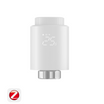
If your bedroom, living room, and home office need different temperatures or heating times, smart radiator valves let you control compatible radiators separately. The SONOFF TRVZB and TRV-ZBT Gen2 replace compatible thermostatic radiator valve heads, adding room-level heating control without replacing the radiators themselves.
Both models offer:
● Independent radiator control: Set different target temperatures for compatible radiators in bedrooms, living areas, or home offices, without applying the same settings throughout the home.
● Room-specific heating schedules: TRVZB supports one daily schedule with up to six periods, while TRV-ZBT offers three switchable heating plans with up to 12 periods per day.
● External temperature sensors: Where supported, use a compatible sensor away from the radiator for a more representative room temperature reading. 👉 Home Assistant users can follow the external temperature sensor Blueprint guide.
● Radiator valve compatibility: Both models fit standard M30 × 1.5 mm radiator valves and include adapters for other types, including Danfoss RA, RAV, and RAVL. Check the SONOFF radiator valve compatibility list.
● Smart-home integration: Connect through compatible Zigbee gateways and integrations for platforms such as eWeLink, Home Assistant, and SmartThings. Available features vary by platform and setup.
👉 For supported gateways, smart home platforms, and available features, see the TRVZB compatibility table and TRV-ZBT Gen2 compatibility table.
Which model should you choose?
● TRVZB: A good choice if you want individual radiator control with a regular daily heating schedule.
● TRV-ZBT Gen2: A better fit if you need to switch between different heating schedules or prefer a more compact design.
Both models also support Smart Temperature Control (Adaptive Mode), which uses a PID algorithm to adjust valve opening and help maintain more stable room temperatures. TRVZB requires firmware v1.4.4 or later for this feature.

👉 For setup instructions, features, and troubleshooting, see the TRVZB installation and FAQ guide or TRV-ZBT Gen2 installation and FAQ guide.
TP-WGZBA: Control a Heating Zone or Coordinate a Shared Boiler
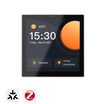
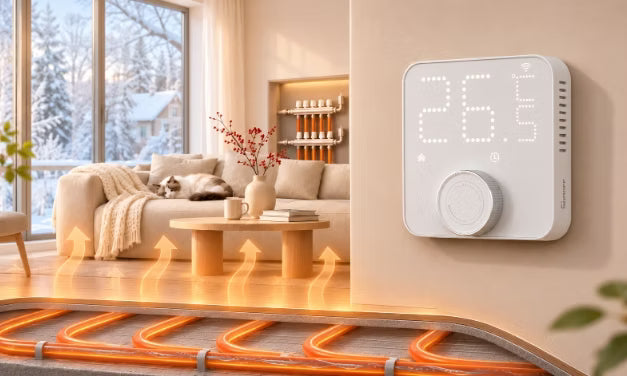
The SONOFF Thermostat Core (TP-WGZBA) is a wall-mounted Zigbee thermostat for compatible water-based heating systems. Depending on your setup, it can control an individual heating zone or help coordinate a boiler shared by several rooms.
● For homes with zoned underfloor heating: In a hydronic underfloor heating system with separate zones, one TP-WGZBA can control compatible 100–240V AC actuators for an individual zone through its powered output (up to 3A). Other independent zones need their own suitable controls. The panel also supports heating schedules and compatible external room temperature sensors.
● For homes with radiators sharing a boiler: Smart TRVs regulate individual radiators but cannot directly start the boiler. TP-WGZBA has a COM/NO dry-contact output for compatible boiler ON/OFF control. With properly configured eWeLink scenes, the heating status of multiple TRVs can trigger changes to the panel's settings, which in turn control the boiler through its dry-contact output.
👉 For the specific boiler automation setup, see the Advanced TRV Guide. It also covers dry-contact modules for homes that don't need a wall-mounted thermostat panel.
Controlling multiple TRVs from one panel: TP-WGZBA also supports Thermostat Panel Control, which synchronizes temperature settings, modes, and schedules with linked TRV-ZBT valves. This is useful when several radiators should share the same settings, but it is not a substitute for independent room-by-room control. The original TRVZB does not support this feature.
Compatibility: TP-WGZBA requires 100–240V AC live and neutral wiring. It is designed for compatible water-based heating systems, not electric underfloor heating or OpenTherm control. A single unit cannot independently control multiple heating zones.
👉 For wiring, gateway compatibility, and setup instructions, see the TP-WGZBA installation and FAQ guide.
How to Set Up Heating Zones and Room-by-Room Schedules?
Plan Heating Zones Based on How You Use Each Room
Separate heating control is most useful where rooms have different schedules or temperature needs:
● Bedrooms and living areas: Bedrooms can have their own overnight settings without changing the living room's heating.
● Home office: If you work from home but rarely use the office on weekends, it may be worth controlling separately.
● Guest bedroom: An occasionally used room can have its own settings without affecting bedrooms used every night.
● Upstairs and downstairs: If the upstairs bedrooms are too warm while the downstairs living area stays cold, separate floor-level controls can help manage the difference, provided your heating system supports them.
When should rooms share the same settings? In an open-plan living and dining area, two radiators can follow the same temperature setting and heating schedule, since both spaces are typically used together.
Note: Using the same schedule or grouping devices in an app doesn't change your home's physical heating zones. Independent heating still requires compatible valves, actuators, dampers, or other zone controls.
Set Room Temperatures and Heating Schedules
Different rooms can follow different heating schedules where the system supports independent control. The examples below show how to match temperatures and heating times to common household routines.
|
Room / Zone |
Example Heating Schedule |
|
Bedroom |
18°C (64°F) overnight, with a warmer period before a 7 AM wake-up if needed. |
|
Living / Dining Area |
20°C (68°F) from 5–10 PM on weekdays, when the family is home for dinner and the evening. Extend the comfort period on weekends if the space is used during the day. |
|
Home Office |
20°C (68°F) from 9 AM–5 PM on working days, with a lower setting outside office hours. |
|
Bathroom |
Preheat before a 7 AM shower, allowing enough time for the radiator or floor to warm up. |
|
Guest Bedroom |
Keep a suitable background temperature when empty; switch to a comfort schedule before guests arrive. |
*These are example settings, not fixed recommendations. Adjust them for your household and heating system. Children's rooms and bedrooms used by older adults may need different overnight temperatures.
- Bedroom tip: One household kept the main bedroom at 18°C overnight, with slight increases before bedtime and waking. But once two adults and their two dogs settled in, the room warmed by about 2°C without additional heating. They reduced the bedtime increase to avoid a room that was too warm overnight.
- Warm-up tip: Want a warm bathroom floor by 7 AM? Hydronic underfloor heating embedded in thick screed may need to start several hours earlier—sometimes around 4–5 AM—while radiators often respond faster. Turning up the target temperature won't speed up the floor's normal warm-up rate, so allow enough lead time based on your system.
Fine-Tune Room Heating with Sensors and Automations
With compatible sensors and automation platforms, you can make a few useful adjustments beyond fixed heating schedules.
● Adjust heating for unused rooms: If you sometimes work downstairs instead of in your home office, a presence sensor can help avoid heating an empty office. One setup skips the day's office heating schedule unless it detects more than five minutes of continuous presence. For a guest bedroom, a manual Guest Mode can switch between background heating and an evening or overnight comfort schedule when friends or family stay.
● Use a timed heating boost: Want the bedroom warmer before bed? One setup raises the upstairs thermostat to 20°C (68°F) for 30 minutes, then automatically returns to the lower nighttime setting. A timed boost can also help with occasional bathroom heating without permanently changing the schedule.
● Pause heating when windows are open: A compatible window sensor can lower the bedroom radiator's target temperature after the window has been open for a short time. When it closes, restore the appropriate scheduled setting or previous manual state rather than automatically switching the TRV on.
● Measure temperature away from radiators: If the living room feels cold despite reaching its target temperature, check where the temperature is measured. In one Home Assistant setup, a ceiling sensor read 1–2°C warmer than a sensor near the radiator, leaving the room feeling cold at a 20°C target. Where supported, use an external room sensor placed away from radiators, direct sunlight, and drafts, preferably where it reflects the temperature people experience.
FAQs
Q1: Can one thermostat control multiple zones?
A compatible multi-zone control system can manage several heating zones through one interface. However, each zone still needs suitable controls, such as zone valves, radiator valves, or motorized dampers, to regulate heat independently. A standard single-zone thermostat cannot create or independently control multiple heating zones on its own.
Q2: Do I need a thermostat in every room?
Not necessarily. In radiator heating systems, smart thermostatic radiator valves (TRVs) can control individual radiators without a separate wall thermostat in every room. Compatible external room sensors can also improve temperature readings. Ducted HVAC and underfloor heating systems may require a thermostat or suitable temperature sensor for each independently controlled zone.
Q3: Can I use one thermostat for upstairs and downstairs?
If both floors are one heating zone, a conventional single-zone thermostat cannot maintain different independent targets upstairs and downstairs. A compatible multi-zone system can manage the floors separately when suitable zone dampers, valves, or other independent controls are installed.
Q4: Can smart TRVs create multi-zone heating?
Smart TRVs can provide room-by-room radiator control, with different temperature settings and schedules for individual radiators. However, they don't necessarily control the shared boiler. A compatible heating controller or configured automation may be needed to request heat when a room's radiator needs it.
Q5: Can I control multi-zone heating with Home Assistant?
Yes. Home Assistant can manage compatible thermostats, smart TRVs, temperature sensors, and heating automations. Zigbee devices can be integrated through ZHA or Zigbee2MQTT, depending on compatibility. You can configure room-specific temperature control and automations, but available features depend on your devices and setup.
👉 For setup examples, see our Zigbee TRV Guide for Home Assistant.

Leave a comment
All comments are moderated before being published.
This site is protected by hCaptcha and the hCaptcha Privacy Policy and Terms of Service apply.