
















































SONOFF NSPanel Pro Smart Home Control Panel-120 Type
Tax included. Shipping calculated at checkout
【All-in-One Smart Home Control】Manage your entire smart home from a single wall panel. Control lights, cameras, sensors, and switches while monitoring energy usage, viewing live camera feeds, creating automation scenes, and arming your security system—all in one place.
【Seamless Home Assistant Integration】No root required. Install Home Assistant via the built-in F-Droid store and turn NSPanel Pro into a dedicated dashboard. Instantly sync Zigbee devices with one tap for centralized control.
【Matter Ecosystem Compatibility】Works with Alexa, Google Home, and Home Assistant. With a built-in Matter bridge, it connects smoothly to your existing platforms, enabling a unified smart home ecosystem.
【Smart Climate Control for Energy Savings】Pair with Zigbee temperature sensors to enable multi-room scheduling—cool bedrooms at night and heat living spaces during the day. Monitor real-time energy use and reduce heating costs directly from the panel.
【Customizable Smart Panel】Install third-party apps, set any app as your home interface, and personalize themes, wallpapers, and sounds. Even browse the web directly on the screen for a truly tailored experience.
Note1: We will keep refining the product based on current feedback. You can visit the eWeLink Forum to follow the latest version updates. If you encounter any issues during use, you can also submit feedback via the link below. Our developers will communicate with you directly to help identify and resolve problems more quickly.
Technical details, troubleshooting or setup tips? Access the NSPanel Pro knowledge center for all the info you need.


NSPanel Pro Smart Home Control Panel
Live Your Smart Life What
It Should Be


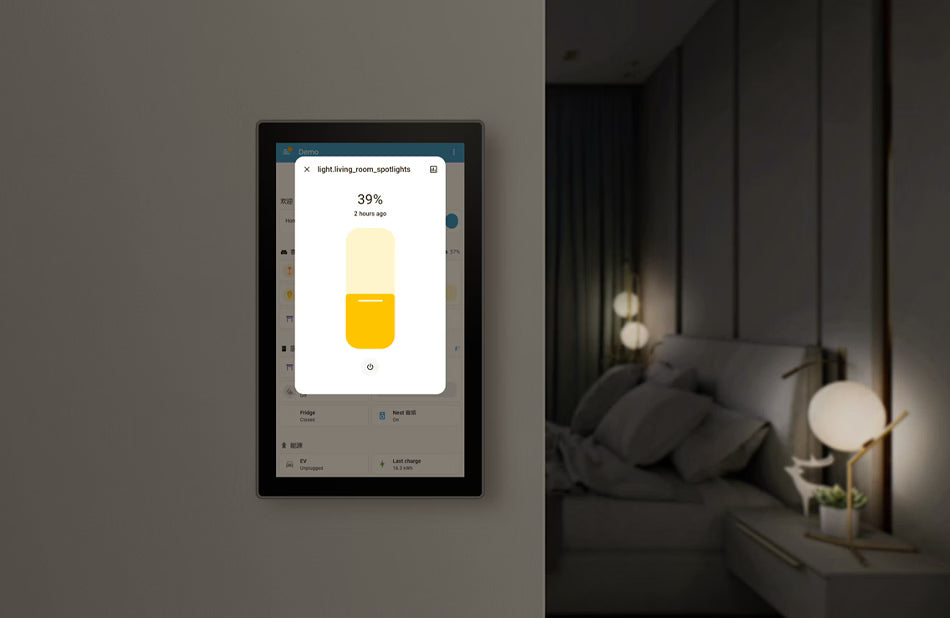
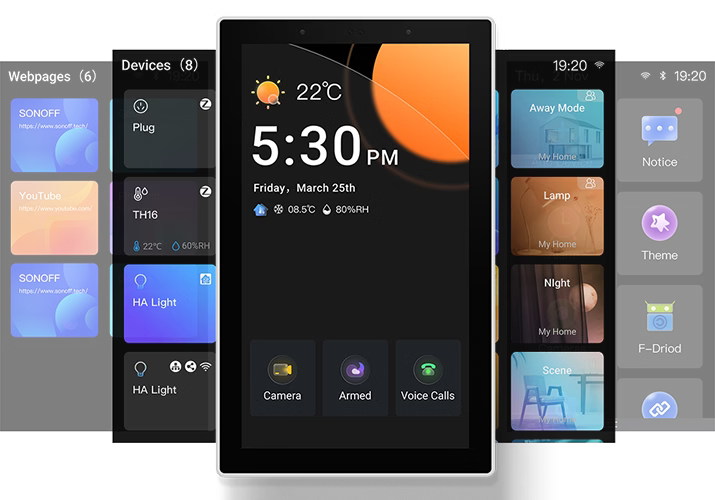
Download the official Home Assistant app via F-Droid, connect it to your Home Assistant Server, and enjoy centralized smart home management with intuitive, at-a-touch control.
Unified Control Across Ecosystems via Matter Bridge
By scanning the Matter pairing code, you can synchronize and centrally control both the WiFi and Zigbee devices from your eWeLink account as well as devices from Home Assistant on the Matter platform, enabling effortless cross-ecosystem, seamless connectivity.


*For a detailed support list, please see the link :
https://sonoff.tech/blogs/news/nspanel-pro-supported-devices-list
Bringing Your Zigbee Devices into Home Assistant
Want to manage your Zigbee sub-devices in both the NSPanel Pro and Home Assistant? Simply configure an MQTT Broker to sync Zigbee devices from the NSPanel Pro to Home Assistant.


*For a detailed support list, please see the link :
https://sonoff.tech/blogs/news/nspanel-pro-supported-devices-list
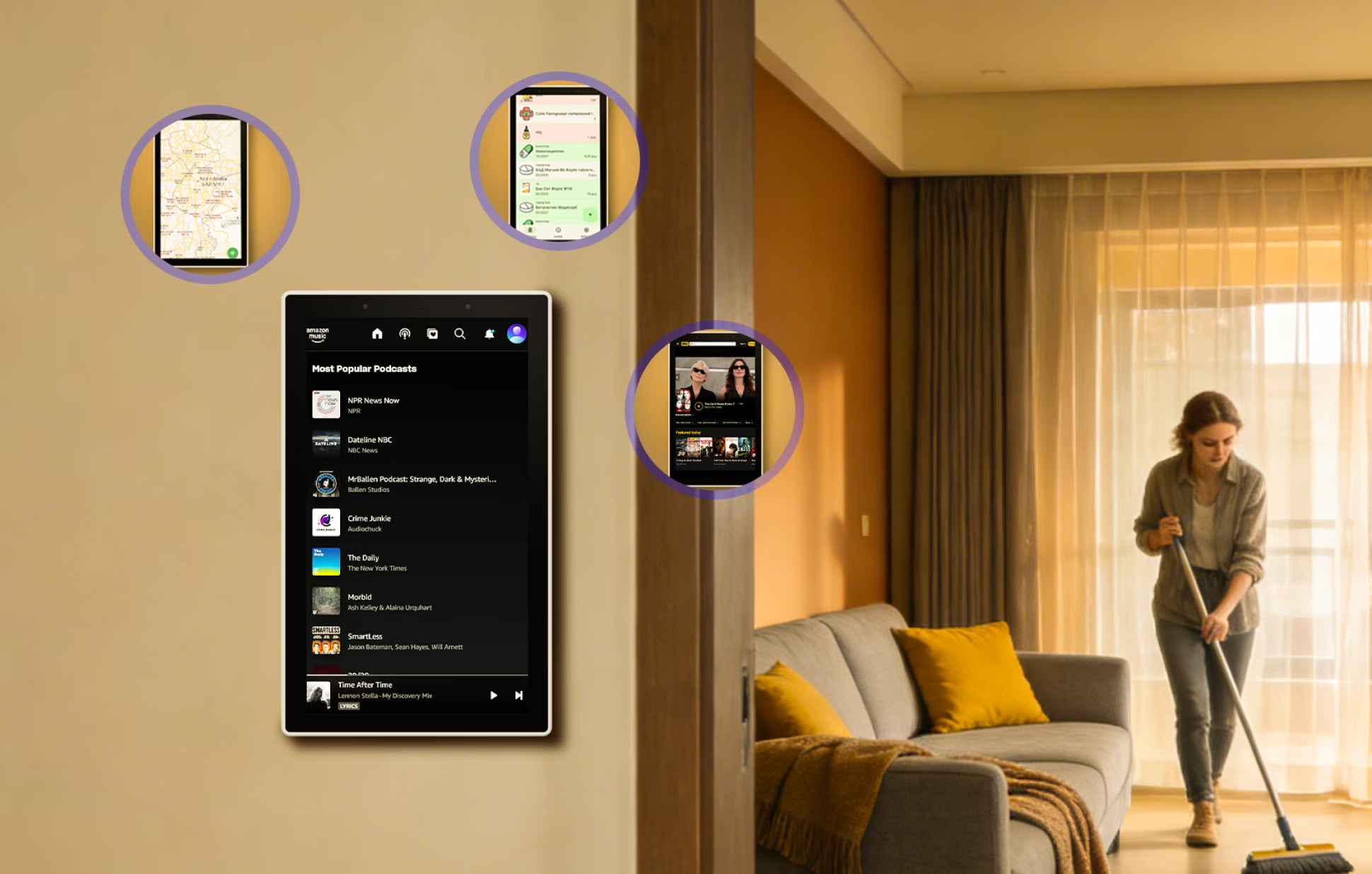
F‑Droid is a free and open‑source app store that offers ad‑free, privacy‑respecting applications verified by the open‑source community. Covering personalized and creative apps, it lets you effortlessly enrich your life with NSPanel Pro.
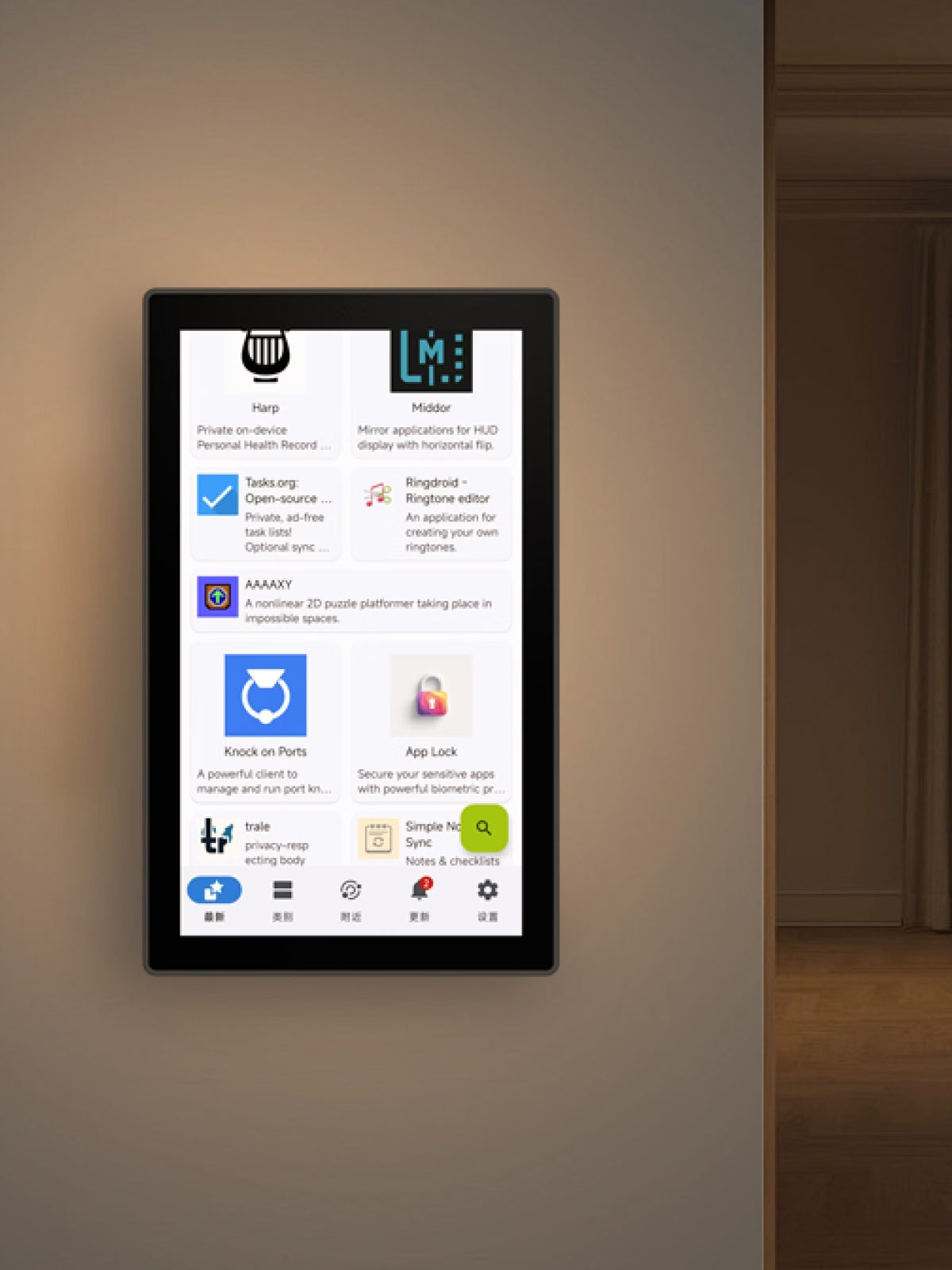
The "Apps" feature allows you to set any third-party app as the Home App while keeping NSPanel Pro running in the background.
F‑Droid is a free and open‑source app store that offers ad‑free, privacy‑respecting applications verified by the open‑source community. Covering personalized and creative apps, it lets you effortlessly enrich your life with NSPanel Pro.
The "Apps" feature allows you to set any third-party app as the Home App while keeping NSPanel Pro running in the background.
Smart Central Temperature Control, Make Life Easier
A single panel provides panoramic monitoring of temperature and heating status across all rooms, managing the whole-house heating system to deliver constant comfort to every space—achieving the ideal living climate through a truly integrated whole-home temperature control system.


Reliable and Stable Zigbee Gateway
Quickly add Zigbee devices on the screen in batches. Standard Zigbee 3.0 protocol makes the connection more stable and the coverage wider. Added sub-devices can be voice controlled by working with Alexa, Google Home, and more.
Support All SONOFF Zigbee Devices


*For a detailed supported list, please see this link:
https://sonoff.tech/blogs/news/nspanel-pro-supported-devices-list/
Zigbee Router Mode
Support Zigbee router mode to forward the gateway's signal to Zigbee sub-devices, extending the coverage of the gateway signal.

*When switch to this mode, adding Zigbee sub-devices and executing local scenes will no longer be possible.

Explore Richer Functions
in Webpages
Listening to music, watching videos, or
checking out the latest advice? Save the
address in NSPanel Pro's Webpages, start it
quickly with one click, and relax at any time.
Customization Makes it Convenient
You can freely customize the home screen style or wallpaper of the NSPanel Pro, creating an attractive interface that makes your daily use more convenient.
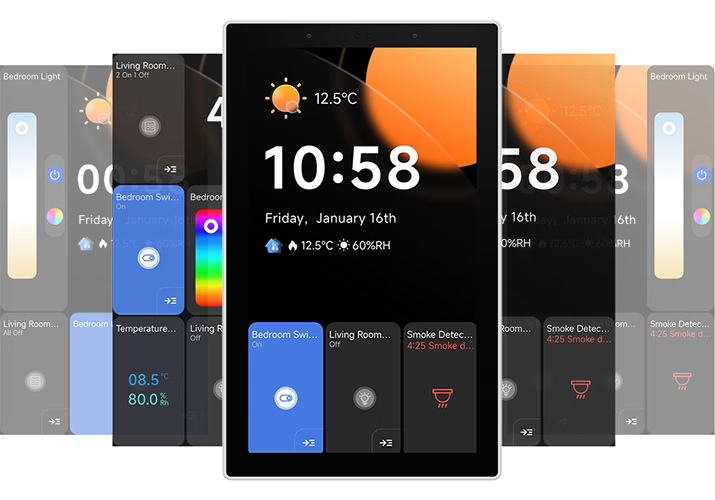
simple style
classic style
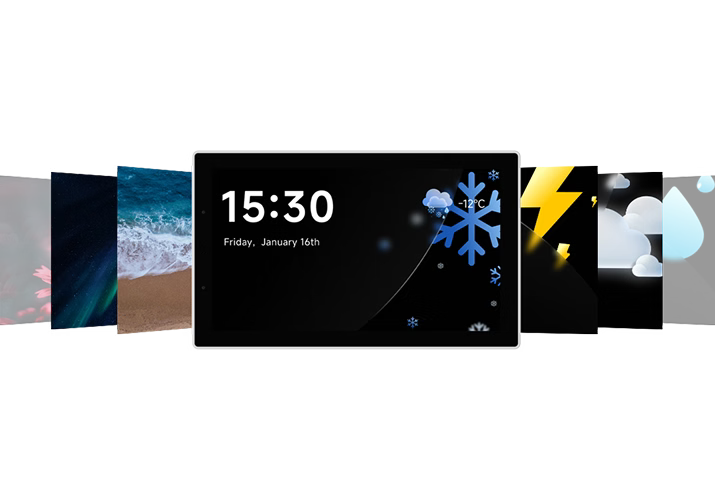
Preset Wallpaper
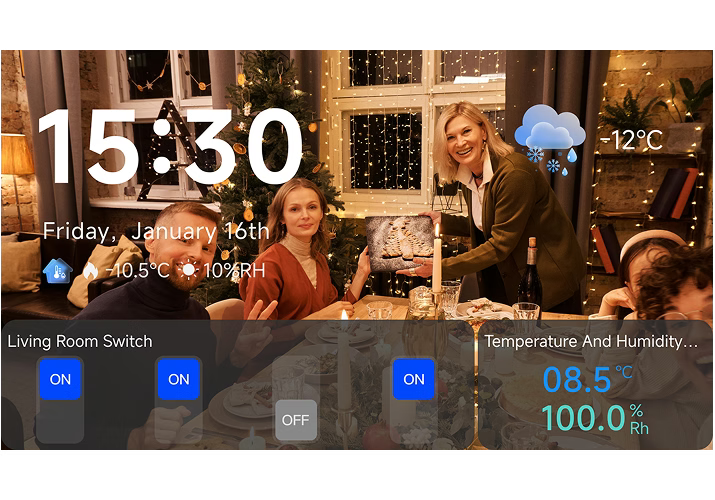
Customize Wallpaper
Customize Your Home Security Mode
Customize 3 modes by setting different arming devices. After arming, once the sensor is triggered, the panel will alarm, and you will receive a notification alert on the phone.


Multi Capabilities Assembled Here


Use as You Like


Wiring


Quick Start
Download the eWeLink App.
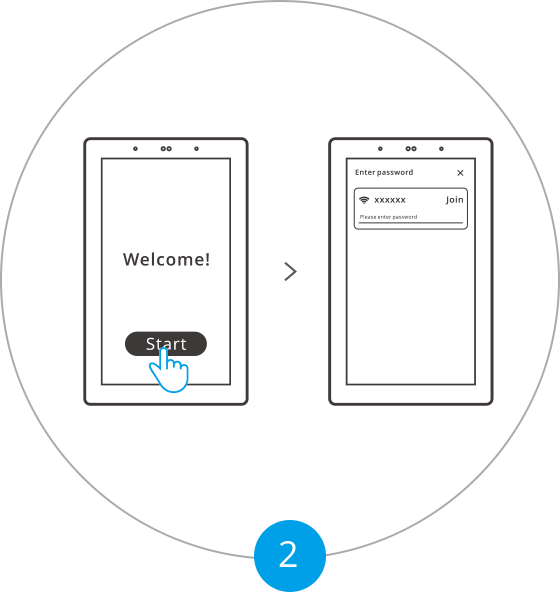
Powering on, tap "Start" to select the Wi-Fi and enter the password. Enter the main interface by following the prompts.
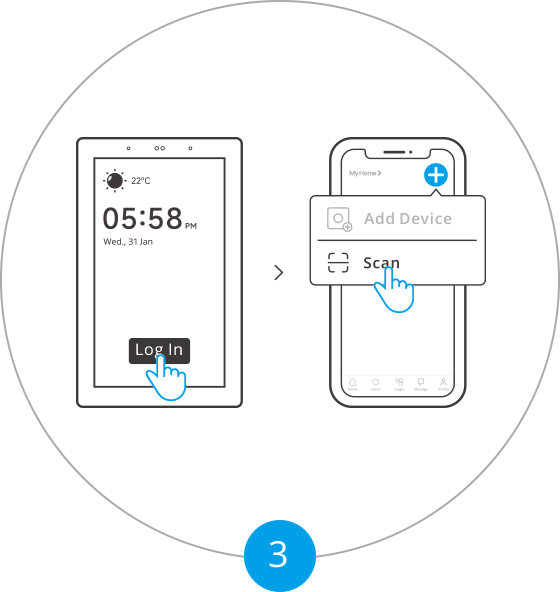
Tap "Log in" on the device and tap "+" on the eWeLink App to select "Scan".
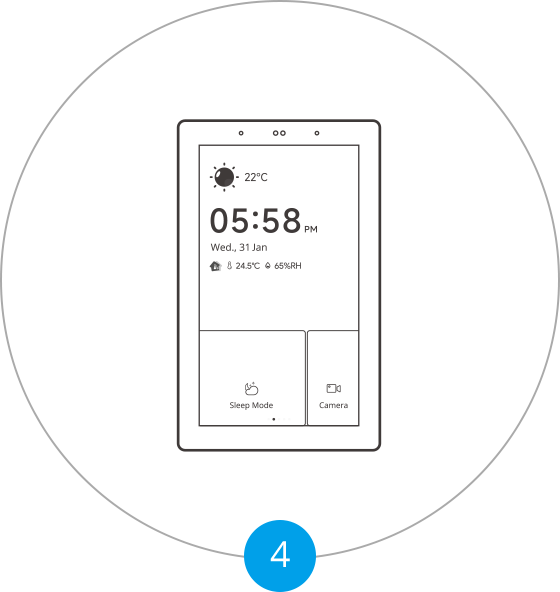
Begin to use.


Specs & User Manual
SONOFF NSPanel Pro 120 Type is a larger, all-in-one smart home control panel featuring a 4.7-inch touchscreen and built-in Zigbee 3.0 hub. Easily manage Zigbee devices, monitor energy usage, view live camera feeds, control thermostats, and access your favorite websites—all from one place. Enjoy voice control via Alexa or Google Home, set custom security modes with real-time alerts, and track power consumption with supported devices. Ideal for seamless, centralized smart home management.
User Manual (PDF)NSPanel120PW, NSPanel120PB
4.7"
750×1334
100-240V~50/60Hz 0.15A MAX
Quad-core ARM Cortex-A35 CPU
Mali G31-2EE GPU
Wi-Fi IEEE 802.11 b/g/n 2.4GHz, Zigbee 3.0
5%~90%RH, non-condensing
0°C-40°C
PC V0+CRS+Tempered glass panel
122.5×74.5×39.5mm
CE/FCC/ISED/RoHS
FAQ
1. Which Zigbee sub-devices can be added to NSPanel Pro?
It supports all SONOFF Zigbee devices and other brands' devices with standard protocols. Philips Hue lights and IKEA lights will be supported in 1.2.1.
2. Does NSPanel Pro have relays?
It doesn’t have the relay. NSPanel Pro is a smart home control panel.
3. How does it work with Home Assistant?
You can access the HA page in the LAN through the Web Shortcut function of NSPanel Pro.
4. What kinds of cameras does NSPanel Pro support?
NSPanel pro supports adding four types of cameras: SONOFF Camera, RTSP Camera, ESP32 Camera and eWeLink Camera app.
5. Is the NSPanel Pro Android system or source code open-sourced?
The Android OS source code of NSPanel Pro comes from Rockchip, which is restricted by NDA and commercial license terms, thus, it is not public or open-sourced. However, we will release the device API docs for third-party home automation platform integration, we are considering publishing the schematic diagram and Linux Kernel source code of NSPanel Pro for your secondary development if you are able to get related development documentation or source code of the Rockchip PX30 chip from Rockchip support or others.
Here is the Linux Kernel code and related schematic:
Linux Kernel:https://github.com/itead/NSPro_Kernel
Zigbee IO Definition:https://cdn.shopify.com/s/files/1/0742/9963/8001/files/NSPanel-Pro-Zigbee-IO.pdf?v=1749448998
EFR32 Guide: https://cdn.shopify.com/s/files/1/0742/9963/8001/files/ug129-zigbee-gateway-ref-design-guide.pdf?v=1749448778