







































Designing a Smart Lighting System
Another article: A Beginner’s Guide to Whole-House Smart Lighting
Designing a smart lighting system involves strategic planning. The steps include:
- Print a floor plan of your home
- Mark light fixture locations
- Determine switch placements
- Make a purchase list
- Install and test the devices
The location of the light points is determined by the use, so it is advisable to make a small sketch of the home to plan which lights will go where. In this way, you can also make a budget tailored to your needs.
Just like this, the first thing we need to do is mark the place where we need to put the light. The lamp symbols refer to the picture below:
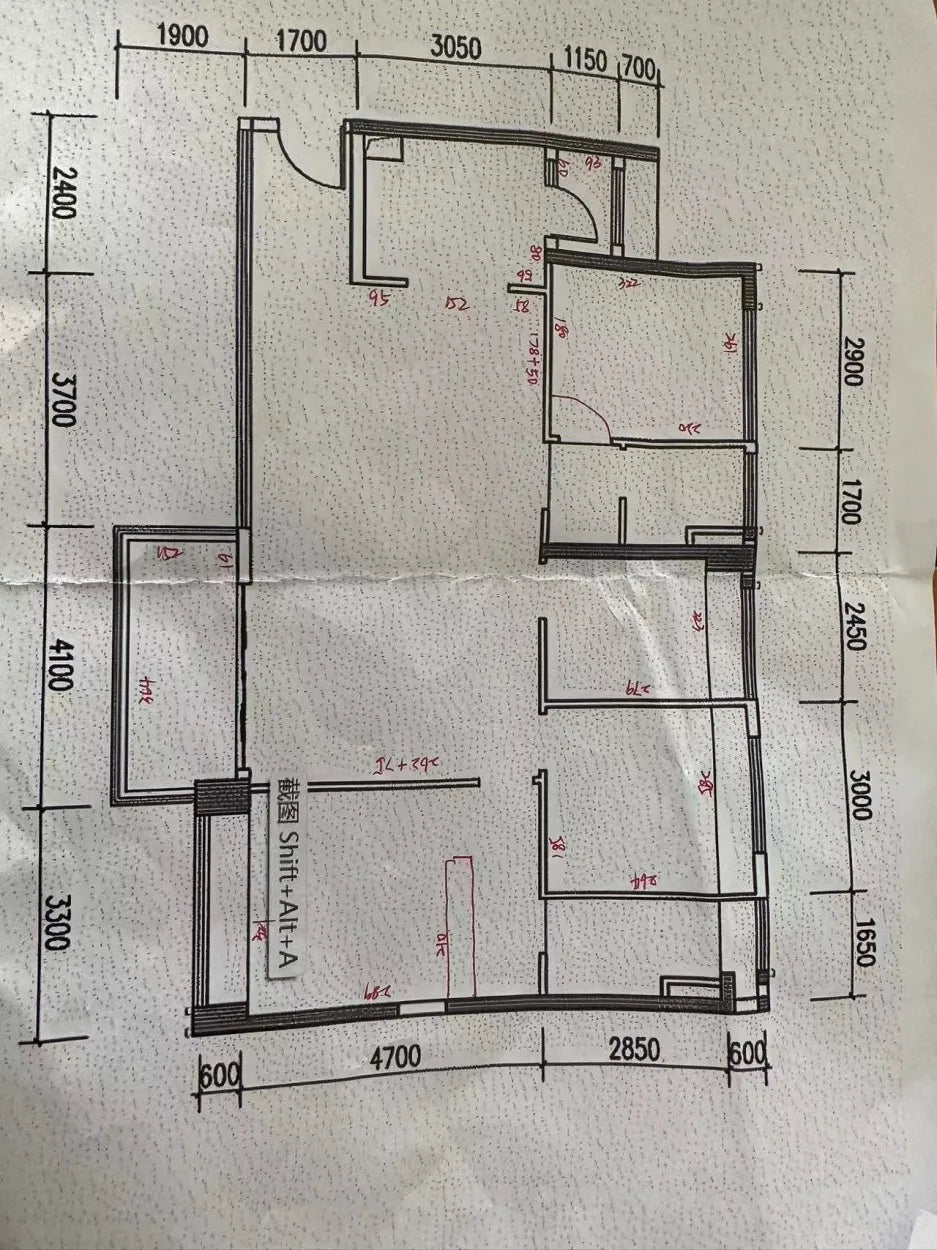
By marking the floor plan with lights and corresponding switches, a basic blueprint for required wired switches can be established. The light symbols refer to the picture below:

Tips: If you want to set up a more comfortable lighting environment for your home, you can set up a light and draw a circle with a radius of 1m as the center. Places 1m away will be darker, and you can replenish the light source as needed.
After marking, mark the switch you want to control the light on the graphic design, and connect it with the corresponding light. This gives a basic planning drawing and helps determine how many wired switches you need.
Purchasing Devices
- Try to buy products from the same manufacturer. On the one hand, the switch style will be unified and more beautiful; on the other hand, it reduces linkage problems across brands.
- Check the protocol of the switch: do you need a gateway? Bluetooth and Zigbee require an additional gateway.
- Determine the switch type based on the wiring in your box.
- Most Wi-Fi smart homes require a 2.4 GHz router; confirm in advance or buy one if needed.
- If purchasing a lot at once, send your list to customer service. You may apply for a discount and save money.
Conclusion
This article simplifies the steps of setting up a whole-house smart lighting system. Additionally, what follows are personal experiences and recommendations concerning sensors, wireless switches, and smart lighting fixtures. These insights aim to optimize the smart home experience.
Sensors
Sensors are incredibly versatile, like door/window sensors and motion sensors. They play a pivotal role in scene-based automation and smart home security setups. For example, in an “away from home” scenario, if a door sensor detects an opening but a motion sensor detects no presence, the lights remain off. This prevents a situation where the lights turn off inadvertently while, for example, retrieving a package after opening the door.
Wireless Switches
Wireless switches are a cost-effective solution for retrofitting existing homes into smart homes. They offer an economical alternative where rewiring or installing new electrical boxes might be impractical, particularly near sofas or bedside areas. These switches can facilitate dual-control modes through scenes, enabling convenient setups like a bedtime scene to turn off all lights. A common drawback is the need for power source management, often necessitating backup batteries to prevent operational interruptions.
Smart Lighting Fixtures
When considering smart lighting retrofitting solutions, my recommendation leans towards replacing conventional wall outlets and switches with smart alternatives rather than opting for smart lighting fixtures. The latter tend to be more expensive, with individual bulbs costing $2–3 more than regular bulbs. For a home with ten such bulbs, this translates to an additional $20–30 in costs. Given budget constraints and a lack of specific requirements, I don’t advocate for smart lighting fixtures.
Moreover, using smart bulbs requires specific smart wall switches. Interrupting the power supply disconnects them from the app, making remote control via smartphone or voice assistants impossible. Smart wall switches ensure continuous power. Considering cost and functionality, smart lighting fixtures can be significantly pricier. Multi-color smart bulbs may be an option if ambiance versatility is desired.
Ultimately, I favor a solution involving decorative lighting coupled with smart plugs. This allows continued use of decorative lighting while offering occasional control via smart plugs, aligning with a cost-effective and adaptable strategy.
Recommended SONOFF Lighting Control Series
SONOFF DIY Smart Switches:Supports Zigbee, Wi-Fi & Matter ecosystems. Easy app and scene control, turn your lights into smart devices without replacing your existing switches.
SONOFF Smart Wall Switches and Smart Plugs: Upgrade your home lighting with smart wall switches and plugs that work with voice, app, and scenes.

2 comments
Hector Rangel
Great information. I’m currently evaluating Sonoff devices for a project, and this guide has been very helpful in understanding the options and compatibility. Thanks for sharing!
STEPHANE OUELLET
Good morning from Canada!
I saw that you allow discount for regular client.
I already did two order this month and i’m preparing a third one.
My goal is to build a complete automate house with the Canadian electic standards.
If your discount is interesting, I will surely increase my budget for different projects.
Sincerely yours,
Stephane Ouellet
Master Electrical technician & project manager
Leave a comment
All comments are moderated before being published.
This site is protected by hCaptcha and the hCaptcha Privacy Policy and Terms of Service apply.