















































¿Quieres construir un hogar inteligente de bajo consumo y estable pero no sabes por dónde empezar? Este artículo te enseñará por qué necesitas una pasarela y cómo elegir la pasarela SONOFF Zigbee adecuada.
¿Qué es una pasarela?
En pocas palabras, una La pasarela cumple dos funciones:
- Como "Comandante": Integra todos los dispositivos inteligentes de tu hogar para control centralizado y automatización de escenas — por ejemplo, crear una escena inteligente de "puerta abierta, luces encendidas".
- Como "Traductor": Los dispositivos de diferentes marcas pueden hablar diferentes "idiomas" (Zigbee, Wi-Fi, etc.). La pasarela traduce los dispositivos inteligentes a dispositivos compatibles con Matter, sincronizándolos con plataformas como Apple Home para un control unificado.
Sin una pasarela, los dispositivos inteligentes solo "luchan por su cuenta"; con una pasarela, pueden lograr "coordinación en todo el hogar".
¿Qué es Zigbee y por qué necesitas una pasarela Zigbee?
Zigbee es un protocolo de comunicación inalámbrica diseñado específicamente para dispositivos pequeños y de bajo consumo. Se usa ampliamente en sensores, interruptores, sensores de puerta/ventana, enchufes inteligentes, etc. En comparación con otros protocolos, tiene tres ventajas distintivas:
- Bajo consumo de energía – Una sola batería de botón puede durar 1–2 años, sin cambios frecuentes de batería.
- Red mallada para señales más estables – Cada dispositivo puede actuar como repetidor de señal; cuantos más dispositivos tengas, más estable será la cobertura – sin zonas muertas incluso a través de paredes.
- Funciona incluso sin internet – La automatización local no depende de la nube. Escenas como encender las luces cuando se abre una puerta siguen funcionando durante un corte de internet.
Con sus ventajas, el protocolo Zigbee es una opción ideal para "dispositivos pequeños" como sensores, interruptores y sensores de puerta/ventana. Sin embargo, a diferencia de los dispositivos Wi-Fi, los dispositivos Zigbee no pueden conectarse directamente a tu router doméstico para control desde la app — necesitan un "puente" para habilitar el control remoto, control por voz, automatización fuera de casa y visualización del estado del dispositivo.
Este "puente" es la pasarela Zigbee.
Si tienes muchos dispositivos Zigbee en casa (como enchufes inteligentes, sensores de temperatura/humedad, sensores de puerta/ventana, válvulas de agua, etc.), la pasarela actúa como el centro principal, ayudándote a integrar estos dispositivos para lograr una verdadera "vida inteligente en todo el hogar".
Sin una pasarela, los dispositivos inteligentes son solo "dispositivos inteligentes individuales". Con una pasarela, se convierten en "vida inteligente en todo el hogar".
¿Por qué elegir una pasarela SONOFF Zigbee?
SONOFF ofrece actualmente productos gateway Zigbee principales, incluyendo la Serie Zigbee Bridge, Serie NSPanel Pro y Serie Zigbee Dongle, cubriendo una gama completa de escenarios – desde configuraciones básicas hasta avanzadas, y desde gateways ocultos hasta paneles montados en pared.
Ventajas del Gateway Zigbee SONOFF
El primer producto gateway de SONOFF – el ZBBridge original – sentó las bases para los gateways Zigbee SONOFF. Desde ese primer gateway hasta la nueva generación de la serie Zigbee Bridge y la serie NSPanel Pro, hemos logrado un salto integral en capacidad, compatibilidad e iteración de funciones:
- Capacidad – Capacidad de acceso a subdispositivos Zigbee aumentada de 32 dispositivos → 128 dispositivos.
- Compatibilidad – De soportar solo algunos dispositivos Zigbee SONOFF → soporte completo para todas las series SONOFF y dispositivos Zigbee 3.0 de terceros.
- Iteración de funciones – De actualizaciones discontinuadas → entrega continua OTA de nuevas funciones.
A continuación, nos centraremos en la Serie Zigbee Bridge y la Serie NSPanel Pro para presentar las ventajas principales de los gateways Zigbee SONOFF.
1. Resumen del Producto
| Serie | Nombre del Producto | Subdispositivos Soportados | Conectividad | Soporte Matter | Modo Router Zigbee | Soporte para Plataformas de Terceros | Usuarios Objetivo |
|---|---|---|---|---|---|---|---|
| Zigbee Bridge |
 Zigbee Bridge Pro Zigbee Bridge Pro |
Dispositivos SONOFF Zigbee: hasta 128 | Wi-Fi + Zigbee 3.0 | No | No | App eWeLink | Opción de nivel básico, ideal para control basado en app |
 Zigbee Bridge Ultra Zigbee Bridge Ultra |
Dispositivos Zigbee 3.0: hasta 256 Dispositivos SONOFF Wi-Fi Dispositivos SONOFF Matter Subdispositivos eWeLink-Remote Entidades de Home Assistant |
Wi-Fi + Ethernet + Zigbee 3.0 | Sí | No | App eWeLink, Home Assistant, Ecosistema Matter | Usuarios multi-ecosistema, usuarios Apple Home | |
| NSPanel Pro |
 Versión NSPanel Pro 86 Versión NSPanel Pro 86 |
Dispositivos Zigbee 3.0 Dispositivos SONOFF Wi-Fi Dispositivos SONOFF Matter Subdispositivos eWeLink-Remote Entidades de Home Assistant |
Wi-Fi + LAN + Zigbee 3.0 | Sí | Sí (cuando se usa como router Zigbee) | App eWeLink, Home Assistant, Ecosistema Matter | Usuarios que buscan control montado en pared con funciones multifuncionales |
 Versión NSPanel Pro 120 Versión NSPanel Pro 120 |
Dispositivos Zigbee 3.0 Dispositivos SONOFF Wi-Fi Dispositivos SONOFF Matter Subdispositivos eWeLink-Remote Entidades de Home Assistant |
Wi-Fi + LAN + Zigbee 3.0 | Sí | Sí (cuando se usa como router Zigbee) | App eWeLink, Home Assistant, Ecosistema Matter | Usuarios que buscan una experiencia en pantalla grande y un control montado en pared de mayor rendimiento |
2. Zigbee Bridge Pro (ZBBridge-P)
Posicionamiento del Producto: Un gateway profesional dedicado a la gestión de dispositivos Zigbee, adecuado para principiantes que solo necesitan la "capacidad de comando" de un gateway Zigbee.
Características clave:
● Con routers Zigbee, se pueden conectar 128 dispositivos Zigbee.
● Ejecución en Escena Local: Las tareas programadas y las automatizaciones de dispositivos Zigbee se ejecutan localmente, funcionando incluso cuando el Wi-Fi está caído. También soporta escenas inteligentes que enlazan dispositivos Zigbee y Wi-Fi.
● Seguridad inteligente: Tres modos de seguridad personalizables ("Casa," "Fuera," "Dormir"). Al activarse, la pasarela emite una alarma audible y envía notificaciones push a tu teléfono.
Subdispositivos compatibles: Compatible con toda la gama de dispositivos SONOFF Zigbee, incluyendo interruptores inteligentes de la serie ZBMINI, sensores de la serie SNZB, enchufes inteligentes S40ZB Lite y más. Los dispositivos alimentados (por ejemplo, enchufes inteligentes, bombillas inteligentes) actúan como routers Zigbee, ayudando a extender la cobertura de la señal.
Más información: Página del producto ZBBridge-P
Información de actualización de firmware: Actualización de versión ZBBridge-P
3. Zigbee Bridge Ultra (ZBBridge-U)
Posicionamiento del producto: Una pasarela Zigbee insignia con soporte para protocolo Matter, que permite integración con Apple Home, Google Home y Alexa – la elección ideal para usuarios multiplataforma.
Características clave:
● Alimentado por un CPU dual-core de 1.5GHz y un chip Zigbee EFRMG24, ofreciendo un rendimiento significativamente mejorado en comparación con el ZBBridge-P.
● Soporta hasta 256 subdispositivos Zigbee.
● Funcionalidad de puente Matter: Conecta dispositivos no Matter, incluyendo los de Home Assistant, a plataformas Matter como Apple Home, Google Home y Alexa para un control unificado.
● Conectividad dual cableada e inalámbrica: Soporta Ethernet RJ45 y Wi-Fi para una red más estable.
● Mejora de señal en modo Turbo: Al activarse, amplía significativamente el rango de cobertura de la señal Zigbee.
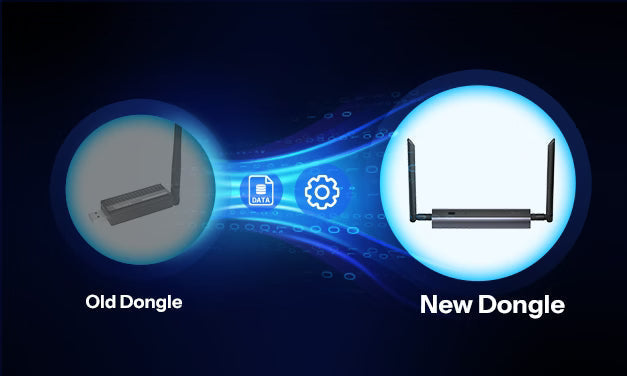
● Función de reemplazo de pasarela: Al actualizar desde una pasarela antigua, puedes migrar todos los subdispositivos, configuraciones de seguridad y escenas con un solo clic – no es necesario emparejarlos individualmente.
● Sincronización con Home Assistant: Sincroniza entidades de Home Assistant con otras plataformas Matter a través del ZBBridge-U.
Subdispositivos compatibles:
● Dispositivos Zigbee 3.0 (incluyendo enchufes, interruptores, sensores, luces, cortinas, termostatos, etc.)
● Dispositivos SONOFF Wi-Fi (series BASIC, MINI, DUAL, serie de iluminación, etc.)
● Dispositivos SONOFF Matter (interruptores, enchufes, luces, etc.)
● Subdispositivos eWeLink-Remote (series R5, S-Mate)
● Entidades de Home Assistant (interruptores, sensores, luces, cortinas, termostatos, etc.)
Lista detallada de soporte de dispositivos: Lista de dispositivos compatibles con Zigbee Bridge Ultra
Más información: Página del producto ZBBridge-U
Información de actualización de firmware: Actualización de versión ZBBridge-U
4. NSPanel Pro 86 & NSPanel Pro 120
Posicionamiento del producto: Un panel de control inteligente que integra una pasarela, pantalla táctil, escenas de seguridad y varias aplicaciones de terceros.
Características clave:
● Controla todo desde una sola pantalla: Controla centralizadamente todos los dispositivos, incluyendo luces, cortinas, cámaras y sensores – incluso los de otras marcas – directamente desde la pantalla.
● Integración con Home Assistant: Descarga la app Home Assistant vía F-Droid para usar el panel como tablero de control de Home Assistant.
● Compatibilidad entre ecosistemas: La función Matter Bridge conecta dispositivos no Matter (incluidos dispositivos Home Assistant) al ecosistema Matter.
● Termostato inteligente: Selecciona fuentes de temperatura y actuadores para crear sistemas personalizados de control de temperatura.
● Monitoreo de energía: Visualiza datos diarios de consumo energético al emparejar con dispositivos de monitoreo de energía.
● Acceso rápido a páginas web: Navega por la web en la pantalla, con acceso con un clic a música, videos o paneles.
● Vista en vivo de cámara: Visualiza transmisiones en tiempo real y habilita conversación bidireccional con cámaras SONOFF.
● Centro de seguridad: Tres modos de seguridad personalizables con alarma y notificaciones push.
● Control local LAN: Garantiza operación estable incluso cuando la red externa está caída.
Subdispositivos compatibles:
● Dispositivos Zigbee 3.0 (enchufes, interruptores, sensores, luces, cortinas, termostatos, etc.)
● Dispositivos SONOFF Wi-Fi (series BASIC, MINI, DUAL, serie de iluminación, etc.)
● Dispositivos SONOFF Matter (interruptores, enchufes, luces, etc.)
● Subdispositivos eWeLink-Remote (series R5, S-Mate)
● Entidades de Home Assistant (interruptores, sensores, luces, cortinas, termostatos, etc.)
Lista detallada de soporte de dispositivos: Lista de dispositivos compatibles con NSPanel Pro
Más información: Página del producto NSPanel Pro 86 | Página del producto NSPanel Pro 120
Información de actualización de firmware: Actualización de la versión NSPanel Pro
Resumen: Ventajas de la pasarela SONOFF Core
- Alta capacidad, listo para toda la casa: Soporta cientos de subdispositivos, acomodando fácilmente hogares grandes.
- Integración del ecosistema, rompiendo barreras: Integración fluida con el ecosistema Matter, Home Assistant y otras plataformas de terceros.
- Rendimiento potente, cobertura más amplia: Procesador de doble núcleo + mejora de señal en modo Turbo + modo Router Zigbee.
- Múltiples opciones para elegir: Pasarelas de nivel básico hasta paneles de pared avanzados.
- Centro de seguridad, protegiendo tu hogar: Tres modos de seguridad personalizables con alarmas y notificaciones push.
- Actualizaciones continuas: Las actualizaciones OTA mejoran continuamente el rendimiento y las funciones.
Tu vida inteligente comienza eligiendo la pasarela SONOFF adecuada.


Dejar un comentario
Todos los comentarios se revisan antes de su publicación.
Este sitio está protegido por hCaptcha y se aplican la Política de privacidad de hCaptcha y los Términos del servicio.