














































Przegląd
W przypadku tradycyjnych bramek Zigbee bariery między ekosystemami różnych marek często sprawiają, że migracja staje się prawdziwym utrapieniem. Przejście na nową bramkę zwykle oznacza konieczność ponownego dodania dużej liczby urządzeń podrzędnych od podstaw.
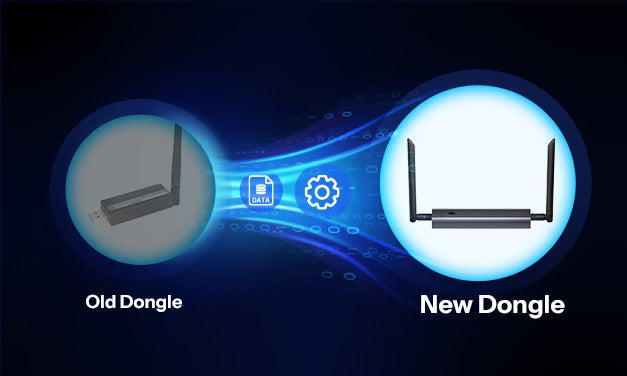
Jednak w przypadku koordynatorów Zigbee w formie Dongle — powszechnie używanych z platformami open source — sytuacja wygląda zupełnie inaczej. Jeśli musisz wymienić Dongle, zarówno ZHA, jak i Z2M oferują funkcje migracji koordynatora Zigbee, które pozwalają szybko i bezproblemowo przenieść konfigurację przy minimalnym wysiłku. Dzięki temu przejście na nowy Dongle jest znacznie łatwiejsze i wygodniejsze.
Po kilku rundach udoskonaleń i aktualizacji oferta SONOFF Dongle obejmuje obecnie modele Dongle-M, Dongle-PMG24 i Dongle-LMG21 — każdy z nich został zaprojektowany z myślą o innych użytkownikach i zastosowaniach. Wszystkie trzy modele bazują na rozwiązaniu Ember i obsługują funkcje migracji, umożliwiając przeniesienie danych ze starego Dongle oraz dalsze korzystanie z ekosystemu Zigbee bez zakłóceń.
W tym artykule posłużymy się modelem Dongle-M jako przykładem i pokażemy, jak przeprowadzić migrację konfiguracji — zarówno z Dongle opartego na Z-Stack, jak i z innego Dongle opartego na Ember — do nowego SONOFF Dongle (Dongle-M, Dongle-PMG24 i Dongle-LMG21) za pomocą ZHA lub Z2M.
ZHA: migracja koordynatora Zigbee
Oficjalny samouczek ZHA: https://www.home-assistant.io/integrations/zha/#migrating-to-a-new-zigbee-coordinator-adapter-inside-zha
Rezultat:
Nie ma potrzeby ponownej konfiguracji urządzeń
Etapy migracji:
1. Przejdź do strony konfiguracji ZHA i kliknij przycisk Migrate Radio.

2. Wybierz opcję Migrate to new radio.

3. Potwierdź informacje dotyczące migracji i kliknij Submit.

4. Odłącz stary Dongle i podłącz Dongle-M do portu USB hosta lub sieci lokalnej.

5. Potwierdź metodę połączenia z Dongle-M:
-
Połączenie USB: Wybierz bezpośrednio urządzenie szeregowe i nawiąż połączenie.
-
Połączenie TCP: Wybierz Enter Manually, następnie ręcznie wybierz typ urządzenia EZSP i ustaw ścieżkę szeregową na: tcp://Dongle-M.local.

Konfiguracja ręczna:


6. Wybierz przywracanie z automatycznej kopii zapasowej.

7. Migracja zakończona pomyślnie.

Z2M: migracja koordynatora Zigbee
Oficjalny samouczek Zigbee2MQTT: Jak przeprowadzić migrację z jednego adaptera do innego
Migracja z koordynatora Ember do Dongle-M
Rezultat:
Nie ma potrzeby ponownej konfiguracji urządzeń
Etapy:
1. Zatrzymaj dodatek Zigbee2MQTT.
2. Użyj dodatku File Editor, aby uzyskać dostęp do pliku /homeassistant/zigbee2mqtt/configuration.yaml.
3. Zmień port na ścieżkę Dongle-M, np. tcp://Dongle-M.local:6638, a następnie zapisz plik (Ctrl + S).
4. Uruchom ponownie Zigbee2MQTT.

Migracja z koordynatora Z-Stack do Dongle-M (nieoficjalne zalecenie)
Rezultat:
Testy wykazały, że ponowna konfiguracja urządzeń nie jest wymagana
Etapy:
1. Zatrzymaj dodatek Zigbee2MQTT.
2. Użyj dodatku File Editor, aby uzyskać dostęp do katalogu /homeassistant/zigbee2mqtt/.
3. Wykonaj kopię zapasową plików configuration.yaml, coordinator_backup.json i database.db na komputerze lokalnym (na wypadek konieczności przywrócenia).
4. Zmodyfikuj plik /homeassistant/zigbee2mqtt/configuration.yaml i wprowadź ścieżkę szeregową Dongle-M, np. tcp://Dongle-M.local:6638. Pamiętaj, aby zmienić sterownik na ezsp, a następnie zapisz plik (Ctrl + S).

5. Usuń plik /homeassistant/zigbee2mqtt/coordinator_backup.json.
6. Uruchom dodatek Zigbee2MQTT. Zigbee2MQTT odtworzy sieć Zigbee na podstawie pliku YAML. Wartości pan_id i extended_pan_id będą odpowiadać oryginalnej sieci, natomiast lista urządzeń będzie pusta.
7. Po pomyślnym uruchomieniu sieci Zigbee i uzyskaniu dostępu do konsoli Zigbee2MQTT zatrzymaj dodatek. Ponownie przejdź do katalogu /homeassistant/zigbee2mqtt/, usuń nowo wygenerowany plik database.db i zmień nazwę oryginalnego pliku database.db.backup na database.db.

8. Zmodyfikuj również plik configuration.yaml, ustawiając adapter na ember, a następnie zapisz plik (Ctrl + S).

9. Uruchom ponownie Zigbee2MQTT. Oryginalna lista urządzeń zostanie przywrócona z pliku database.db.
Niezależnie od wybranej metody migracji koordynatora Zigbee, jeśli napotkasz jakiekolwiek problemy, odwiedź sekcję Dongle na forum. Nasi deweloperzy Dongle chętnie odpowiedzą na Twoje pytania i pomogą zapewnić płynne, bezproblemowe przejście na nowy SONOFF Dongle.


Zostaw komentarz
Wszystkie komentarze są moderowane przed opublikowaniem.
Ta strona jest chroniona przez hCaptcha i obowiązują na niej Polityka prywatności i Warunki korzystania z usługi serwisu hCaptcha.