






Wat is de SONOFF Stepper-functie?
Heb je geen dubbele wandschakelaar maar wil je toch twee belastingen met één schakelaar bedienen? De SONOFF MINI DUO (MINI-2GS / MINI-ZB2GS) met zijn "Stepper-functie" verandert je gewone enkele wandschakelaar in een slimme staprelais — waarmee je twee belastingen vanaf één schakelaar kunt bedienen.
In tegenstelling tot traditionele elektromechanische staprelais, die alleen een vaste cyclische modus bieden zonder mogelijkheid om de schakelvolgorde te wijzigen, laat de SONOFF Stepper-functie je de schakelvolgorde voor beide belastingen aanpassen. Dit geeft je meer flexibiliteit en zorgt dat de bedieningslogica beter aansluit bij je gebruikssituaties.
Belangrijkste voordelen van de SONOFF Stepper-functie
Bedien twee belastingen met één schakelaar en verminder de bedrading
Met de Stepper-functie kan één wandschakelaar twee verschillende belastingen bedienen. Dit elimineert de noodzaak voor een extra schakelaar, vermindert de bedradingcomplexiteit en installatiekosten — vooral handig bij woningrenovaties of aanpassingen.
Ondersteunt één-klik "Alles uit" voor dagelijks gemak
Traditionele elektromechanische staprelais vereisen meestal meerdere drukken om alle belastingen uit te schakelen. Met de Double-Press Mode van de Stepper-functie van de SONOFF MINI-2GS / MINI-ZB2GS kun je alle belastingen direct uitschakelen met één druk — wat tijd bespaart bij dagelijks gebruik.
Volledig aanpasbare schakelvolgorde
In tegenstelling tot traditionele staprelais met vaste schakel-logica, stelt de Stepper-functie van de SONOFF MINI-2GS / MINI-ZB2GS je in staat elke stap van de bediening aan te passen, zodat de schakelvolgorde precies werkt zoals jij wilt. Deze flexibiliteit zorgt ervoor dat de schakel-logica aansluit bij je werkelijke gebruik.
Compatibele schakelaars
De Stepper-functie op de SONOFF MINI-2GS en MINI-ZB2GS ondersteunt alleen twee typen mechanische schakelaars: kippschakelaars en momentary schakelaars.
*Opmerking: Bij gebruik van een fysieke wandschakelaar moet de SONOFF MINI-2GS / MINI-ZB2GS in de app op hetzelfde schakelaartype worden ingesteld. Als ze niet overeenkomen, kan de bediening mogelijk niet naar verwachting reageren.
- Kippschakelaar

- Momentary schakelaar

Typische gebruikssituaties
💡 Dual-Circuit verlichtingsbediening
Eén schakelaar kan bedienen:
- Alleen het plafondlicht AAN
- Alleen de spots AAN
- Zowel het plafondlicht als de spots AAN
Deze opstelling is ideaal voor woonkamers, slaapkamers of kantoren waar meerdere verlichtingslagen worden gebruikt.
Toepassingsscenario's:
🚿 Badkamerverlichting en ventilatie
Eén schakelaar kan bedienen:
- Alleen het licht AAN
- Alleen de afzuigventilator AAN
- Zowel het licht als de afzuigventilator AAN
Met de Inching-instellingen kunt u instellen dat uw afzuigventilator en licht op verschillende tijden uitschakelen — bijvoorbeeld het licht gaat uit na 2 minuten, terwijl de ventilator langer blijft draaien.
Toepassingsscenario's:
Hoe de Stepper-functie inschakelen?
Bedradingsmethode
Sluit een externe enkelkanaals schakelaar aan op een van de schakel-ingangen (S1 of S2) op de MINI‑2GS / MINI‑ZB2GS.

Stepper-functie inschakelen
Gebruikers kunnen tot vier Stepper-modi configureren, waarbij de schakelvolgorde voor de aangesloten belastingen wordt gedefinieerd.
👇 Open de Stepper-functie in de eWeLink-app en schakel vervolgens de Stepper-modus in.

Hoe werkt de SONOFF Stepper Modus?
De Stepper-functie op de SONOFF MINI-2GS en MINI-ZB2GS biedt twee modi:
- Enkel-Druk Modus
- Dubbel-Druk Modus
Deze modi stellen gebruikers in staat te definiëren hoe de schakelaar de aangesloten belastingen bedient.
Enkel-Druk Modus (Standaard)
In Enkel-Druk Modus doorloopt elke druk de vooraf gedefinieerde belastingsstanden, waardoor gebruikers kunnen wisselen tussen verschillende combinaties van de twee belastingen.
*Opmerking: Als de "Dubbel-Druk Modus" niet is ingeschakeld, werkt het apparaat standaard in Enkel-Druk Modus.

Enkel-Druk Modus Scène Simulatie:
👆 Enkel drukken om modi te wisselen (drukwerking):

- Verdere enkel drukken zal terugkeren naar Stap 1 en de cyclus herhalen.
Dubbel-Druk Modus
Met traditionele traprelais moeten gebruikers vaak meerdere keren drukken om alles uit te schakelen. Dankzij de Dubbel-Druk Modus van de SONOFF MINI-2GS/MINI-ZB2GS Stepper-functie schakelt één klik alle belastingen uit — geen herhaald drukken meer, wat dagelijkse bediening sneller en handiger maakt.
In Dubbel-Druk Modus:
- Dubbel drukken om stap te wisselen
- Enkel drukken om alles uit te schakelen of de laatste stap te herstellen
Dubbel-Druk Modus Scène Simulatie:
👆 Dubbel drukken om modi te wisselen (drukwerking):

- Verdere dubbel drukken zal terugkeren naar Stap 1 en de cyclus herhalen.
- Enkel drukken na Stap 3 (beide lampen aan) → beide lampen uit; nogmaals enkel drukken → terug naar Stap 3 (beide lampen aan).
Toepasselijke modellen
- MINI-2GS (Firmware v1.1.2 of later)
- MINI-ZB2GS (Firmware v1.0.7 of later)
⚠️ Opmerkingen
- Wanneer de functie Ontkoppelrelais is ingeschakeld, wordt de Stepper-functie automatisch uitgeschakeld om functionele conflicten te voorkomen.
- Zorg ervoor dat de schakelmodus van de MINI-2GS / MINI-ZB2GS overeenkomt met uw wandschakelaar, een mismatch kan onverwachte werking veroorzaken.
- Als de "Dubbel-Druk Modus" niet is ingeschakeld, werkt het apparaat standaard in Enkel-Druk Modus.


2 reacties
Joanna Z
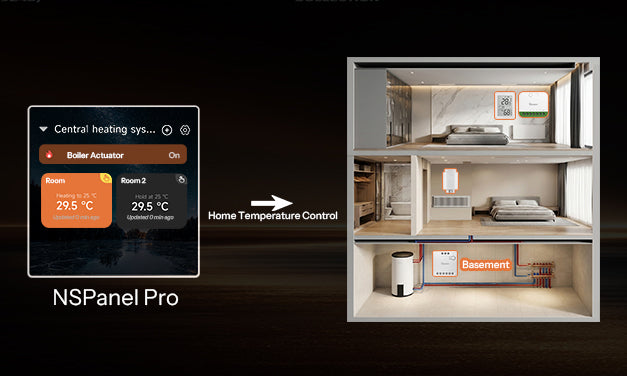
Reply to Mario Ciantar: Hello, NSPanel currently does not support newly added device models.
Mario Ciantar
My MINI-2GS does not show on my NSPanel. Can you please help?
Laat een reactie achter
Alle reacties worden gemodereerd voordat ze worden gepubliceerd.
Deze site wordt beschermd door hCaptcha en het privacybeleid en de servicevoorwaarden van hCaptcha zijn van toepassing.