














































Introduction
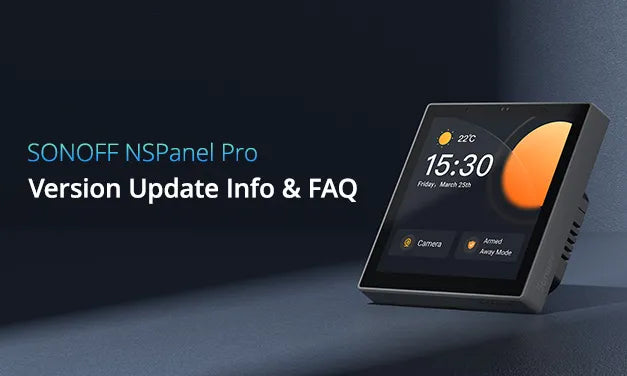
NSPanel Pro smart home control panel integrates all your devices and scenes for central control. On this panel, you can view camera monitoring, adjust light color temperature, room temperature, light colors, turn on/off lights, etc. Its version update log and FAQ are as follows. You can find the answer to your questions about this smart panel and learn more about it.
Notice
Ongoing versions are updated and optimized continuously. We will keep refining the product based on current feedback. You can visit the eWeLink Forum to follow the latest version updates. If you encounter any issues during use, you can also submit feedback via the link below. Our developers will communicate with you directly to help identify and resolve problems more quickly.
Furthermore, if you would like to share your experience using the product, we welcome you to post via the link below. Your suggestions and encouragement are our greatest motivation!
👇
Latest NSPanel Pro topics - eWeLink Forum
*Important Note: If your device cannot be upgraded to the latest version, you can join the Beta test to get early access.
Join the Beta test here:
Version Updates
V4.6.0(Jun. 30th, 2026)
Optimizations
1. Introduced Local Web Portal Support
NSPanel Pro can now be accessed over your local network via http://nspanelpro.local or its IP address.
For multiple devices on the LAN, use http://nspanelpro-{device ID}.local.
The local web portal supports selected setup and management features, including:
2. Device Setup & Smart Security
- Add Zigbee sub-devices and eWeLink-Remote sub-devices.
- Configure Smart Security and arm or disarm the system.
3. Integrations
- Configure the MQTT Broker to sync Zigbee sub-devices to Home Assistant.
- Authorize Home Assistant connection and sync Home Assistant devices to Matter-enabled platforms.
- Link an eWeLink account for remote device control in the eWeLink App.
- Set up Matter Bridge pairing to sync NSPanel Pro itself, along with supported Zigbee sub-devices, and Home Assistant entities, to Matter-enabled platforms.
4. Personalization & Settings
- Upload custom ringtones, screen savers, and wallpapers.
- Configure Webpages, temperature and humidity data source, security code, Guest Mode, and Zigbee Modes.
5. Expanded Device Compatibilities
- Added support for SONOFF MINI-ZB1GP / MINI-ZB1GSP single-channel Zigbee smart switches with electricity monitoring.
- Compatible with Shelly Ecowitt WS90 Zigbee weather station.
Optimizations & Bug Fixes
1. NSPanel Pro 86 Gen2 can now be linked to NSPanel Pro 86 and NSPanel Pro 120 for unified control.
2. Improved handling of expired shared devices on receiving panels, with clearer prompts and automatic removal.
3. Other NSPanel Pro Gen2 Optimizations:
- Optimized the Detach Relay Mode with more intuitive interactions.
- Improved channel capability and state mapping when syncing relay controls to Matter-enabled platforms.
1. Fixed some known issues.
V4.5.3(Jun. 18th, 2026)
Optimization
1. Streamlined Auto Discovery for Matter-compatible devices
2. Optimized screen management for Matter devices on dedicated custom screens.
1. Fixed known bugs and improved system stability.
V4.5.2(Jun. 4th, 2026)
Optimization
Expanded support for eligible Zigbee devices, including:
- Dual-Channel Smart Water Valve: SONOFF SWV-ZF2E/SWV-ZF2U
- PIR Motion Sensor: SONOFF SNZB-03PR2
V4.5.1(May. 20th, 2026)
Bug Fixes
1. Fixed some known issues.
V4.5.0(May. 11th, 2026)
Optimization
1. Sub-devices now support local setup and operation directly on NSPanel Pro, skipping the eWeLink account linking.
2. Added support for SONOFF SNZB-02B, SONOFF SNZB-06P24, SONOFF SNZB-02M, and SONOFF BASIC-ZB1GSP.
3. BTHome Integration: Added support for discovering eligible BTHome devices and exposing supported BTHome data to Matter-enabled platforms via Matter Bridge.
Supported data types include:
- Sensor data: temperature, humidity, and illuminance
- Binary sensor data
- Event data
4. Added “Tamper Alert” as a Smart Security alarm trigger for SONOFF SNZB-04P and SONOFF SNZB-04PR2.
Bug Fixes
1. Streamlined the process of syncing Home Assistant devices to Matter-enabled platforms.
2. More Home Assistant synced entities now display the correct icons on NSPanel Pro for easier recognition.
3. Humidity readings for temperature and humidity sensors now display more accurately.
4. Fixed some known issues.
V4.4.6(Apr. 8th, 2026)
Optimization
1. Expanded Device Support: Added support for SONOFF Hydro ONE Zigbee Smart Water Valves (SWV-ZFU / SWV-ZFE) and SONOFF Hydro ONE Lite Zigbee Smart Water Valves (SWV-ZNU / SWV-ZNE).
Bug Fixes
System & Connectivity
- Connectivity Stability: Fixed an issue where some Zigbee sub-devices could unexpectedly go offline.
- Unresponsive Issues: Resolved several issues that could cause NSPanel Pro to become unresponsive in certain scenarios.
- Reporting Optimization: Improved sub-device reporting mechanisms to reduce unexpected offline issues.
- MQTT Reconnection: Fixed an issue where the MQTT connection to Home Assistant might fail to reconnect automatically.
- OTA Updates: Addressed an issue where OTA updates could fail for certain sub-devices.
Display & User Interface
- Navigation Bar: Fixed a display issue on NSPanel Pro 120 where the navigation bar appeared incorrectly in Landscape mode after a reboot.
- Call Screen: Resolved a UI glitch where the call screen persisted in the recent apps view even after a call ended.
- Webpages Management: Resolved a video URL parsing issue to ensure saved pages are correctly recognized and remain manageable.
- Sensor Accuracy: Fixed an issue where comfort status for certain temperature and humidity sensors was displayed incorrectly.
- Lighting Control: Resolved a color adjustment issue for certain previously added smart lights.
V4.4.0(Feb. 14th, 2026)
Optimization
1. The built-in Zigbee NCP firmware will be upgraded to 8.x, and we’ll fully incorporate zigbee-herdsman and zigbee-herdsman-converters to better support 3rd-party and non-standard Zigbee devices.
2. Enhanced Home Assistant Integration via MQTT
NSPanel Pro now exposes more of its native capabilities to Home Assistant, enabling you to:
- Start/stop microphone recording.
- Play audio through the NSPanel Pro speaker.
- Enable/disable Wake on Proximity (screen wakes when you approach).
3. New Device Support
-
Zigbee: IKEA E2112 air quality sensor.
-
Added on-screen control support for eligible Wi-Fi devices, including:
- SONOFF AWF-07P
- SONOFF SAWF-08P
- SONOS Speakers (S2 Sonos systems only)
4. Do Not Disturb Mode
Added Do Not Disturb mode with scheduling and per-category notification exceptions, reducing unwanted interruptions while still allowing important alerts.
5. Personal Image Screen Saver
NSPanel Pro can now use personal images uploaded via the eWeLink App for its screen saver.
6. Added Adaptive Mode for SONOFF TRVZB, configurable in the eWeLink App, to help maintain a more stable room temperature.
7. Central Heating System Improvements
- Room list and device location changes now update automatically on NSPanel Pro – no reboot required.
- Connected boiler/valve actuators are turned off automatically when removing a Central Heating system or a room thermostat, preventing them from being left on.
- Related central heating systems or room thermostats are marked as “Invalid” when a connected device is removed, moved, or disconnected.
8. UI/UX Optimizations
- Improved multi-channel device tile with more intuitive interactions.
- Camera view now supports switching between Landscape and Portrait orientations.
- Access to features, including Matter Bridge, F-Droid, and Apps, is now disabled in Guest Mode.
9. Block Firmware Updates toggle:
Added a Block Firmware Updates toggle to stop automatic firmware update checks and downloads.
Bug Fixes
1. Fixed an issue where the Home App selection in NSPanel Pro wasn’t applied as expected after it was configured in Android system settings.
2. Improved multi-channel device tile with more intuitive interactions.
3. Camera orientation switching is more reliable.
4. eWeLink‑Remote status syncs properly even when the screen is off.
V4.3.2(Jan. 16th, 2026)
Optimization:
1. Optimizations device card tapping interaction.
Bug Fixes
1. Fixed various known issues.
V4.3.0(Jan. 8th, 2026)
New Updates:
1. Matter Bridge for Home Assistant: NSPanel Pro can now sync Home Assistant entities to Matter platforms.
2. Enhanced Home Assistant Integration (via MQTT): Publishes NSPanel Pro's features capabilities as entities to Home Assistant using MQTT, enabling control of:
- Speaker control for startup volume.
- Ability to add Zigbee sub-devices.
- Screen wake/sleep and brightness control.
- Arm/Disarm Smart Security.
- A list of Zigbee devices synced from NSPanel Pro is now available in Home Assistant
3. New Device Support: Added support for SONOFF MINI-ZB2GS with stepping control, configurable in the eWeLink App, allowing external switch press actions to cycle through a preset step sequence of relay states.
4. Custom Notifications: Notifications on NSPanel Pro now support custom ringtones and messages for Smart Security and Smart Scene events.
5. Live Camera Feed: Added an option to show the live camera feed on NSPanel Pro when triggered as a scene action.
6. Central Heating: Added Central Heating to NSPanel Pro Settings, which provides a dedicated screen for centralized control of heating across multiple rooms. This screen can be enabled and reordered via the eWeLink App.
Optimization:
1. Improved device tiles with clearer status and interaction.
2. Consistent screen sleep/wake and screensaver behavior across all apps.
3. Added an option to mute the startup sound.
4. Improved TRV support on NSPanel Pro, including:
- Display and control in the thermostat screen view.
- Enhanced tile information for current status and target temperature.
5. Seamless switching between Zigbee Hub and Router modes (no reboot required).
6. Support for up to 5 custom uploaded ringtones.
7. Temperature adjustments for Thermostat are now more precise when configured in the eWeLink App.
8. Temperature adjustments for Thermostat are now more precise when configured in the eWeLink App.
Bug Fixes
1. Fixed various known issues.
V4.2.0(Dec. 27th, 2025)
New Updates:
1. Added an "Apps" menu item in the top drop-down menu for quickly switching between apps installed from F-Droid.
2. Added support for the following eligible devices:
- SONOFF SNZB-02DR2
- SONOFF MINI-ZBDIM MINI
- SONOFF MINI-DIM MINI
- SONOFF CAM-B1P
- SONOFF SNZB-01M
- SONOFF SNZB-04PR2
3. Simplified IP Camera Setup: Bypass on-screen input; IP cameras can now be conveniently configured directly within the eWeLink App.
Optimization:
1. Expanded Matter Bridge Support: The Matter Bridge now supports syncing eligible Wi-Fi devices (linked to the same eWeLink account as the NSPanel Pro) to Matter platforms for control. Supported devices include:
- POWR
- POWCT
- S60ZBTPF/S60ZBTPG
- NSPanel
- DUALR3 Lite
- M5
- B05-BL-A60
- B05-BL-A19
- iFan04
- B02
- D1
- T5
- SPM-4Relay
- B02-BL-A60
- B02-BL-A19
- DW2-Wi-Fi
- L2
- L3-5M
- L3-5M-P
2. The NSPanel Pro App now supports persistent background activity.
3. Screen reordering is now supported for all custom screens.
4. Multi-channel devices now show each channel as a separate tile on NSPanel Pro screens when linked via the eWeLink App.
5. Added two new temporary modes for SONOFF TRVZB:
- Boost Mode: Heats the room quickly for a short period.
- Temperature Override Mode: Temporarily maintains a user-set temperature.
6. Added support for deleting MQTT Broker configurations when syncing Zigbee sub-devices to Matter platforms over MQTT.
7. Improved 12-hour time format display.
8. Improved the date format shown on the Screen Saver.
Bug Fixes
1. Fixed various known issues.
Note: This version was a beta rollout for selected units. Keep the device powered during the update.
V4.1.4(Nov. 25th, 2025)
New Updates:
1. IOS supports remote OTA updates for the control panel via the app.
V4.1.3(Nov. 19th, 2025)
Optimization:
1. Devices with ADB enabled will remain in this state after OTA updates.
V4.1.2(Nov. 13th, 2025)
New Updates:
1. Supports remote OTA updates for the control panel via APP.
2. Adds an "Auto-download Updates" setting in the control panel, enabled by default and can be turned off.
3. CUBE version updated to v1.13.4.
V4.1.1(Nov. 11th, 2025)
New Updates:
1. Adds OpenAPI support for waking and sleeping the NSPro Panel screen (partial support).
2. Adds an "Advanced Settings" option on the NSPanel Pro, allowing access to system settings via a floating ball.
V4.1.0(Nov. 6th, 2025)
New Updates:
1. Supports Matter bridge functionality, synchronizing Zigbee sub-devices in NSPanel Pro to third-party Matter applications (only in version 120).
2. Supports installing Home Assistant companion apps via the F-Droid app store. NSPanel Pro can export its Zigbee devices to Home Assistant via MQTT Discovery protocol.
3. Matter SDK upgraded to V1.4.0.
V4.0.11(Oct. 29th, 2025)
New Updates:
1. Devices with Root mode enabled also support OTA.
V3.12.0(Spe. 8th, 2025)
New Updates:
1. Supports external switch functionality and power-on response delay for the dual-channel ZB single-fire retrofit module MINI-ZB2GS-L.
2. Supports SONOFF MINI-ZB2GS as a sub-device, and also supports its use as a device in local scenes.
V3.11.0(Aug. 11th, 2025)
New Updates:
1. Supports SONOFF SNZB-02LD/SNZB-02WD as temperature sources for the control panel thermostat.
Optimization:
2. Adjusts the thermostat temperature setting range to a maximum of 60°C and a minimum of -10°C.
V3.10.0(Jul. 8th, 2025)
New Updates:
Optimization:
V3.9.4(Jun. 11th, 2025)
New Updates:
1. SONOFF SNZB-02D and SONOFF SNZB-02LD/SNZB-02WD support configuration of reporting thresholds, minimum reporting interval, and maximum reporting interval.
2. TRVZB thermostat valve devices support temperature control precision settings.
3. Supports SONOFF SNZB-02D as an NSPanel Pro sub-device. The device UI displays On/Off status, today's electricity consumption, this month's electricity consumption, and nearly one week's historical electricity consumption (refer to S60 UIID190). It also supports acting as a thermostat actuator.
V3.8.7(Apr. 8th, 2025)
New Updates:
1. SONOFF SNZB-03 trigger conditions support selecting a duration of no motion, i.e., "No motion detected for a period." SONOFF SNZB-06P trigger conditions support selecting a duration of no presence, i.e., "No presence detected for a period."
2. When NSPanel Pro is used as a trigger device in scenes, it adds security mode arming/disarming/triggering alerts/clearing alerts as scene trigger conditions.
V3.8.4(Mar. 25th, 2025)
New Updates:
1. Supports setting the screen-off protection time format according to device settings: 24-hour format when enabled, 12-hour format when disabled.
V3.8.1(Mar. 13th, 2025)
Optimization:
1. Optimized Fahrenheit display for temperature and humidity devices.
V3.8.0(Feb. 21th, 2025)
New Updates:
1. Support automatic switching between daylight saving time and standard time. The Zigbee sub-device added to NSPanel Pro will automatically adjust the timer settings based on the local time zone. (APP version 5.13.1 or later required.)
V3.7.2(Jan. 23th, 2025)
Optimization:
1. Optimize Web Shortcut performance.
V3.7.1(Jan. 9th, 2025)
New Updates:
1. WebShortcut now supports page zoom and text size adjustment.
2. Added an option to reboot your NSPanel Pro via eWeLink App.
3. Delayed arming/disarming are available to prevent false alarms when sensors are triggered.
V3.7.0(Dec. 9th, 2024)
New Updates:
1. Web Shortcut Function: Pin your favorite web pages as shortcuts to the screen for instant, one-tap access. It even auto-discovers LAN services on Home Assistant and iHost Cast console.
2. Full-Screen Display: Improved view with full-screen webpages.
3. Local Control for Zigbee & Matter Devices: If your trigger device and execution device of the thermostat are added via NSPanel Pro, you can control them locally through NSPanel Pro.
4. Enhanced TRVZB Support: TRVZB added to NSPanel Pro supports setting the temperature source from an external sensor.
V3.6.1(Nov. 6th, 2024)
New Updates:
1. Added support for Matter Light Sensor
2. Predefined device names will now sync during Matter device setup for easier identification.
3. Now you can create up to 10 Energy Dashboards for NSPanel Pro in eWeLink app (App version 5.11.0 and NSPanel Pro firmware version 3.6.1 or later are required).
V3.6.0(Oct. 22nd, 2024)
New Updates:
1. Support controlling more SONOFF devices on NSPanel Pro via LAN: MINIR4, M5 series, TH Elite, etc. ( For specific devices list, please refer here: NSPanel Pro Supported Devices List )
V3.5.0(Sept. 14th, 2024)
New Updates:
1. Control eligible Wi-Fi devices via LAN on NSPanel Pro. ( For specific devices list, please refer here: NSPanel Pro Supported Devices List )
2. Microphone muting is available during voice calls.
3. Support viewing real-time power data from POWCT on the screen.
Optimization:
1. Improved the display of device status on the home screen. It can display the current status of the human presence / Door/Window / water leak sensor.
2. The temperature range of the thermostat is adjusted to 4-40℃.
V3.4.0(Aug. 13th, 2024)
New Updates:
1. Support SONOFF SNZB-05P Water Leak Sensor
2. Now you can change the text size in Reminder (Notepad).
3. Support disarming the alarm and resetting the device with a security code.
4. Added support for minimizing ongoing voice call to a floating bubble.
Optimization:
1. Optimized NSPanel Pro UI design and user experience. Support adjusting light color, brightness, and more; and controlling multi-channel switches on the home screen.
2. Optimized the UI and interaction of the device split screen, long press the device icon to enter the device control settings.
3. Optimized the temperature and humidity sensor icon, different font colors correspond to different temperatures or humidity.
4. Optimized the icons of motion sensor, water leak sensor and door/window sensor, and the icons will flash when the sensor is triggered.
5. Optimized the alarm on the NSPanel Pro, and you can view the ringtone type and repeat time.
V3.3.0(July. 9th, 2024)
New Updates:
1. Support SONOFF Zigbee Smart Water Valve SWV.
2. Support Matter human presence sensor and Matter wireless switch.
3. Set the action device auto to on/off/keep status when disabling the thermostat.
4. The home screen widget can select the camera or timer. (APP requires V5.8 or above)
V3.2.0(June. 11th, 2024)
New Updates:
Alarm clock supports custom ringtones (APP requires V5.7 or above)
Optimization:
Optimized the automatic effect of screen brightness adjustment (Display–Automatic)
V3.1.0(May. 9th, 2024)
Optimization:
Optimized the interactive experience of the new UI
V3.0.1(Apr. 15th, 2024)
Optimization:
1. Fix the problem of abnormal display of temperature and humidity on the home screen
2. Optimize the loading speed of the Notice center
3. Fix the abnormal situation after adding Matter device
V3.0.0(Mar. 15th, 2024)
New Updates:
1. New UI design. Support customizing the layouts and widgets of the home screen
2. Devices and scenes can be set on the same extended screen
3. Support two-way call with CAST App
4. Support adding Matter Light Switch and Matter Color Temperature Light
5. Boot animation updated
V2.4.0(Jan. 16th, 2024)
New Updates:
1. Support adding Matter bridges, and you can sync switch devices under the bridge to NSPanel Pro.
2. New language added: Latviešu
V2.3.0(Dec. 12th, 2023)
New Updates:
1. Support switching the temperature unit of thermostat, you can set it for ℃ or℉ in the App.
2. Support adding Matter light devices.
3. When the Bluetooth function is turned on, the Bluetooth icon will be displayed in the upper right corner of the screen.
V2.2.0(Nov. 10th, 2023)
New Updates:
1. Support switching NSPanel Pro from Zigbee gateway mode to Zigbee router mode. Click ‘Device Settings–Pilot Features–Zigbee Mode’ in the APP to enable Zigbee router mode. After switching to a Zigbee router, you need to bind it with other gateways.
2. Multi-channel Matter switches and plugs added to NSPanel Pro support All ON and All OFF control.
3. Support setting SNZB-06P as a trigger device for smart security.
Note: *The APP needs to be upgraded to V 5.1.0 ( It’s expected to be available at the end of this month for iOS users. )
V2.1.0(Sept 26th, 2023)
New Updates:
1. Support SONOFF Zigbee Thermostatic Radiator Valve. You can switch on and off, switch between manual/automatic modes and adjust the target temperature on NSPanel Pro.
2. Optimize the screen swiping experience. It is more accurate when swiping down to enter settings and swiping left or right to switch screens.
3. Support GSM switch and socket equipment.
V2.0.0(Sept 12th, 2023)
New Updates:
1. Supports as a Matter hub to add Matter-enabled devices to the eWeLink App. Currently supports switches and plugs.
2. Support Bluetooth connection to external devices such as speakers, and play music or alarm through external speakers.
3. Support synchronizing Philips lights to NSPanel Pro from the eWeLink APP.
4. ZBMINI-L and ZBMINIL2 can be selected as thermostat execution devices.
Optimization:
1. Thermostat function optimization. Improved temperature control accuracy, the minimum adjustable unit is 0.5; added ‘+’ and ‘-’ buttons; optimized thermostat interface.
Some new features require upgrading the APP to V 5.0 before they can be used.
V1.11.0(Aug 8th, 2023)
New Updates:
1. Support adding Zigbee monochromatic lights
2. You can turn off the device status push notification on NSPanel Pro. After turning it off, the push notification will not pop up on NSPanel Pro screen when the device status changes
3. Added laboratory function
V1.10.0(July 10th, 2023)
New Updates:
1. Support SONOFF TX Ultimate, you can control its on/off and ambient light mode on NSPanel Pro
2. Security mode supports more types of triggering devices
3. Support CAST pad. You can make voice calls with CAST pad through NSPanel Pro (CAST APP can be downloaded in the Android pad APP store)
4. RTSP camera can play real-time audio
5. Update the weather icon
6. Support connecting to WiFi without entering the password
7. Shorten the top window height of Webpages
8. The temperature unit switching in the weather forecast is synchronized with the temperature unit of the weather (Setting–Weather–Temp. Unit)
V1.9.0(June 8th, 2023)
New Updates:
1. Added 11 new languages, namely Indonesian, Catalan, Danish, Croatian, Slovak, Finnish, Bulgarian, Hebrew, Arabic, Traditional Chinese, and Japanese. There are currently 32 languages available in NSPanel Pro.
2. Support SNZB-01P, SNZB-02P.
3. The OTA time of Zigbee sub-devices in NSPanel Pro is extended to 30 minutes.
4. Support control the Groups shared from the App in NSPanel Pro.
V1.8.0(May 9th, 2023)
New Updates:
1. Guest Mode – After turning on the Guest Mode on the APP, you can only control the device on NSPanel Pro, and cannot perform other settings (such as adding devices, setting a timer, etc.). This feature requires eWeLink App to be updated to V4.32.0.
2. Unlock with Passcode – You can choose direct control or passcode control in the APP. After setting the passcode, you need to enter the correct passcode to use NSPanel Pro. This feature requires eWeLink App to be updated to V4.32.0.
3. Optimize the Firmware Update Mechanism – When a new firmware is detected, you can check the firmware download process through the download progress bar in About–Software Update.
4. Added S40TPA and S40TPB as thermostat executive devices.
5. Support SONOFF Zigbee Human Presence Sensor SNZB-06P.
V1.7.0(April 12th, 2023)
New Updates:
1. Support display Temp. & Humi. data from other temperature sources on the main screen.
2. Support always-on display – Set ‘Never’ Auto-Lock in ‘Settings-Display’.
3. Support Homebridge, allowing you to sync the Zigbee sub-devices in NSPanel Pro to Homebridge, and control them in the Home App.
4. Support Node-RED, allowing you to manage and control devices through “nodes” and “flows”.
5. Support switching between 24-hour and 12-hour formats.
6. Added six new languages: Afrikaans, Czech, Hungarian, Slovenian, Vietnamese, and Thai.
V1.6.0(Mar 13th, 2023)
New Updates:
1. Zigbee sub-devices support timer feature, and some Zigbee devices support OTA
2. Support S31, POWR3, POW Elite, POW Origin, TH Elite, TH Origin as the execution device in the thermostat
3. Thermostat can be set as the executive action in smart scene, including turning on/off the thermostat, switching manual/automatic mode
Optimization:
1. Optimize the login steps, you can go to the Wi-Fi settings on the scan code page
2. Modify the boot animation
V1.5.4(Feb 14th, 2023)
New Updates:
1. Support adding eWeLink-Remote sub-devices in APP, can be used as eWeLink-Remote gateway
Optimization:
1. Shorten boot time
V1.5.2(Jan 12th, 2023)
New Updates:
1. Support SPM-4Relay, RFBridge, iFan04-L/iFan04-H
2. Add a ‘Feedback’ button in the settings
V1.5.1(Jan 6th, 2023)
New Updates:
1. Support ‘timer’ as a trigger condition in Zigbee local scene
2. Support displaying the temperature and humidity graphs of TH Origin and TH Elite in the Thermostat
V1.5.0(Dec 10th, 2022)
New Updates:
1. Added Webpages function, which can save webpage links in the APP and access them on NSPanel Pro
2. Added panel-to-panel voice call function, call another NSPanel Pro of the same account through NSPanel Pro at any time
3. Support clicking the weather icon to check the weather forecast for the next 7 days
4. Add execution actions in smart scene – setting the Security Mode and Screen Status in APP smart scene
5. Support setting multi-screen device lists and scene lists, and name them individually
6. Support viewing the energy consumption data of the past 7 days on Device Consumption
V1.4.0(Nov 8th, 2022)
New Updates:
1. Support voice calls to NSPanel Pro via eWeLink APP
2. Support SONOFF NSPanel Smart Scene Wall Switch
3. Support all models of SONOFF light strips
Optimization:
1. Optimize RTSP camera screen display, the screen ratio can be set to 4:3 or 16:9
2. The manual mode of the thermostat adds the function of locking the swipe bar, and the temperature cannot be changed after locking
3. Optimize mDNS function
V1.3.2(Sept 29th, 2022)
New Updates:
1. Support two-way sync between NSPanel Pro and Home Assistant devices, you can sync Zigbee sub-devices from NSPanel Pro to HA, as well as sync lights and switches on HA to NSPanel Pro.
2. Support adding MINIR3 and POW Elite.
3. Devices shared from others will display the share icon.
4. When updating to a new version, the version information prompt will pop up.
V1.3.1(Sept 16th, 2022)
New Updates:
- Added the custom wallpaper function, which supports uploading pictures in the APP as the wallpaper of NSPanel Pro
- Added the Device Consumption function, you can view the weekly power consumption.
- Support manual configuration, in the Screen Settings, you can choose whether to display the Smart Scenes, Thermostat, Device Consumption page on NSPanel Pro.
Optimization:
- Optimized the thermostat function to support more temperature sources
- The group you set will display the group icon on the panel
V1.3.0(Aug 30th, 2022)
New Updates:
- Support viewing Zigbee sensor temperature and humidity data for a day/week
- Compatible with YEELIGHT two-color, RGB, and five-color lights, you can sync the YEELIGHT lights added in eWeLink APP to NSPanel Pro
- Support SONOFF iPlug Wi-Fi Smart Plug – S40, you can check the devices power consumption recorded by S40
- Preview the volume while adjusting the system volume
- Added four new languages: German, Polish, Swedish, Ukrainian
V1.2.1(Aug 10th, 2022)
New Updates:
- Support smart temperature control, automatically or manually adjust the room temperature
- Compatible with Philips Hue Zigbee lights, IKEA Zigbee lights
V1.2.0(July 30th, 2022)
New Updates:
- Compatible with RTSP cameras
- Added “Theme”, you can change the wallpaper of NSPanel Pro
- Added “Timer” function, you can set a countdown with NSPanel Pro
- Support as the execution device in the scene, used as a doorbell
- Support adding TH10, TH16, TH Elite, TH Origin, DUALR3, DUALR3 Lite
Optimization:
1. Optimized the screen sliding experience
V1.1.0(July 7th, 2022)
New Updates:
- Support adding DIY cameras, currently support Espressif ESP32 Camera
- Added alarm clock function
- Support group control
- The scene belongs to which family is displayed in Manual Scene
FAQ
Q. What types of sub-devices are supported?
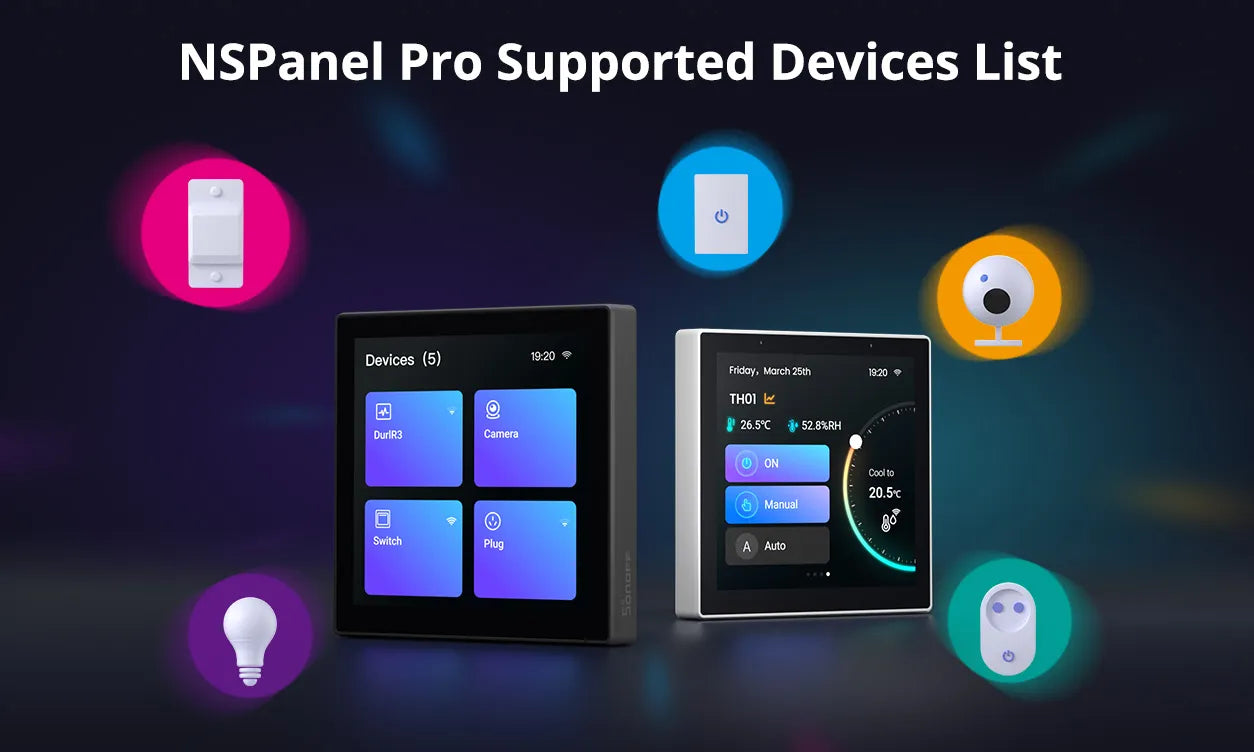
- NSPanel Pro integrates a Zigbee Hub & Matter Hub, supporting the addition of both Zigbee and Matter devices.
- It supports adding Wi-Fi devices under an eWeLink account through the "Split-Screen Setup".
- It supports adding Light Smart Sub-devices.
- It supports adding cameras: SONOFF cameras, RTSP/ESP32 cameras, and eWeLink cameras.
*For a detailed list of supported devices, please click the blog post link:
https://sonoff.tech/blogs/news/nspanel-pro-supported-devices-list?_pos=2&_psq=NSPanel&_ss=e&_v=1.0
Q. Can Home Assistant be used on NSPanel Pro?
A. Home Assistant can be accessed and used in the following ways:
- Download the Home Assistant APP from F-Droid to access and control HA devices from the panel.
- Use the "Webpages" feature to access Home Assistant's IP address, allowing control of HA devices from the panel.
Q. Can NSPanel Pro be used in Home Assistant?
A.Yes. By configuring HA information in the eWeLink App, the NSPanel Pro itself and its associated Zigbee sub-devices can be synchronized to Home Assistant, enabling control of both NSPanel Pro and its sub-devices within Home Assistant.
Q. Is Matter Bridge supported?
A. Yes. The Matter Bridge capability allows Wi-Fi devices and Zigbee devices under an eWeLink account, or devices in Home Assistant, to be synchronized to other third-party Matter platforms for control.
Q. Does NSPanel Pro have a temperature control function?
A. Yes. It supports controlling heating for individual rooms/zones as well as whole-home central heating systems.
Q. How to access CAST or other webpages on NSPanel Pro?
A. Using the Webpages feature, you can enter specific URLs in the eWeLink App to display quick-access cards on the panel.
Q. Can I install third-party apps in NSPanel Pro?
A. Yes. Since version 4.0.0, NSPanel Pro includes F-Droid. You can download official third-party APPs from the F-Droid store for use on the panel, including Home Assistant and various other interesting APPs.
Q. How many Zigbee modes NSPanel Pro have?
A. It supports two modes that can be switched freely: Zigbee Hub mode and Zigbee Router mode.
- As a Zigbee Hub, it can add Zigbee sub-devices from any brand, which are then displayed directly on the panel.
- As a Zigbee Router, it can act as a repeater to extend the signal coverage of a Zigbee Hub.
Q. Can Home Assistant or other third-party APPs run automatically on startup?
A. Yes. Home Assistant or other third-party APPs can be set as the Home App. NSPanel Pro will then launch them upon startup without affecting the use of its own functions (such as scenes, security, alarms, Zigbee modes, etc.).
Q. Is personalized customization supported?
A. It supports custom ringtones, wallpapers, and screensavers. Users can upload and configure their preferred ringtones and wallpapers. The home screen supports configuring device widgets of different sizes and customizing split-screen layouts.

2 comments
Joanna Z
Reply to Cristian: Ciao, nella versione 4.0.12 questo problema è effettivamente presente. Vai su Settings > About sul pannello e aggiorna il sistema all’ultima versione disponibile. Questo dovrebbe sostanzialmente risolvere il problema. Grazie per la collaborazione!
Cristian
Buona sera problema su nspanel pro 86, scorsa settimana dopo aggiornamento a versione 4012, non riesco più a vedere le telecamere collegate (ezviz) tramite codice rtsp, tra l’altro ho verificato la sintassi del codice, ma risulta tutto corretto. Soluzioni proposte ?
Leave a comment
All comments are moderated before being published.
This site is protected by hCaptcha and the hCaptcha Privacy Policy and Terms of Service apply.