



Zusammenfassung
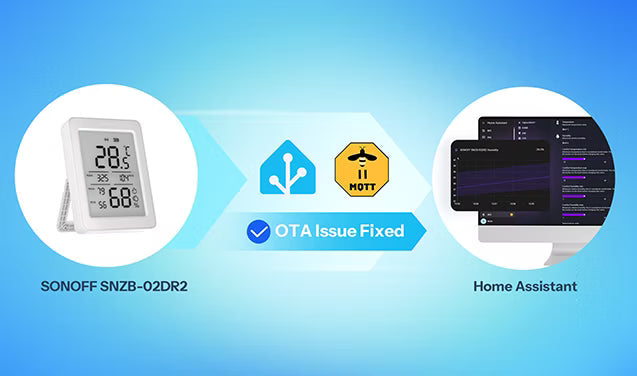
Im September 2025 funktionierte der neu veröffentlichte SNZB-02DR2 wie erwartet auf SONOFFs eigenem Gateway, aber OTA-Probleme traten auf Home Assistant auf. Gemeldete Symptome waren fehlgeschlagene Update-Prüfungen, Upgrades, die 100 % erreichten, ohne die installierte Firmware-Version zu ändern, und fehlende Firmware-Push-Benachrichtigungen. Das Problem trat sowohl bei Zigbee2MQTT als auch bei ZHA auf.
Der SNZB-02DR2 basiert auf einem Telink SoC. Nach Überprüfung von Protokollen, Firmware-Image-Struktur und Plattformverhalten konnte das SONOFF-Team das Problem auf Änderungen im OTA-Verschlüsselungsformat des Telink SDK zurückführen, die eine Kompatibilitätslücke mit der bestehenden OTA-Parsing-Logik verursachten. Die Korrekturen wurden in zwei Phasen eingespielt: zuerst auf der Zigbee2MQTT-Seite für das Telink 0xf000 herstellerspezifische verschlüsselte Packaging, dann auf der ZHA / zigpy-Seite für das verschlüsselte Telink OTA-Parsing. Später erweiterten Community-Beiträge die Arbeit um OTA-Blockgröße, Schema und Anbieter-Updates.
Offenlegung und Symptome
Im September 2025 arbeitete der neu veröffentlichte SNZB-02DR2 normal auf SONOFFs eigenem Gateway, aber OTA-bezogene Fehler traten auf Home Assistant auf. Die Hauptsymptome waren:
- Fehler bei Update-Prüfungen
- OTA-Übertragungen laufen ins Timeout oder bleiben hängen
- Upgrade-Fortschritt erreicht 100 %, während die Firmware-Version unverändert bleibt
- Geräte zeigen Firmware: Unbekannt an
- fehlende Firmware-Push-Benachrichtigungen, wenn ein Update erwartet wurde
Diese Symptome traten sowohl bei Zigbee2MQTT als auch bei ZHA auf. Basierend auf Protokollen, Firmware-Images und Laufzeitverhalten konnte das SONOFF-Team das Problem auf die OTA-Kompatibilität im Zusammenhang mit dem Telink SDK-Verschlüsselungsformat eingrenzen.
Arten von OTA-Fehlern
Dieses Problem lässt sich in drei Kategorien einteilen:
Die erste Ursache ist ein Fehler beim drahtlosen Transport, der sich typischerweise durch Zeitüberschreitungen, Stillstände oder übermäßige Wiederholungen zeigt. Häufige Ursachen sind 2,4-GHz-Interferenzen, schwache Signalstärke und große Entfernung zwischen Gerät und Koordinator.
Die zweite Ursache ist ein Fehler beim Parsen des OTA-Images. In diesem Fall schlagen Update-Prüfungen früh fehl oder das Image wird übertragen, schlägt aber später beim Parsen, Schneiden oder Validieren fehl.
Die dritte Ursache ist eine Versions- und Konfigurationsinkompatibilität. Typische Beispiele sind Container, die noch ältere Images ausführen, OTA-Anbietereinstellungen, die nicht mit der installierten Version übereinstimmen, oder falsche Index-Metadaten. Das übliche Symptom ist, dass die Umgebung aktualisiert wurde, die Korrektur jedoch nicht wirksam wird.
Fehlausrichtung bei Telink OTA Verpackung und Parsing
Die Ursache wurde auf Änderungen im OTA-Verschlüsselungsformat zurückgeführt, das vom Telink SDK verwendet wird.
Ein Standard-Zigbee-OTA-Unterelement kann vereinfacht dargestellt werden als:

Im Standardlayout beschreibt das Längenfeld nur die Größe der folgenden Daten. Es umfasst nicht die Tag ID oder das Längenfeld selbst.
In der Telink OTA verschlüsselten Paketierung, insbesondere in herstellerspezifischen Elementen wie 0xf000, enthält das Layout ein zusätzliches Feld:

Das eingefügte Tag Info ändert das physikalische Layout des Datenstroms, während die Bedeutung der Länge von Parsern, die noch dem Standardpfad folgen, nicht korrekt interpretiert wird. Das verursacht die Offset-Fehlanpassung.
Wenn ein Parser das Image weiterhin als Standard-ZCL-OTA liest, sind Offset-Berechnung, Längenbehandlung und Datenschnitt falsch. Typische Ergebnisse sind:
- Offset- oder Bereichsfehler während der OTA-Image-Inspektion
- erfolgreiche Übertragung eines beschädigten In-Memory-Images
- Ablehnung durch das Gerät während der finalen Validierungsphase
Das Problem ist daher eine Parsing-Fehlanpassung, verursacht durch das aktualisierte OTA-Verschlüsselungsformat im Telink SDK.
Zigbee2MQTT: Diagnose und Fix
Issue #9963
Repository: zigbee-herdsman-converters
Datum: 09.09.2025
Rolle: erster öffentlicher Bericht, der OTA-Entpackungsfehler identifizierte, verursacht durch Telink 0xf000 herstellerspezifische verschlüsselte Paketierung
Am 9. September 2025 wurde Issue #9963 (https://github.com/Koenkk/zigbee-herdsman-converters/issues/9963) in zigbee-herdsman-converters unter dem Titel Einige Fragen zur OTA-Verschlüsselungsmethode eröffnet.
Das Problem zeigte bereits den Kernfehler: Während der OTA-Update-Prüfungen erreichte das Parsing tagID:0xf000 und schlug dann mit einem Offset-Fehler außerhalb des Bereichs fehl. Es dokumentierte auch die Schlussfolgerungen des SONOFF-Teams:
• Das Problem hing mit der OTA-Verschlüsselungspaketierung im Telink SDK zusammen
• Die Bildstruktur enthielt ein zusätzliches Tag Info-Feld
• Der Parsing-Fix konnte durch Änderung von parseSubElement verifiziert werden
• OTA wurde nach der Parser-Anpassung erfolgreich abgeschlossen
PR #9984
Repository: zigbee-herdsman-converters
Datum: Zusammengeführt am 13.09.2025
Rolle: Hinzufügen der Telink OTA Parsing-Kompatibilität und Behebung des im Issue #9963 aufgedeckten Paketierungsproblems
Basierend auf der Analyse im Issue reichte das SONOFF-Team PR #9984 (https://github.com/Koenkk/zigbee-herdsman-converters/pull/9984) mit dem Titel add ota handle code with telink ota ein.
Der PR wurde am 13.09.2025 zusammengeführt, mit dem Merge-Commit 6cb56489bc9e9ea4c2df99f9499d61d9c10671f0.
Der Fix fügte keinen gerätespezifischen Zweig für ein einzelnes Produkt hinzu. Er fügte eine Parsing-Kompatibilität für Telink OTA-Paketierung hinzu. Der Umfang war daher breiter als ein Modell und umfasste die Kompatibilitätsauswirkungen, die durch die Änderungen des OTA-Verschlüsselungsformats im Telink SDK eingeführt wurden.
Release 25.25.0
Repository: zigbee-herdsman-converters
Datum: 13.09.2025
Rolle: brachte Unterstützung für verschlüsselte Telink OTAs in den Zigbee2MQTT-Hauptzweig
Release PR #10005 (https://github.com/Koenkk/zigbee-herdsman-converters/pull/10005) für zigbee-herdsman-converters wurde am 13.09.2025 zusammengeführt, entsprechend Version 25.25.0.
Die Release-Notes enthielten ausdrücklich:
• Unterstützung für verschlüsselte Telink OTAs (#9984)
Dies machte verschlüsselte Telink OTAs zum Teil des Zigbee2MQTT-Hauptzweigs.
ZHA / zigpy Fortschritt
Nachdem das Problem auf der Zigbee2MQTT-Seite diagnostiziert und behoben wurde, war klar, dass das Problem nicht an einen Integrationspfad gebunden war. Es war eine breitere Kompatibilitätslücke in der Art und Weise, wie Home Assistant Telink OTA handhabte.
ZHA verlässt sich für die OTA-Verarbeitung auf zigpy, daher musste die in Zigbee2MQTT bestätigte Ursache auch im zigpy OTA-Parser behoben werden.
PR #1734
Repository: zigpy
Rolle: brachte die Unterstützung für das Parsen von Telink OTA in die ZHA / zigpy-Seite
Basierend auf dem in Zigbee2MQTT aufgedeckten Telink OTA-Strukturproblem reichte das SONOFF-Team PR #1734 (https://github.com/zigpy/zigpy/pull/1734) bei zigpy ein. Der Vorschlag fügte dedizierte Parsing-Unterstützung für Telink OTA hinzu und propagierte das zugehörige Verschlüsselungs-Flag.
PR #1736
Repository: zigpy
Datum: Zusammengeführt am 03.01.2026
Rolle: Einführung eines unabhängigen Parserpfads für verschlüsselte Telink OTA-Dateien
Nach der Diskussion um #1734 übernahm zigpy eine andere Implementierung in PR #1736 (https://github.com/zigpy/zigpy/pull/1736) mit dem Titel Parse encrypted Telink OTA files.
Der PR wurde am 03.01.2026 zusammengeführt, mit dem Merge-Commit 78a0b4da658deef0e7e88ec3bad0c80f20a19ea9.
Die Hauptänderungen in #1736 waren:
• direkte Erkennung und Parsing verschlüsselter Telink OTA-Images
• Entfernung der strikten Abhängigkeit von externen Metadaten zur Identifikation verschlüsselter Telink-Images
• native Erkennung von Telink OTA im Parser
Dies ermöglichte dem Parser, diese Images direkt zu erkennen, anstatt sich nur auf externe Bedingungen zu verlassen.
zigpy 0.90.0 Veröffentlichung
Repository: zigpy
Datum: 03.01.2026
Rolle: erste formelle Veröffentlichung mit Unterstützung für das Parsen verschlüsselter Telink OTA
zigpy 0.90.0 wurde am 03.01.2026 veröffentlicht, und die Release-Notes enthielten ausdrücklich:
• Verschlüsselte Telink OTA-Dateien von @puddly in #1736 parsen Release-Link: zigpy 0.90.0 (https://github.com/zigpy/zigpy/releases/tag/0.90.0) 0.90.0 ist die Schlüsselversion, in der das Parsen verschlüsselter Telink OTA in ZHA / zigpy verfügbar wurde.
Community-Folgearbeiten
Version 0.90.0 löste das Kernproblem der Analyse für verschlüsselte Telink OTA, deckte jedoch nicht alle Kompatibilitätsdetails ab. Die Community setzte die Arbeit mit Folgekorrekturen fort.
OTA-Blockgrößen-Korrektur
Repository: zigpy
Datum: Zusammengeführt am 2026-03-02
Rolle: Behebung der Diskrepanz zwischen Telink OTA-Blockgrößenanforderungen und der Plattformobergrenze
Im PR #1781 (https://github.com/zigpy/zigpy/pull/1781) befassten sich Community-Beiträge mit der Kompatibilität der OTA-Blockgröße.
Der PR mit dem Titel „Erhöhung der maximalen OTA-Blockgröße“ wurde am 2026-03-02 zusammengeführt. Einige Telink-Geräte fordern einen 48-Byte-OTA-Block an, während die frühere Obergrenze nur 40 Bytes betrug. Selbst bei korrekter Bildanalyse kann das Upgrade fehlschlagen, wenn die angeforderten und gelieferten Blockgrößen nicht übereinstimmen.
Dies zeigt, dass die Telink OTA-Kompatibilität nicht nur die Bildanalyse betrifft. Sie umfasst auch die Übereinstimmung der Transportparameter.
OTA-Schema und Anbieterabstimmung
Repository: zigpy
Datum: Zusammengeführt am 2026-03-04
Rolle: Abstimmung des zigpy-ota-Schemas mit dem OTA-Anbieterpfad
PR #1782 (https://github.com/zigpy/zigpy/pull/1782) aktualisierte dann das zigpy-ota-Schema auf Version 2.
Selbst wenn das Framework bereits die Telink OTA-Analyse unterstützt, können Benutzer weiterhin unbekannte Firmware, fehlende Push-Benachrichtigungen oder keine wirksame Änderung sehen, wenn OTA-Metadaten, Anbieter-Konfiguration und die installierte zigpy-Version nicht synchron sind.
• Version 0.90.0 löste das Kernproblem der verschlüsselten Telink OTA-Analyse
• spätere Community-Änderungen vervollständigten Blockgröße, Schema und Details der OTA-Verteilung
• Die ZHA-Unterstützung für Telink OTA entwickelte sich stufenweise und nicht in einem einzigen Patch
Häufige Gründe, warum die Korrektur noch nicht wirksam ist
„Vom Upstream unterstützt“ bedeutet nicht, dass die lokale Umgebung sofort korrekt funktioniert. Die häufigsten Ursachen im letzten Schritt sind unten aufgeführt.
1. Die Laufzeitversion ist nicht die vom Benutzer erwartete Version
Dies ist bei Docker-Deployments üblich. Ein Benutzer kann Dateien auf dem Host aktualisieren oder glauben, dass der Code bereits aktualisiert wurde, während der Container noch ältere Paketversionen ausführt. Wenn die Laufzeitversion von zigpy oder einem verwandten Paket nicht geändert wurde, erscheint die Korrektur aus dem Upstream lokal nicht.
2. Nur ein Teil des Stacks wurde aktualisiert
Zum Beispiel kann Home Assistant aktualisiert werden, während zigpy noch unter der erforderlichen Version liegt, oder lokale OTA-Dateien und die Anbieter-Konfiguration folgen möglicherweise noch dem alten Pfad. In diesem Fall verhält sich die Umgebung weiterhin so, als ob die Korrektur fehlt.
3. OTA-Anbieter- oder Index-Metadaten sind weiterhin fehlerhaft
Selbst wenn die Plattformversionen korrekt sind, kann die Plattform Firmware nicht identifizieren oder übertragen, wenn manufacturerCode, imageType, fileVersion, sha oder Dateipfade in index.json inkonsistent sind.
4. Das Gerät hat keine neue OTA-Abfrage gesendet
Serverseitige Bereitschaft bedeutet nicht, dass das Gerät sofort eine neue Firmware anfordert. Wenn das Gerät keine Query Next Image Request erneut sendet, kann es so wirken, als ob der Firmware-Push fehlt.
5. Funktransportprobleme bestehen weiterhin
Selbst nachdem die Parsing-Kompatibilität behoben ist, können schwaches Signal, große Entfernung, Störungen und zu viele Wiederholungen OTA weiterhin unterbrechen. Dies sind separate Transportprobleme und verschwinden nicht, wenn das Parsing-Problem behoben ist.
Upstream-Unterstützung ist eine notwendige Voraussetzung für den OTA-Erfolg. Ob die Behebung tatsächlich im Feld funktioniert, hängt von der Versionskette, der Konfigurationskette, dem Containerzustand und den Funkbedingungen ab.
Fehlerbehebung auf Benutzerseite
Wenn die SNZB-02DR2-Umgebung bereits auf Versionen aktualisiert wurde, die die relevanten Fehlerbehebungen enthalten, OTA aber weiterhin fehlschlägt, Firmware nicht übertragen wird, Updates hängen bleiben oder sich die Version nach dem Update nicht ändert, sollten die folgenden Prüfungen in dieser Reihenfolge durchgeführt werden:
1. Bestätigen Sie die tatsächlichen Plattform- und Komponenten-Versionen
• Zigbee2MQTT sollte mindestens Version 25.25.0 sein
• ZHA / zigpy sollte mindestens Version 0.90.0 sein
2. Bestätigen Sie, dass das Container-Image oder die Laufzeitumgebung tatsächlich aktualisiert wurde
3. Bestätigen Sie, dass die OTA-Anbietereinstellungen, lokale OTA-Indexdaten und Firmware-Metadaten konsistent sind
4. Lösen Sie eine neue OTA-Abfrage vom Gerät aus, zum Beispiel durch Aus- und Einschalten des Geräts, sodass es eine Query Next Image Request sendet
5. Überprüfen Sie Signalstärke, Entfernung und Störungen im 2,4-GHz-Bereich
Fazit
Die OTA-Behebung rund um SNZB-02DR2 begann mit Fehlern, die in realen Einsätzen beobachtet wurden. Die Ursache wurde dann auf eine Kompatibilitätslücke zwischen Änderungen des OTA-Verschlüsselungsformats im Telink SDK und dem bestehenden Parser-Verhalten eingegrenzt.
Von Zigbee2MQTT #9963 -> #9984 -> 25.25.0, über ZHA / zigpy #1734 -> #1736 -> 0.90.0, bis hin zu späteren Community-Arbeiten an OTA-Blockgröße, Schema und Anbieterhandling ist das Ergebnis eine breitere und stabilere Telink OTA-Unterstützung in Home Assistant.
Für Gerätehersteller bedeutet Kompatibilitätsunterstützung nicht nur, eine vorübergehende Lösung bereitzustellen. Es erfordert auch, das Problem in das übergeordnete Ökosystem einzubringen, damit die Behebung Teil der Plattform selbst wird.


Hinterlasse einen Kommentar
Alle Kommentare werden vor der Veröffentlichung geprüft.
Diese Website ist durch hCaptcha geschützt und es gelten die allgemeinen Geschäftsbedingungen und Datenschutzbestimmungen von hCaptcha.