














































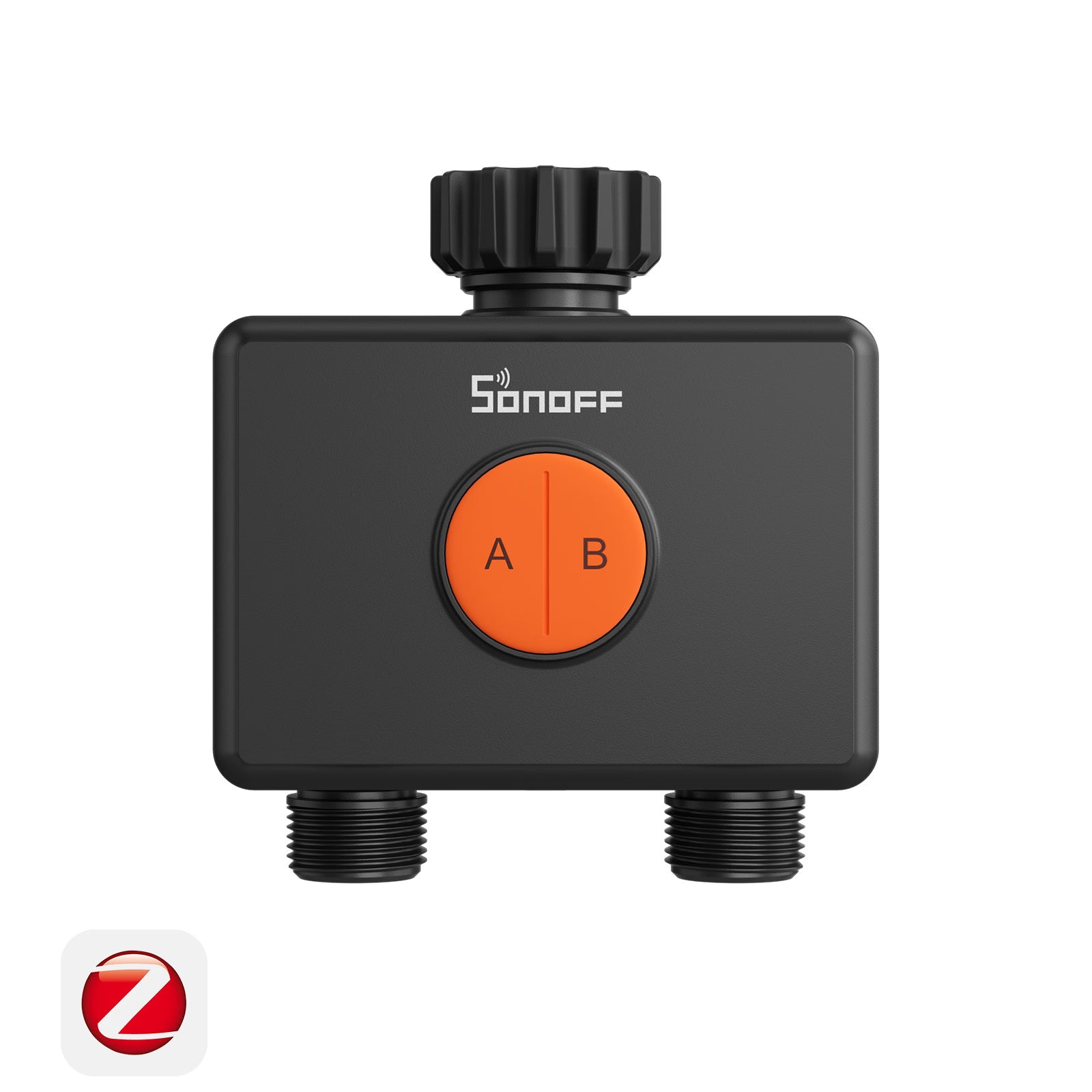
SONOFF Hydro DUO Dual-Channel Zigbee Smart Water Valve With Flow Meter | SWV-ZF2E/SWV-ZF2U
Tax included. Shipping calculated at checkout
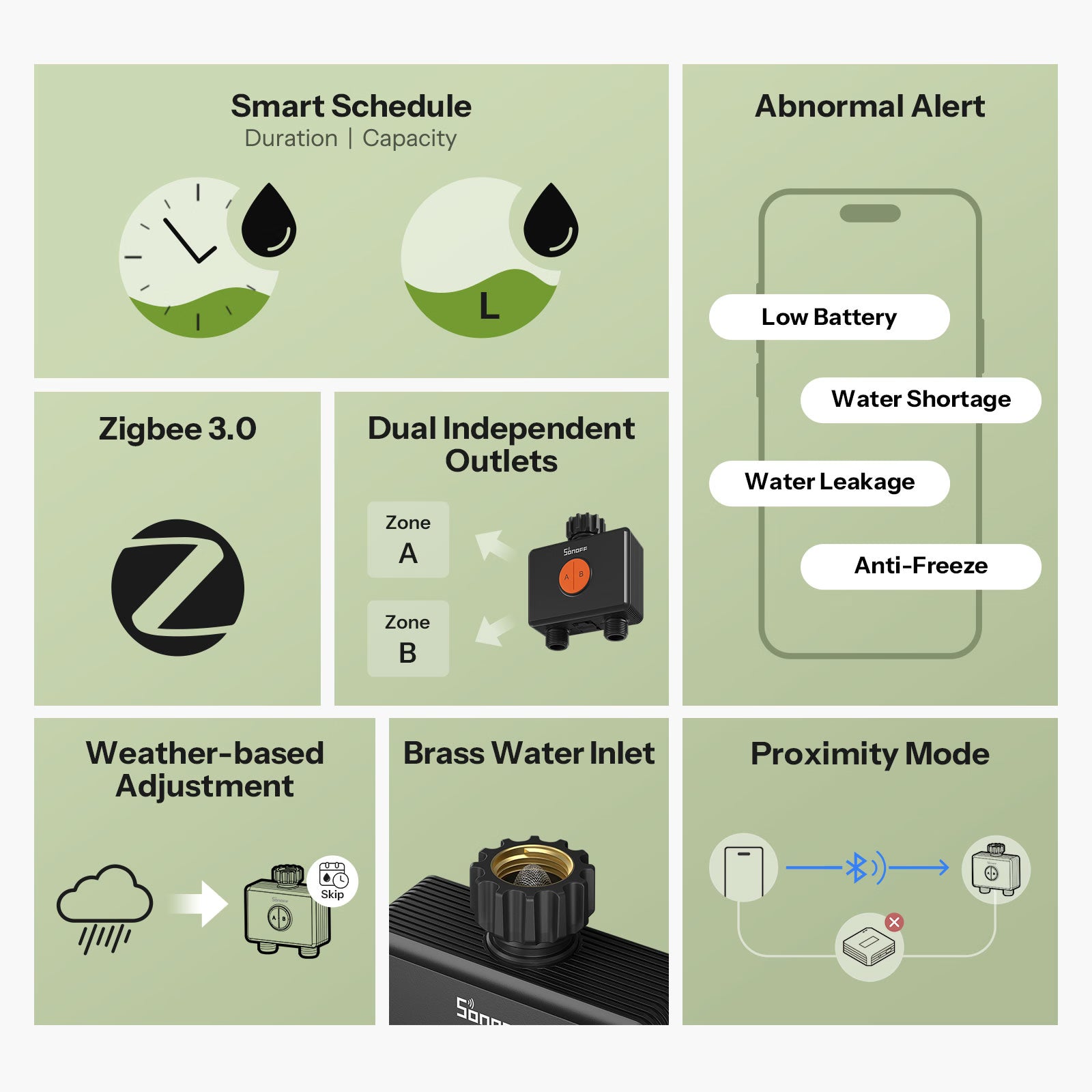
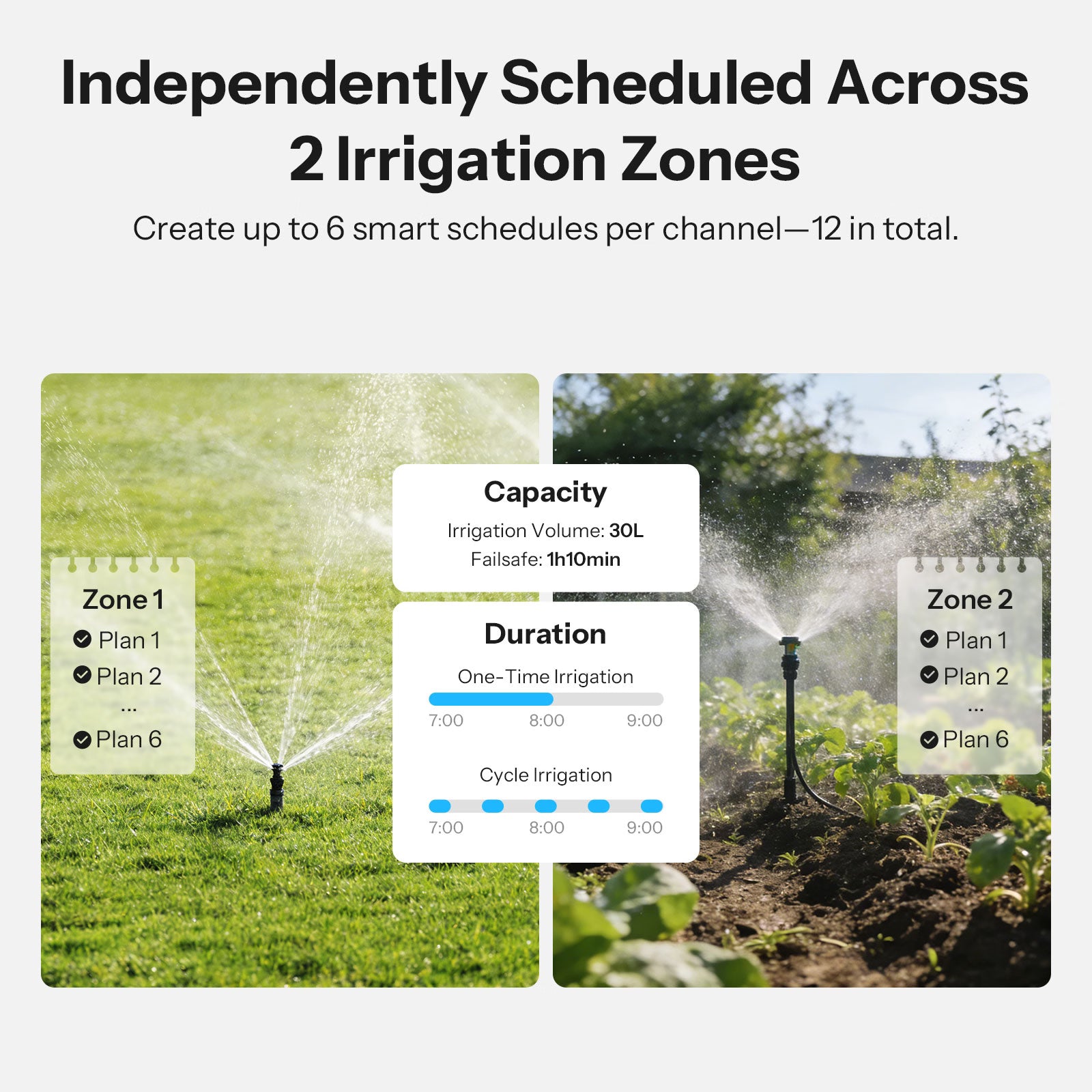
【Independent Dual-Zone Watering】 Hydro DUO allows you to manage two irrigation zones independently, setting separate watering plans for each channel, enabling more precise irrigation for different plant needs.
【Upgraded Brass Inlet & Anti-Slip Design】 Built with a durable brass water inlet for a reliable connection, combined with an anti-slip textured surface for easy installation.
【Smart & Customizable Watering Schedules】 Create up to six personalized watering schedules per channel with adjustable duration and frequency. Supports weather-based and seasonal adjustments to save water and maintain healthy plants.
【Intelligent Protection】 Real-time alerts for low battery, frost risk, water shortage, or leakage via the app. Built-in child lock prevents accidental operation for safer use.
【Dual Connectivity】 Supports Zigbee 3.0 and local communication. Works with Home Assistant or Google Home via gateway, enabling flexible smart home integration.
Note 1: EU and US versions differ in thread specifications of water inlet and outlet and are not interchangeable.
Technical details, troubleshooting or setup tips? Access the Hydro DUO (SWV-ZF2U/SWV-ZF2E) knowledge center for all the info you need.


SONOFF Zigbee Smart Water Valve—Hydro DUO


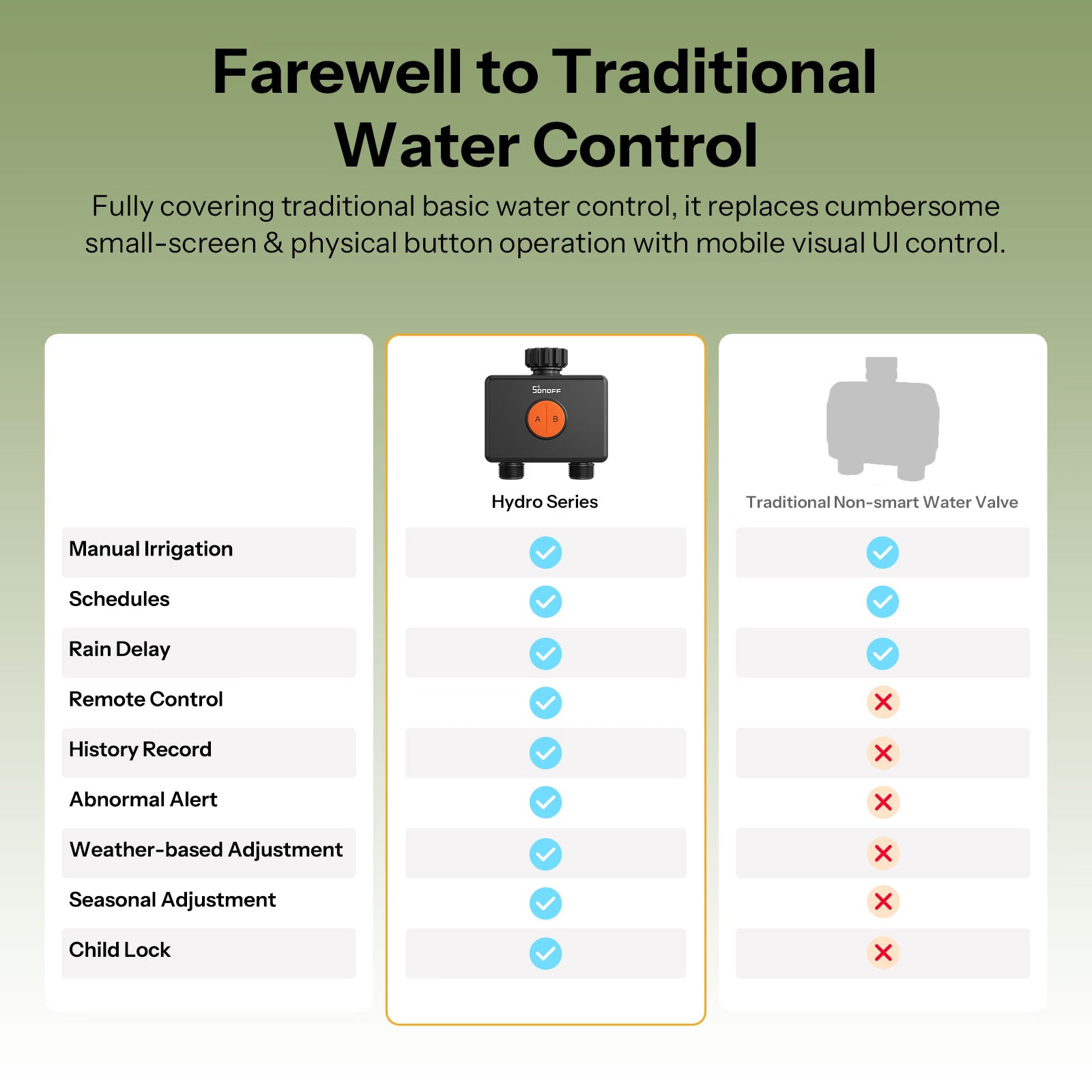
Farewell to Traditional Water Control
Fully covering traditional basic water control, it replaces cumbersome small-screen & physical button operation with mobile visual UI control. Effortlessly manage water at home or on the go for a fully upgraded water usage experience!


Dual-Zone Design for Dual Relief
Independent dual-zone control meets the intelligent irrigation needs of multiple zones with different flow rates, enabling precise water control.


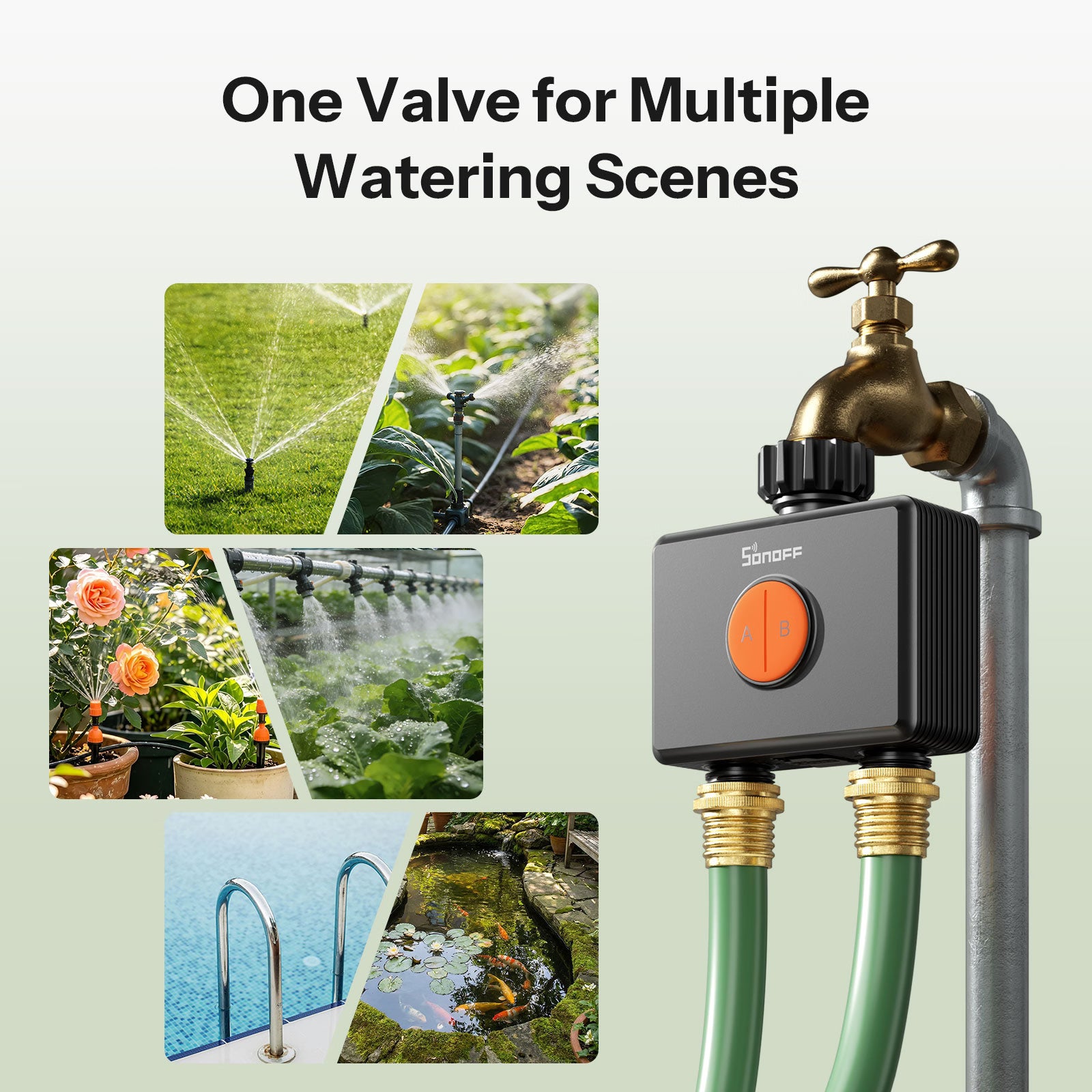
One Valve for Multiple Watering Scenes
Whether for precise drip irrigation or wide-area spraying, it can be flexibly configured to suit your needs. Two outlets can water two different zones independently, meeting a variety of watering requirements.


Professional Materials. Easy Installation. Instant Smart Upgrade.
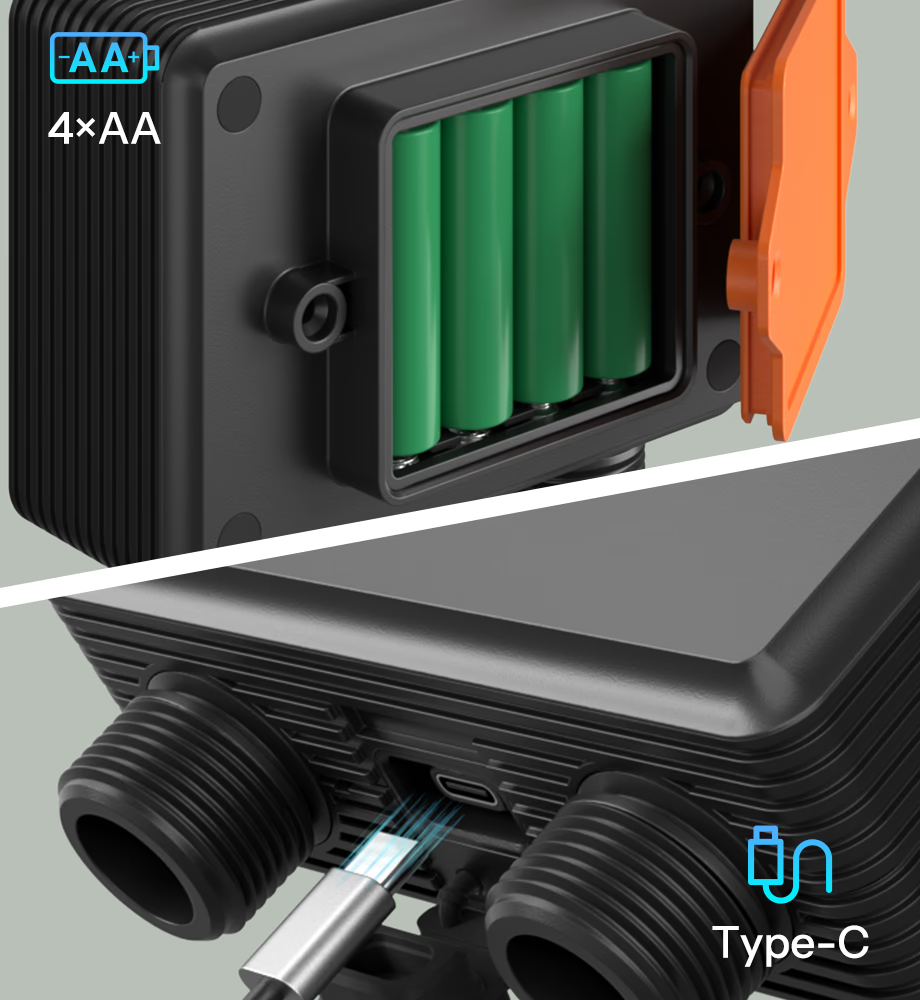
Two Power Supply Options
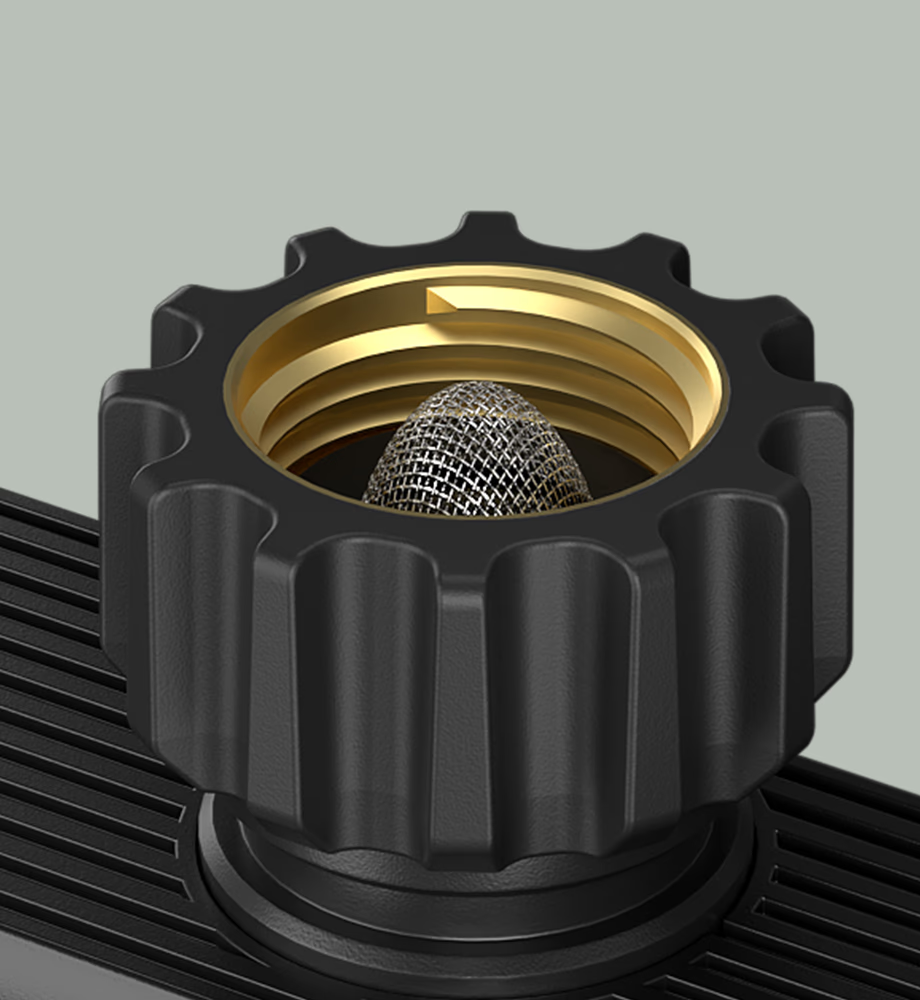
Brass Water Inlet for Sturdiness and Durability
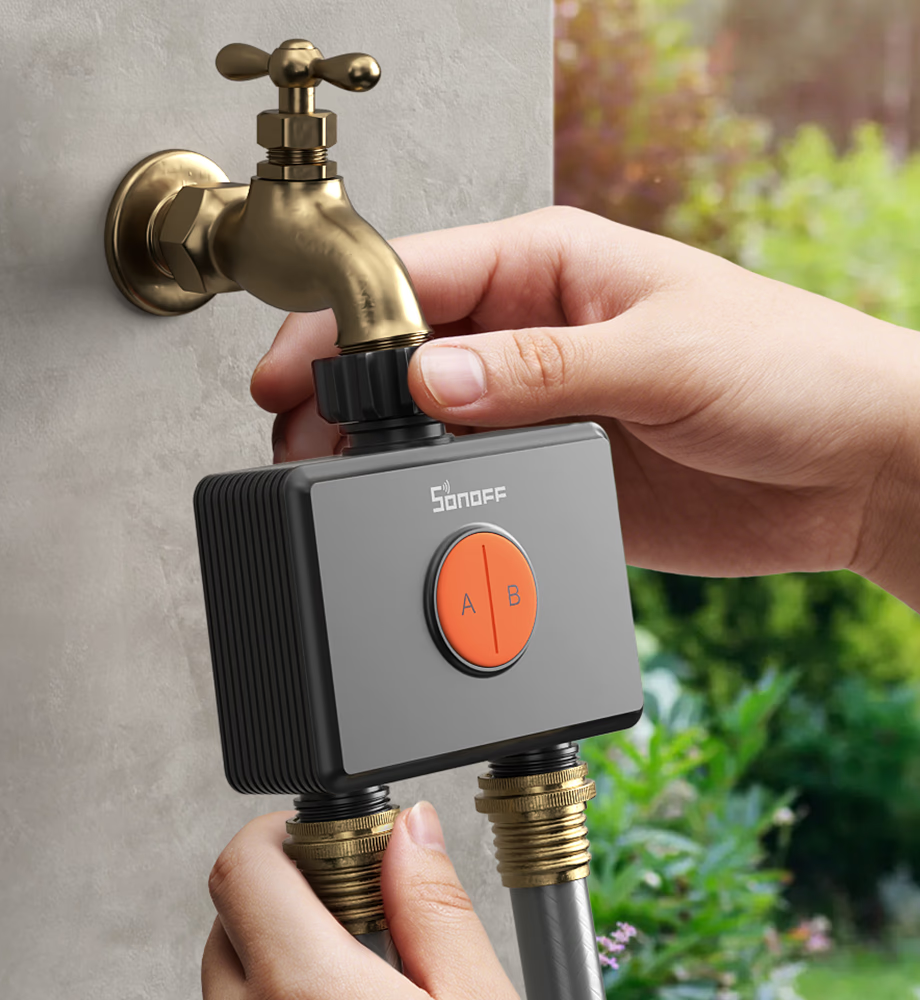
Tool-Free Quick-Connect Design for Easy Installation
Note: It is recommended to install vertically as horizontal installation may increase the error in flow rate measurement.
Independently Scheduled Across 2 Irrigation Zones
Create up to 6 smart schedules per channel—12 in total. Independently manage two irrigation zones with timed or volume-based modes for precise, efficient watering.


Seasonal Adjustment for Precision Watering
Adjust the watering multiplier for each zone by month to ensure plants in every area receive optimal hydration year-round and every drop of water is used efficiently.


Smart Irrigation That Adapts to the Weather
When severe weather is expected, scheduled watering within the next 24 hours is automatically paused, helping your irrigation plan stay in sync with real conditions.


Multiple Safety Protections for Worry-Free Watering
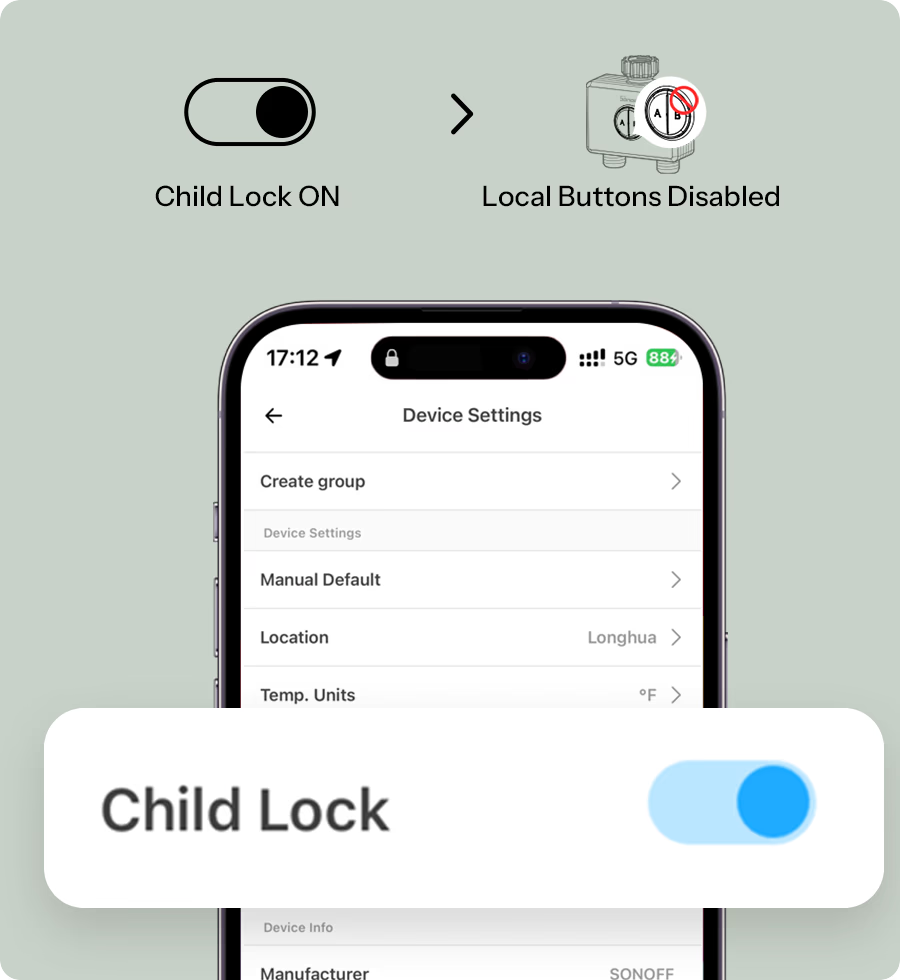
Child Lock
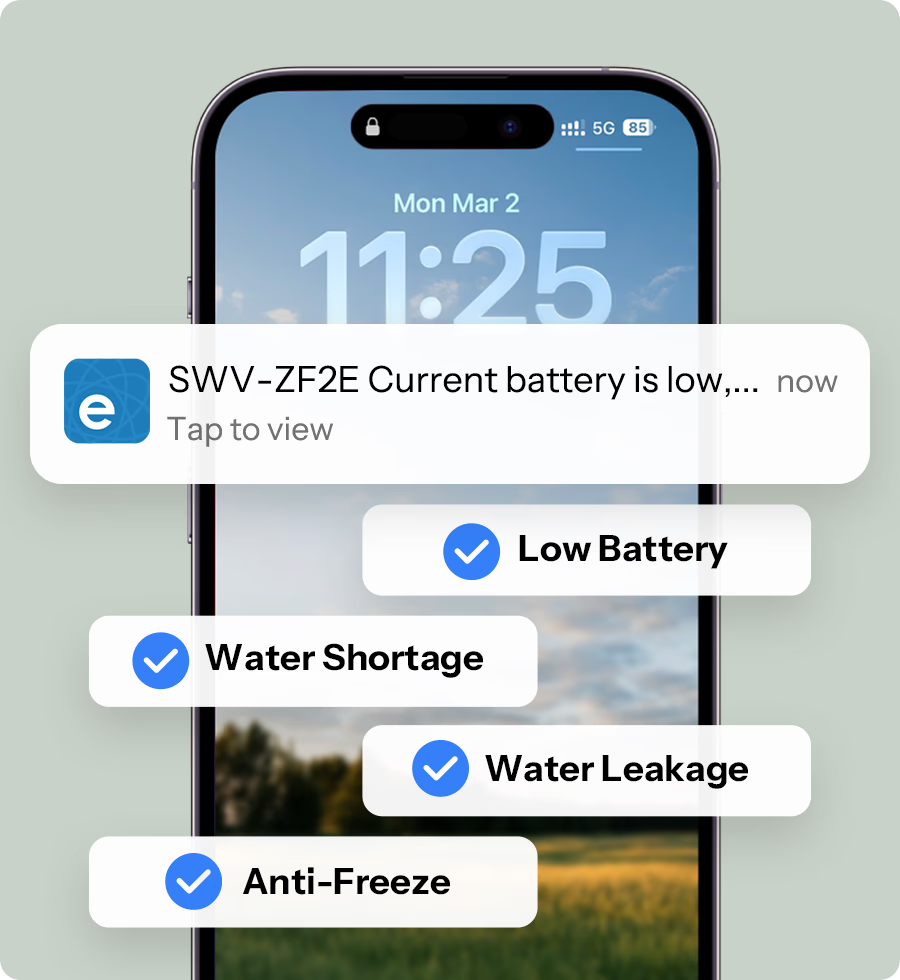
Abnormal Alerts
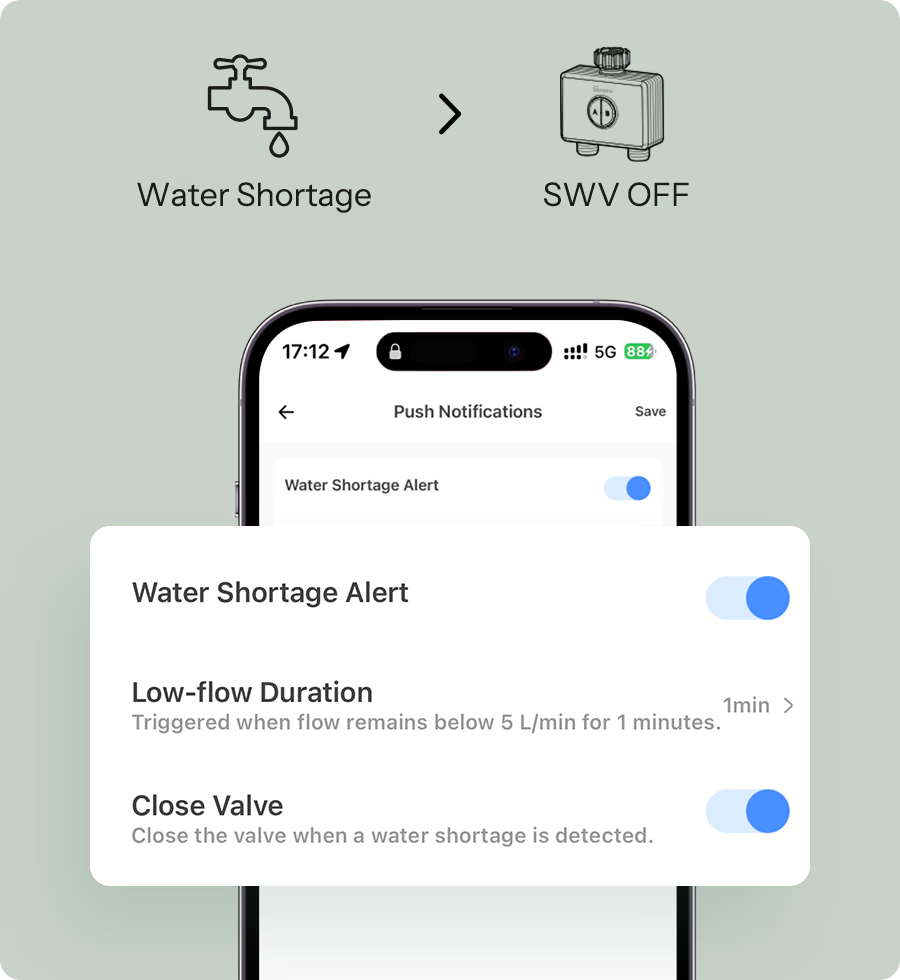
Auto Shut-off on Water Shortage
Track Every Drop of Water
View and download up to 6 months of water usage data by zone, giving you clear insights into each area and helping you optimize your irrigation plan.


Smart Integration for More Efficient Irrigation

Works with Apple Home Via Matter Bridge
All solutions integrate SONOFF Zigbee devices into your Apple ecosystem via Matter Bridge, enabling seamless interconnected device control.
Learn More about ZBBridge-U | Learn More about eWeLink CUBE


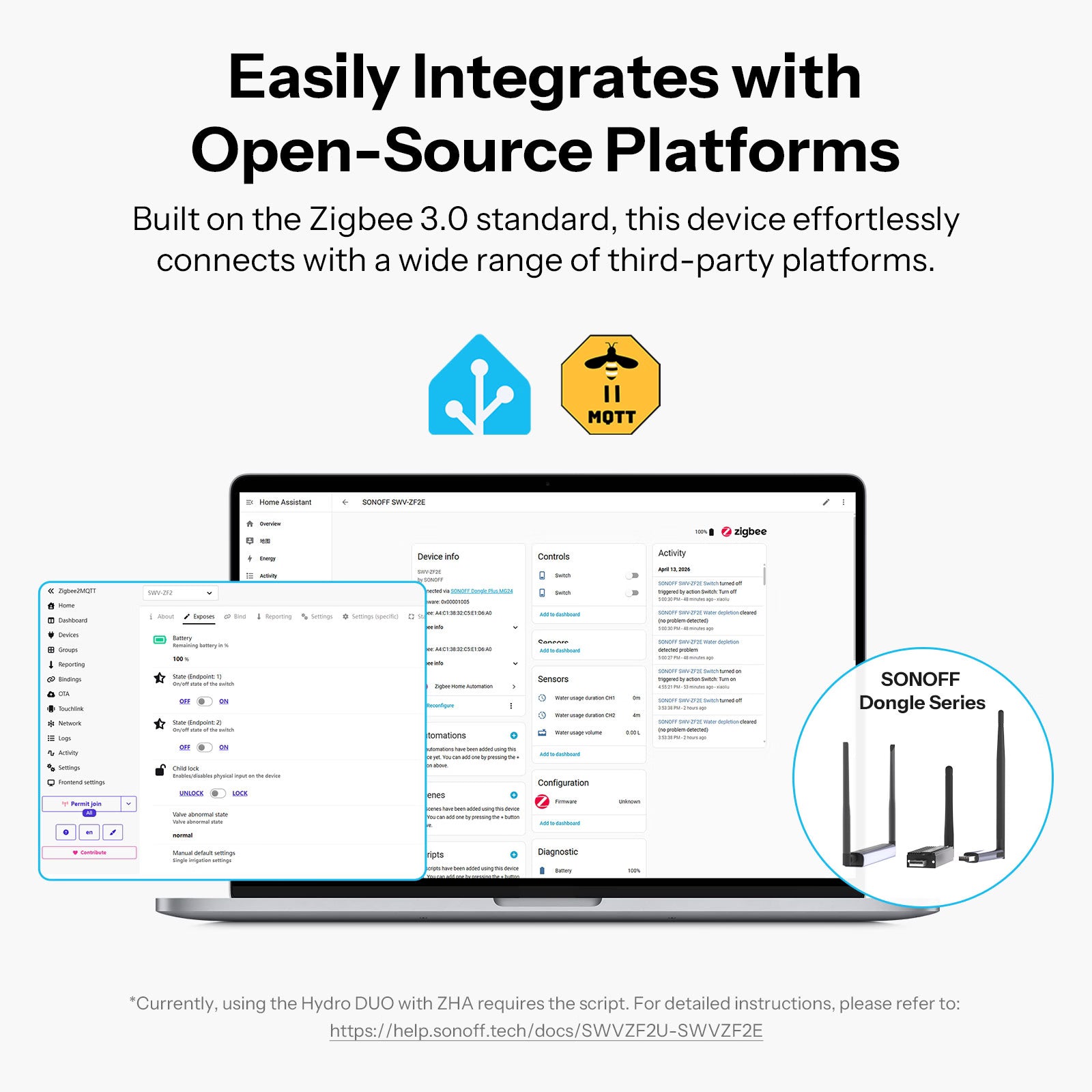
Easily Integrates with Open-Source Platforms


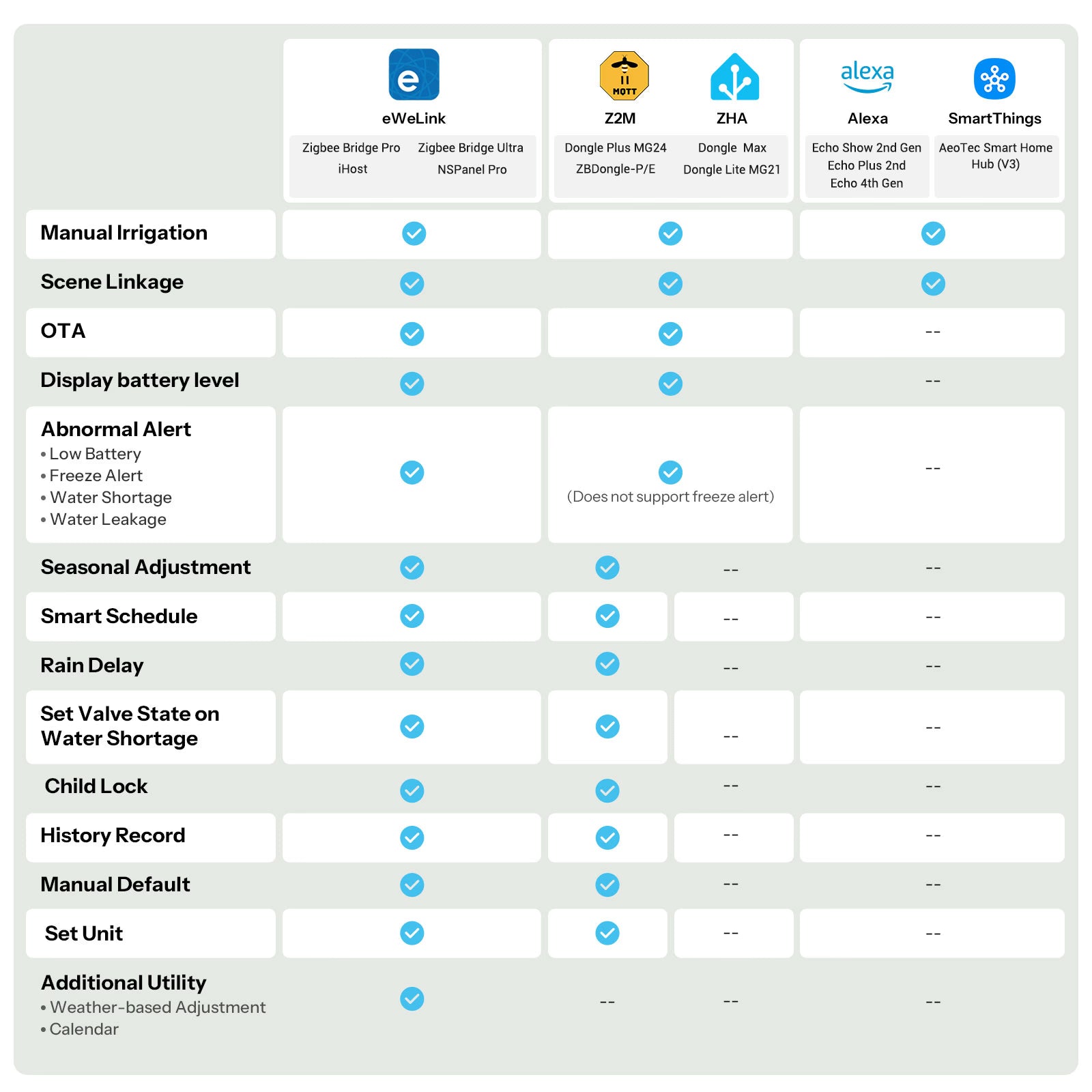
Zigbee Ecosystem Compatibility


Choose Your SWV Smart Water Valve


- Matter Bridge: ZBBridge-U, iHost, Cube OS with SONOFF Zigbee Dongle
- This function requires adding the device to the eWeLink app via the SONOFF zigbee gateway and syncing it to third-party platforms through cloud-to-cloud integration.
- Direct access to Alexa/SmartThings ecosystems via dedicated ecosystem gateways.
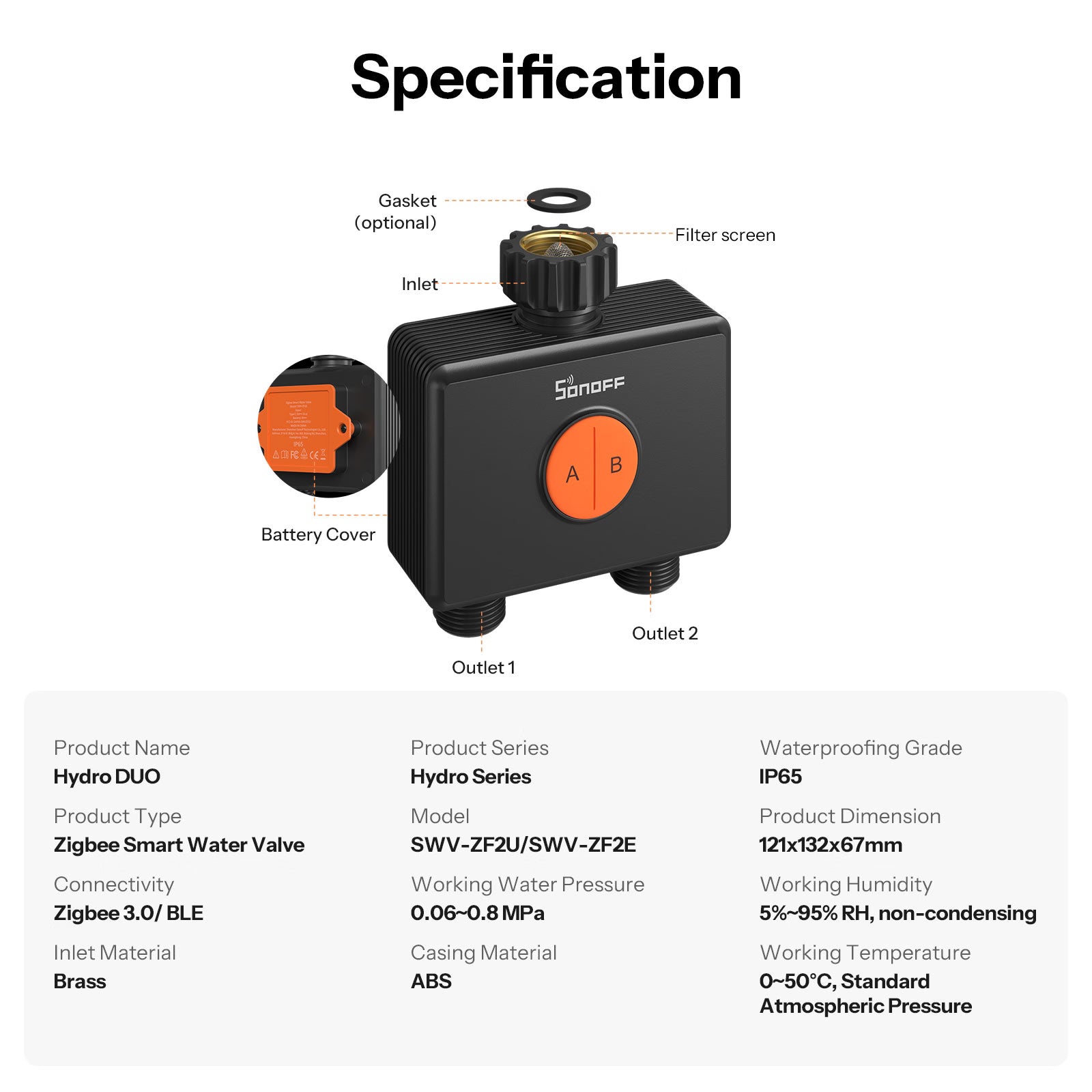
Specification


Specs & User Manual
Hydro DUO is a dual-channel water valve designed for smarter and more precise irrigation. With Zigbee 3.0 and proximity communication, it offers flexible control with or without a gateway. Each channel supports independent watering plans, with up to six schedules per channel to meet different plant or zone needs. Rated IP65 for reliable outdoor protection, it supports both AA battery power and Type-C power supply for flexible installation. The durable brass inlet ensures a more reliable water connection, while the anti-slip texture allows for easier hand-tightening. It also features weather-based adjustments, seasonal optimization, low-battery and frost alerts, water shortage and leakage notifications, plus a child lock for safe and worry-free watering.
User Manual (PDF)Hydro DUO
Hydro series
SWV-ZF2U/SWV-ZF2E
TLSR8258F1KAT32
3V⎓(4*1.5V AA,2S2P) / Type-C 5V 1A
Zigbee 3.0 / BLE (Bluetooth Low Energy)
IP65
121*132*67mm
ABS
0.06~0.8 MPa
0~50℃, Standard Atmospheric Pressure
5~40℃
5%~95% RH,non-condensing
Below 2,000 m
FAQ
1. What's the difference between SWV-ZF2E and SWV-ZF2U? Can they be used together?
SWV-ZF2E and SWV-ZF2U are smart water valves designed for different regions. They offer the same features, but differ in their inlet and outlet thread specifications.
They are not interchangeable unless your piping system supports both standards.
- SWV-ZF2E: Uses British Standard Pipe (BSP) thread, thread designation G3/4-14, with a 3/4" nominal size. Recommended for use in the UK, Europe, and most regions that adopt BSP standards.
- SWV-ZF2U: Uses National Hose (NH) thread, thread designation NH3/4-11.5, with a 3/4" nominal size. Recommended for use in North America.
2. The water is flowing, but the device shows "No Water" and shuts off automatically — why?
If the flow rate is below 5L/min, the device will detect it as a "No Water" condition and the valve can be set to automatically shut off after a specified duration.
If this happens frequently, try increasing the water flow.
3. What is the flow rate range that the flow meter of the device can detect?
The flow meter can detect the range of 2~45 L/min. Please keep the water flow rate within this range.
4. Will unstable water pressure affect the irrigation volume statistics?
No. Hydro DUO automatically adjusts calculations based on actual flow rate, even under fluctuating water pressure, to ensure accurate irrigation volume tracking.
5. Can water shortage control the valve status?
Yes. You can set the on/off status of the water valve after the device detects water shortage in the settings page.
6. Can the inlet and outlet be installed in reverse, e.g., installing a faucet on the outlet?
Reverse installation is not supported. Do not install a faucet on the outlet. Please follow the installation guide and install in the correct direction.
7. Can it be connected to drinking water?
Not recommended. Connecting to drinking water has strict safety requirements for valve materials. Hydro DUO is mainly designed for garden irrigation with tap water.
8. Will the set schedules still execute normally when there is no network?
Yes, all set schedules are stored locally on the device.
9. How long does the battery last?
Under normal use, the battery life is about 1 year
(test condition: 2 uses per day, 30 minutes each time).
However, if it is used continuously as a flow meter, the battery life will be significantly shortened, to about 1 month.
Note: Batteries are not included with Hydro DUO, so users need to prepare their own. Actual power consumption depends on the battery capacity and usage pattern.
10. Why can't both channels of the dual-channel water valve operate simultaneously?
If both channels are turned on at the same time, it will cause a drop in water pressure, leading to unstable water flow from the sprinkler, which affects the irrigation performance. Therefore, the product is designed not to allow simultaneous operation.
11. Why is a tool (screwdriver) required to install the batteries? Is it less convenient than Hydro ONE’s plug-in design?
The current battery compartment uses a screw-lock design to ensure higher protection levels (waterproof and dustproof). Therefore, it is recommended to tighten the screws after installing the batteries.
12. Why is there a Type-C port?
The device is equipped with a Type-C port at the bottom, which serves two main purposes:
A. External power supply
The Type-C port can be used to power the device directly. When both external power and batteries are connected, the device will prioritize Type-C power.
B. Solar panel connection
A solar panel with a built-in battery can be connected to provide continuous power, reducing the frequency of battery replacement.
Note:
- When using a Type-C cable, the device’s protection level depends on the cable used. It is recommended to use a silicone waterproof cable to ensure overall waterproof performance.
- When powered via Type-C: voltage range is 4.5–5.5V, current greater than 0.4A. If using a solar panel, it must include a built-in battery.
13. Why does the indicator light not illuminate during operation?
By default, the indicator light does not illuminate while the device is operating to optimize power consumption. Continuous illumination would significantly increase battery usage and shorten battery life (designed for approximately 12 months). To ensure longer battery life, the indicator light is turned off during operation.
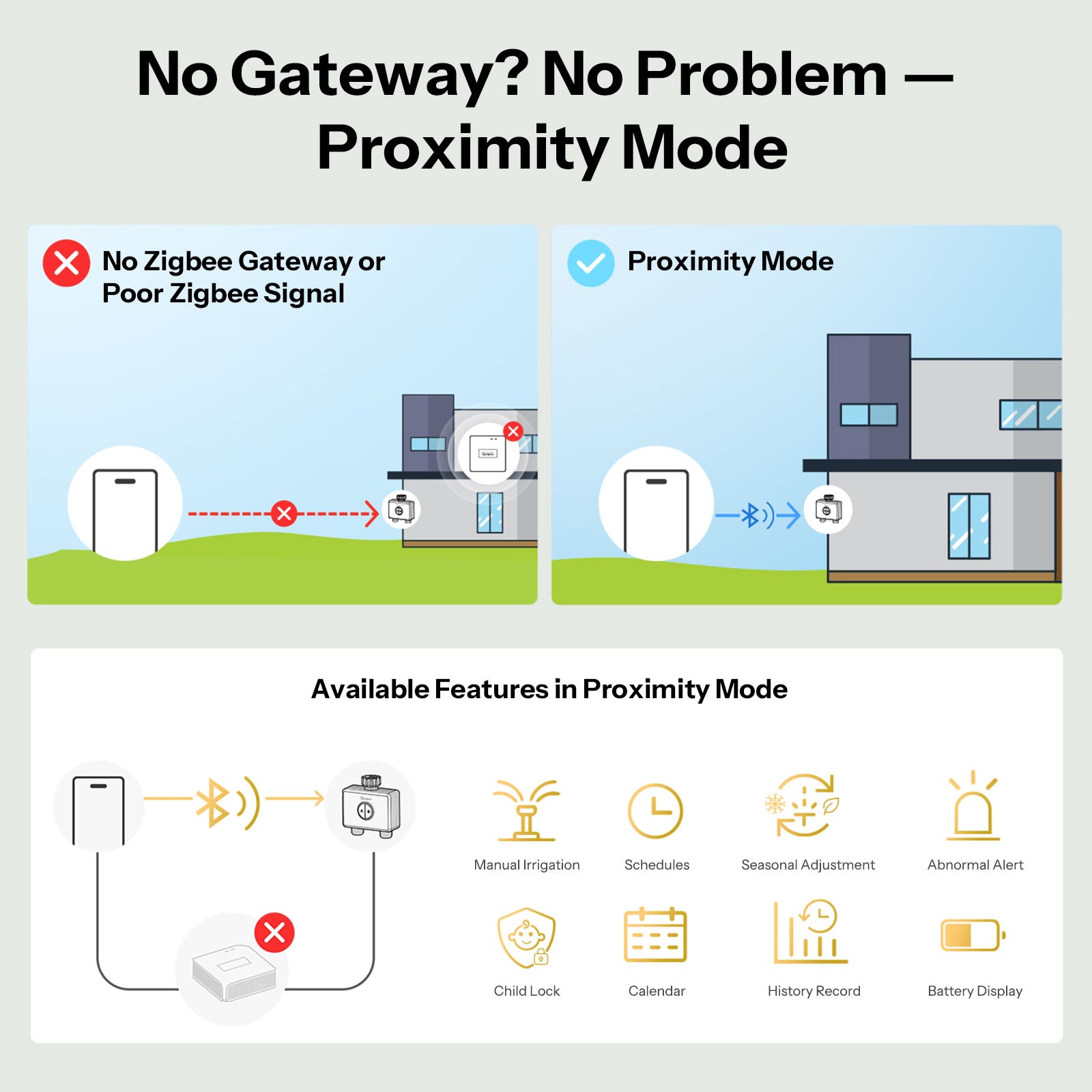
14. Why does the device have proximity mode?
The dual-channel water valve is a dual-mode communication device, supporting Zigbee + proximity communication. Zigbee is used for daily operation, while proximity communication serves as a backup in case there is no gateway or the gateway is too far to maintain a stable connection.
Operating modes:
A. Proximity mode
- If you do not have a Zigbee gateway, you can connect via proximity to set schedules and manually control the device.
B. When connected to a Zigbee gateway but the Zigbee connection is unstable:
- When you open the device details page and the device detects an unstable or disconnected Zigbee connection, it will automatically switch to proximity connection.
- If the Zigbee connection appears normal but a setting cannot be saved, you can click the proximity icon in the top-left corner to enter proximity connection mode. The device will connect successfully, allowing control via proximity. To exit proximity mode, click the back button to return to the main APP page; the proximity connection will disconnect. When you re-enter the device details page, the device will prioritize Zigbee connection.