















































Want to build a low-power, stable smart home but don't know where to start? This article will teach you why you need a gateway and how to choose the right SONOFF Zigbee gateway.
What is a Gateway?
Simply put, a gateway plays two roles:
- As a "Commander": Integrates all smart devices in your home for centralized control and scene automation — for example, creating a "door opens, lights turn on" smart scene.
- As a "Translator": Devices from different brands may speak different "languages" (Zigbee, Wi-Fi, etc.). The gateway translates smart devices into Matter-compatible devices, syncing them to platforms like Apple Home for unified control.
Without a gateway, smart devices just "fight on their own"; with a gateway, they can achieve "whole-home coordination".
What is Zigbee and why do you need a Zigbee gateway?
Zigbee is a wireless communication protocol designed specifically for low-power, small devices. It is widely used in sensors, switches, door/window sensors, smart plugs, etc. Compared with other protocols, it has three distinct advantages:
- Low power consumption – A single coin cell battery can last 1–2 years, no frequent battery changes.
- Mesh networking for more stable signals – Every device can act as a signal repeater; the more devices you have, the more stable the coverage – no dead zones even through walls.
- Works even without the internet – Local automation does not rely on the cloud. Scenes like turning on lights when a door opens still work during an internet outage.
With its advantages, the Zigbee protocol is an ideal choice for "small devices" like sensors, switches, and door/window sensors. However, unlike Wi-Fi devices, Zigbee devices cannot connect directly to your home router for app control — they need a "bridge" to enable remote control, voice control, away-from-home automation, and device status viewing.
This "bridge" is the Zigbee gateway.
If you have many Zigbee devices at home (such as smart plugs, temperature/humidity sensors, door/window sensors, water valves, etc.), the gateway acts as the central hub, helping you integrate these devices to achieve true "whole-home smart living".
Without a gateway, smart devices are just "individual smart devices". With a gateway, they become "whole-home smart living."
Why choose a SONOFF Zigbee gateway?
SONOFF currently offers core Zigbee gateway products, including the Zigbee Bridge Series, NSPanel Pro Series, and Zigbee Dongle Series, covering a full range of scenarios – from entry-level to advanced setups, and from hidden gateways to wall-mounted panels.
SONOFF Zigbee Gateway Advantages
SONOFF's first gateway product – the original ZBBridge – laid the foundation for SONOFF Zigbee gateways. From that first gateway to the new-generation Zigbee Bridge series and NSPanel Pro series, we have achieved a comprehensive leap in capacity, compatibility, and feature iteration:
- Capacity – Zigbee sub-device access capacity increased from 32 devices → 128 devices.
- Compatibility – From supporting only some SONOFF Zigbee devices → fully supporting all SONOFF series and third-party Zigbee 3.0 devices.
- Feature iteration – From discontinued updates → continuous OTA delivery of new features.
Next, we will focus on the Zigbee Bridge Series and NSPanel Pro Series to introduce the core advantages of SONOFF Zigbee gateways.
1. Product Overview
| Series | Product Name | Supported Sub-Devices | Connectivity | Matter Support | Zigbee Router Mode | Third-Party Platform Support | Target Users |
|---|---|---|---|---|---|---|---|
| Zigbee Bridge |
 Zigbee Bridge Pro Zigbee Bridge Pro |
SONOFF Zigbee devices: up to 128 | Wi-Fi + Zigbee 3.0 | No | No | eWeLink App | Entry-level choice, ideal for app-based control |
 Zigbee Bridge Ultra Zigbee Bridge Ultra |
Zigbee 3.0 devices: up to 256 SONOFF Wi-Fi devices SONOFF Matter devices eWeLink-Remote sub-devices Home Assistant entities |
Wi-Fi + Ethernet + Zigbee 3.0 | Yes | No | eWeLink App, Home Assistant, Matter Ecosystem | Multi-ecosystem users, Apple Home users | |
| NSPanel Pro |
 NSPanel Pro 86 Version NSPanel Pro 86 Version |
Zigbee 3.0 devices SONOFF Wi-Fi devices SONOFF Matter devices eWeLink-Remote sub-devices Home Assistant entities |
Wi-Fi + LAN + Zigbee 3.0 | Yes | Yes (when used as Zigbee router) | eWeLink App, Home Assistant, Matter Ecosystem | Users seeking wall-mounted control with multifunctional features |
 NSPanel Pro 120 Version NSPanel Pro 120 Version |
Zigbee 3.0 devices SONOFF Wi-Fi devices SONOFF Matter devices eWeLink-Remote sub-devices Home Assistant entities |
Wi-Fi + LAN + Zigbee 3.0 | Yes | Yes (when used as Zigbee router) | eWeLink App, Home Assistant, Matter Ecosystem | Users seeking a large-screen experience and higher-performance wall-mounted control |
2. Zigbee Bridge Pro (ZBBridge-P)
Product Positioning: A professional gateway dedicated to Zigbee device management, suitable for beginners who only need the "command capability" of a Zigbee gateway.
Key Features:
● With Zigbee routers, 128 Zigbee devices can be connected.
● Local Scene Execution: Scheduled tasks and Zigbee device automations run locally, functioning even when Wi-Fi is down. It also supports smart scenes that link Zigbee and Wi-Fi devices.
● Smart Security: Three customizable security modes ("Home," "Away," "Sleep"). When triggered, the gateway emits an audible alarm and sends push notifications to your phone.
Supported Sub-Devices: Compatible with the full range of SONOFF Zigbee devices, including ZBMINI series smart switches, SNZB series sensors, S40ZB Lite smart plugs, and more. Powered devices (e.g., smart plugs, smart bulbs) act as Zigbee routers, helping to extend signal coverage.
Learn More: ZBBridge-P Product Page
Firmware Update Info: ZBBridge-P Version Update
3. Zigbee Bridge Ultra (ZBBridge-U)
Product Positioning: A flagship Zigbee gateway with Matter protocol support, allowing integration with Apple Home, Google Home, and Alexa – the ideal choice for cross-platform users.
Key Features:
● Powered by a 1.5GHz dual-core CPU and an EFRMG24 Zigbee chip, delivering significantly enhanced performance compared to the ZBBridge-P.
● Supports up to 256 Zigbee sub-devices.
● Matter Bridge Functionality: Bridges non-Matter devices, including those from Home Assistant, to Matter platforms like Apple Home, Google Home, and Alexa for unified control.
● Wired + Wireless Dual Connectivity: Supports RJ45 Ethernet and Wi-Fi for a more stable network.
● Turbo Mode Signal Enhancement: When enabled, it significantly expands the Zigbee signal coverage range.
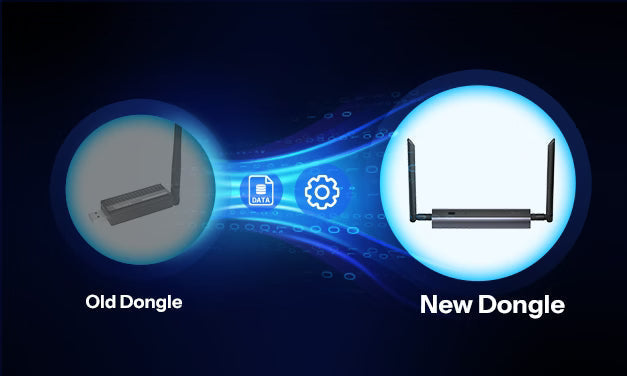
● Gateway Replacement Function: When upgrading from an older gateway, you can migrate all sub-devices, security settings, and scenes with one click – no need to re-pair them individually.
● Home Assistant Sync: Syncs entities from Home Assistant to other Matter platforms via the ZBBridge-U.
Supported Sub-Devices:
● Zigbee 3.0 devices (including plugs, switches, sensors, lights, curtains, thermostats, etc.)
● SONOFF Wi-Fi devices (BASIC series, MINI series, DUAL series, lighting series, etc.)
● SONOFF Matter devices (switches, plugs, lights, etc.)
● eWeLink-Remote sub-devices (R5, S-Mate series)
● Home Assistant entities (switches, sensors, lights, curtains, thermostats, etc.)
Detailed Device Support List: Zigbee Bridge Ultra Supported Devices List
Learn More: ZBBridge-U Product Page
Firmware Update Info: ZBBridge-U Version Update
4. NSPanel Pro 86 & NSPanel Pro 120
Product Positioning: An intelligent smart control panel that integrates a gateway, touchscreen, security scenes, and various third-party applications.
Key Features:
● Control Everything from One Screen: Centrally control all devices, including lights, curtains, cameras, and sensors – even those from other brands – directly from the screen.
● Home Assistant Integration: Download the Home Assistant app via F-Droid to use the panel as a Home Assistant control dashboard.
● Cross-Ecosystem Compatibility: The Matter Bridge feature connects non-Matter devices (including Home Assistant devices) to the Matter ecosystem.
● Smart Thermostat: Select temperature sources and actuators to create personalized temperature control systems.
● Energy Monitoring: View daily energy consumption data when paired with power-monitoring devices.
● Webpage Quick Access: Browse the web on the screen, with one-click access to music, videos, or dashboards.
● Camera Live View: View real-time camera feeds and enable two-way talk with SONOFF cameras.
● Security Hub: Three customizable security modes with alarm and push notifications.
● Local LAN Control: Ensures stable operation even when the external network is down.
Supported Sub-Devices:
● Zigbee 3.0 devices (plugs, switches, sensors, lights, curtains, thermostats, etc.)
● SONOFF Wi-Fi devices (BASIC series, MINI series, DUAL series, lighting series, etc.)
● SONOFF Matter devices (switches, plugs, lights, etc.)
● eWeLink-Remote sub-devices (R5, S-Mate series)
● Home Assistant entities (switches, sensors, lights, curtains, thermostats, etc.)
Detailed Device Support List: NSPanel Pro Supported Devices List
Learn More: NSPanel Pro 86 Product Page | NSPanel Pro 120 Product Page
Firmware Update Info: NSPanel Pro Version Update
Summary: SONOFF Core Gateway Advantages
- High Capacity, Whole-Home Ready: Supports hundreds of sub-devices, easily accommodating large homes.
- Ecosystem Integration, Breaking Down Barriers: Seamless integration with the Matter ecosystem, Home Assistant, and other third-party platforms.
- Powerful Performance, Wider Coverage: Dual-core processor + Turbo Mode signal enhancement + Zigbee Router mode.
- Multiple Options to Choose From: Entry-level gateways to advanced wall panels.
- Security Hub, Protecting Your Home: Three customizable security modes with alarms and push notifications.
- Continuous Upgrades: OTA updates continuously improve performance and features.
Your Smart Life Starts with Choosing the Right SONOFF Gateway.


Leave a comment
All comments are moderated before being published.
This site is protected by hCaptcha and the hCaptcha Privacy Policy and Terms of Service apply.